UL Noreen Shaded Regular Free Urdu Font Download (TTF) 2026
UL Noreen Shaded Regular is the heavyweight of the UL display fonts: solid Urdu letters backed by a deep block shadow that throws every heading forward off…
Welcome to the Urdu fonts library at UrduFontss.net. Every font below has its own page with a live preview, honest details and a working Download button — no fake buttons, no bundled junk, no sign-up. You will find classic Nastaleeq fonts for poetry and publishing, clean Naskh fonts for documents and subtitles, calligraphy fonts for artwork, and decorative fonts for thumbnails and social media. Not sure which style fits your project? Type your own words into the Live Urdu Font Previews tool and see every font before you download anything.
New here? Start with the most loved Urdu font of all, Jameel Noori Nastaleeq, then follow the install guide for your device — PC installation, Android installation or the Mac guide.
Nastaleeq Fonts · Naskh Fonts · Calligraphy Fonts · Decorative Urdu Fonts · Dotted Fonts · Arabic & Quranic Fonts · All Fonts (full library)
Free tools: preview any font with your own words in the Live Urdu Font Previews tool, convert text with the Unicode to InPage converter or the InPage to Unicode converter, and style your text with the Cute Fonts Text Generator.
Yes. Every font listed here is free to download for personal and educational use. Commercial use depends on each font’s own licence — every font page carries its licence note, so check it before client work.
For most people it is Jameel Noori Nastaleeq — the classic Nastaleeq used for Urdu publishing, poetry and design. If you need clean, highly readable text for documents or subtitles, start with a Naskh font instead.
Open the Live Urdu Font Previews tool, type your own text once, and see it rendered in every font. Then download only the fonts you actually like from their pages in this category.
On Windows, extract the ZIP, right-click the TTF file and choose Install. On Android, extract the ZIP and import the TTF inside apps like PixelLab or CapCut. Full step-by-step guides for PC, Android and Mac are linked at the top of this page.
Nastaleeq is the flowing, sloped style used for most Urdu publishing and poetry. Naskh is a straighter, simpler style that stays readable at small sizes, which makes it better for documents, captions and subtitles. This category groups both styles separately so you can browse each on its own.
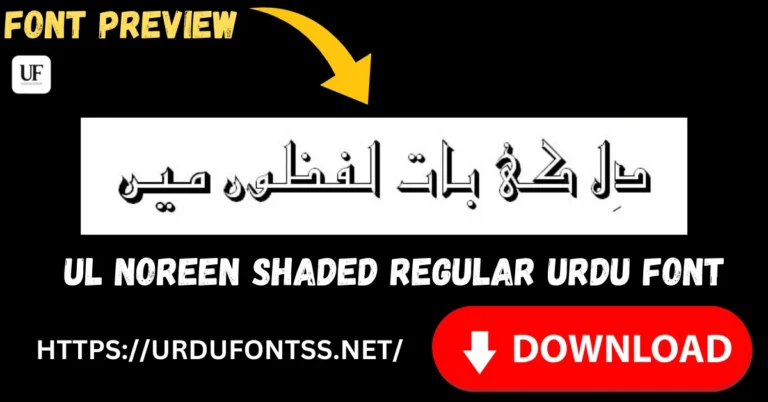
UL Noreen Shaded Regular is the heavyweight of the UL display fonts: solid Urdu letters backed by a deep block shadow that throws every heading forward off…
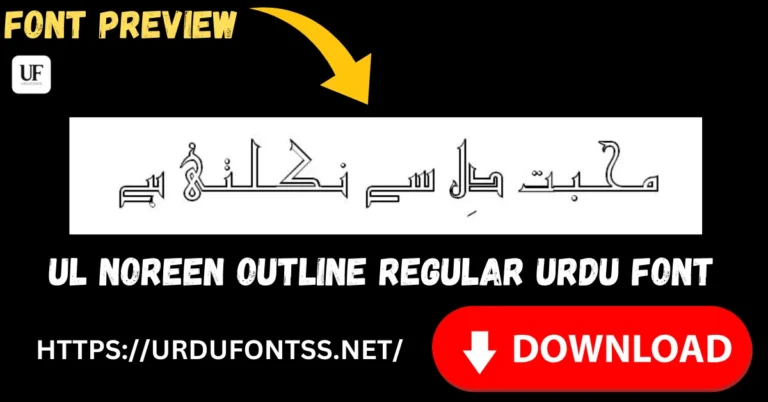
UL Noreen Outline Regular draws Urdu letters as clean hollow outlines — the letterforms are all edge and no fill, which makes them a design material rather…
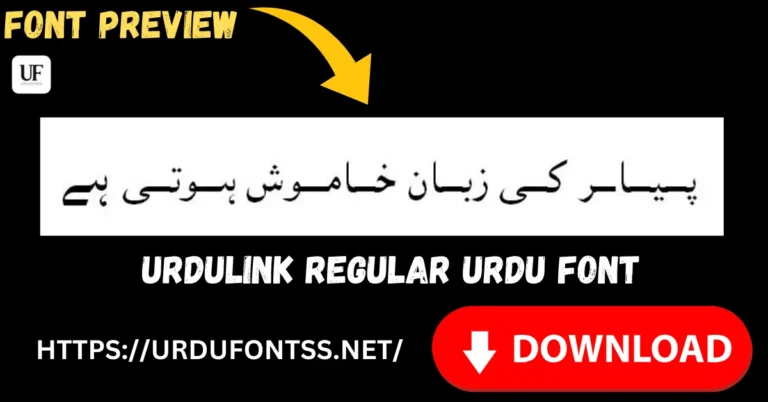
UrduLink Regular is a clean, versatile Urdu font for everyday work — the one you install when you need Urdu text that simply behaves: documents, study material,…
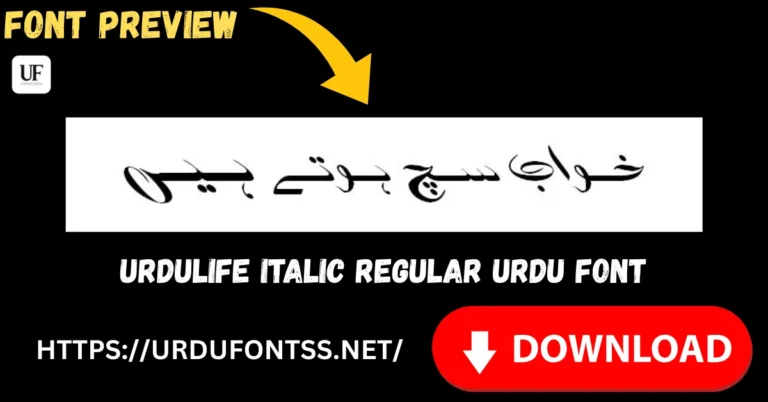
Urdulife Italic Regular is a slanted, curly Urdu font that leans into every line — its letterforms sweep and curl instead of standing straight, which makes Urdu…
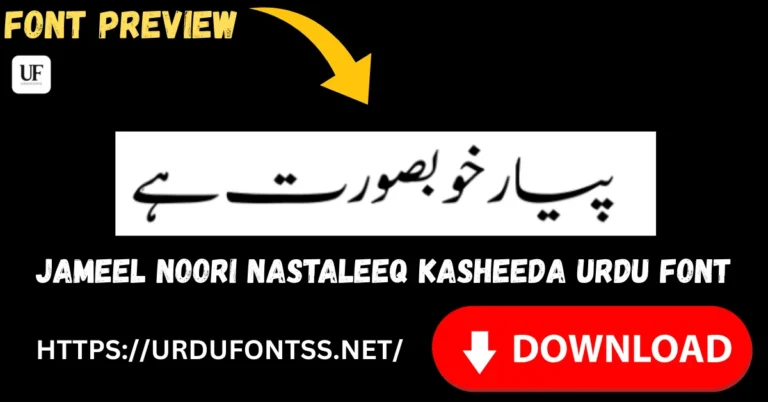
Jameel Noori Nastaleeq Kasheeda is the stretched variant of Jameel Noori Nastaleeq. Download the TTF file free below, then install it on Windows or Mac, or import…
 ByKG
Posted on
Updated on
All fonts, Decorative Free Urdu Fonts, Free Calligraphy Fonts Free, Free Dotted Fonts - Urdu, Urdu fonts
ByKG
Posted on
Updated on
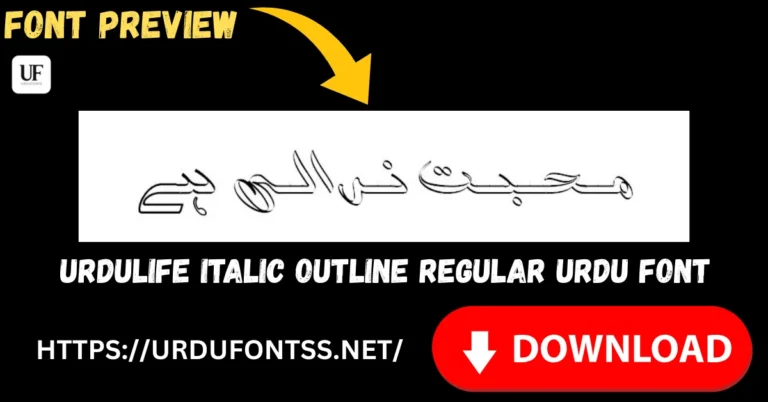
All fonts, Decorative Free Urdu Fonts, Free Calligraphy Fonts Free, Free Dotted Fonts - Urdu, Urdu fonts Urdulife Italic Outline Regular is the hollow member of the Urdulife Italic family — the same slanted, curly letterforms as the solid Regular, drawn as outlines you…
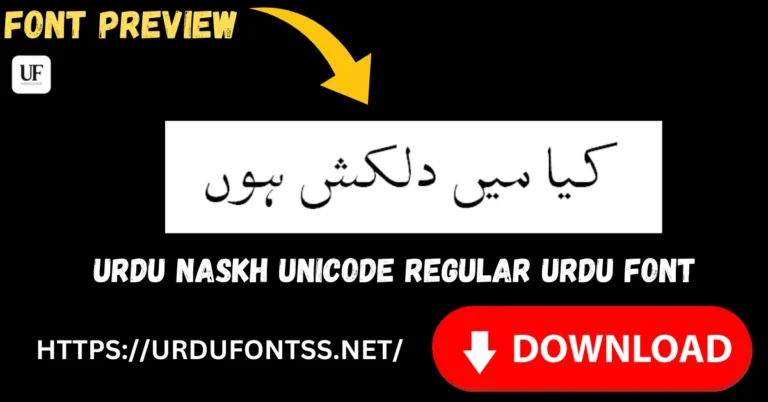
Urdu Naskh Unicode Regular is one of the original Unicode Urdu fonts — a traditional Naskh text face (Version 2.00, January 2005, by Amanat Ali Goher) built…
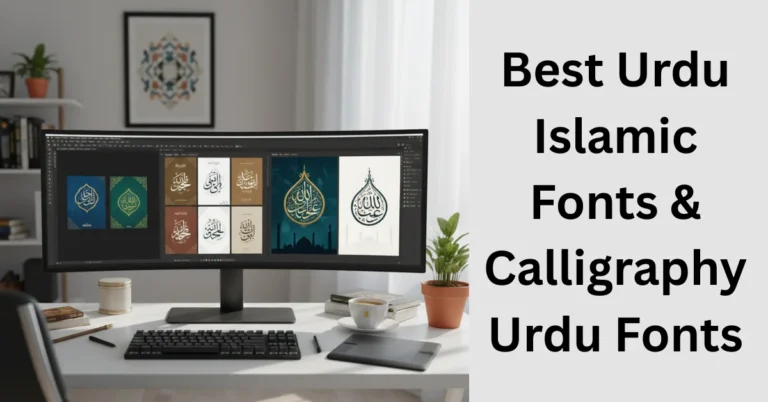
Urdu Islamic fonts and calligraphy fonts are the typefaces used for Quran and Hadith text, Islamic posters, mosque banners, madrasa books and religious social media posts. This…
End of content
End of content