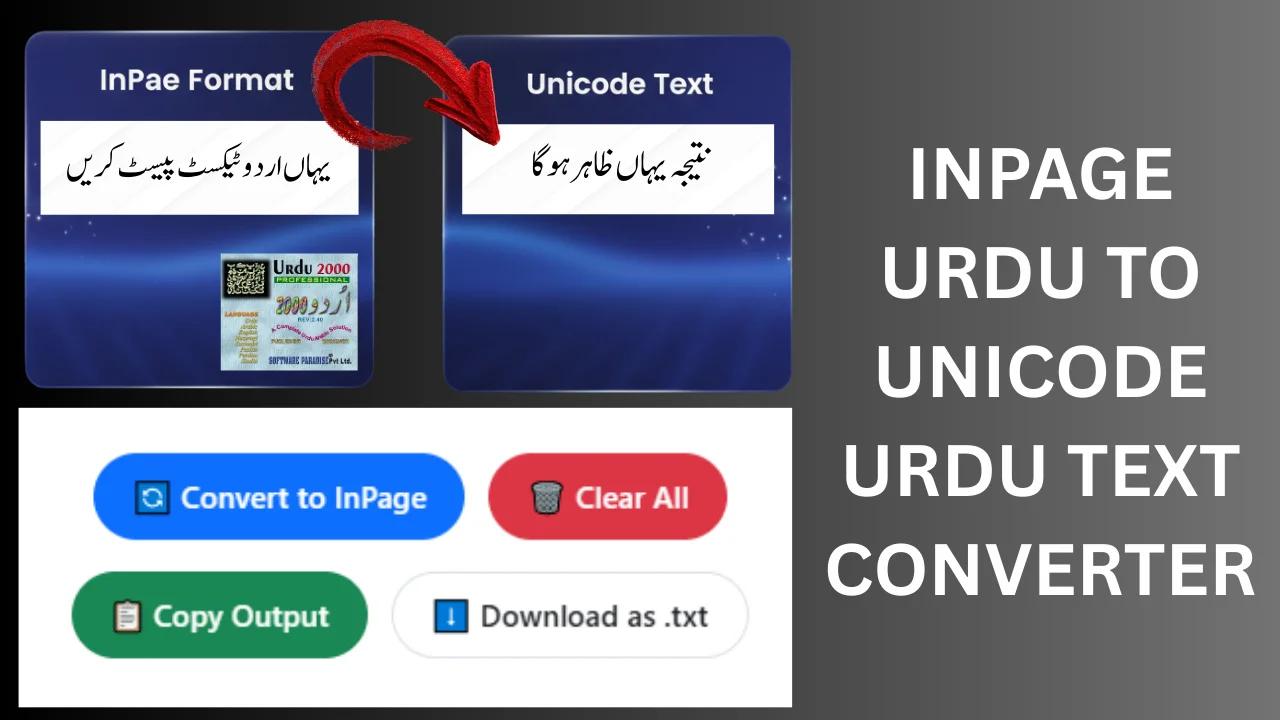
Inpage Urdu to Unicode Urdu Text Converter

Table of Content
Table of Contents
InPage to Unicode Converter Free Urdu Text
📘 InPage vs Unicode: InPage uses a special font-based encoding (Private Use Area) that only works with specific fonts like Jameel Noori Nastaleeq. Unicode is the modern, universal standard for Urdu. This tool converts InPage‑encoded text into standard Unicode Urdu so you can use it anywhere.
Coverage note: paste genuine InPage text only. This converter maps the full Urdu alphabet, Urdu digits, diacritics and common punctuation; rare marks pass through unchanged. Please proofread the result before publishing.
Free InPage to Unicode Converter – Complete Guide
If you are working with Urdu content, you may often face the challenge of converting InPage Urdu text into Unicode format. InPage is widely used in Pakistan for printing newspapers, books, and magazines, but Unicode is the standard for websites, MS Word, social media, and digital platforms.
Our InPage to Unicode Converter tool solves this problem instantly, saving you time and reducing errors. This guide will help you understand the difference between InPage and Unicode, why conversion is important, and how to use the tool efficiently.
· Try this bold X Zar Heavy Urdu Font.
https://urdufontss.net/x-zar-heavy-urdu-font-download/
What is InPage Urdu Text?
InPage is desktop publishing software that uses its own proprietary encoding. While it is perfect for printed Urdu text, copying InPage text to websites, Word, or blogs often shows garbled or unreadable characters. Example: Copying text from InPage directly to Word without conversion can break the text.
· Explore this elegant Zafar Urdu Font.
https://urdufontss.net/zafar-zafar-urdu-font-download/
What is Unicode Urdu Text?
Unicode is the universal standard for encoding characters on all digital platforms. Writing Urdu with Pak Urdu Installer, Google Input Tools, or Windows Keyboard creates Unicode Urdu text.
Advantages of Unicode:
- Works on websites and blogs
- Compatible with MS Word and Google Docs
- Social media ready
- Digital publishing ready
To use InPage Urdu content online, you must convert it into Unicode — this is where our InPage to Unicode Converter becomes essential.
· Try this bold X Zar Heavy Urdu Font.
https://urdufontss.net/x-zar-heavy-urdu-font-download/
Why You Need an InPage to Unicode Converter
- Save Time: Manual retyping of InPage text into Unicode is time-consuming.
- Reduce Errors: Automatic conversion reduces spelling mistakes and formatting issues.
- Mobile-Friendly: Access the converter on any device without installing software.
- Publishing & Design: Perfect for bloggers, students, designers, and journalists.
- Free & Accurate: Convert unlimited text instantly without login or charges.
· Check out this stylish Xebec Unicode Font.
https://urdufontss.net/xebec-unicode-free-urdu-font-download/
How to Use the InPage to Unicode Converter
Using this tool is simple:
- Copy your InPage Urdu text.
- Paste it into the input box of the converter.
- Click “Convert to Unicode”.
- Your Unicode Urdu text will appear in the output box.
- Copy the output or download it as a
.txtfile.
It’s fast, easy, and accurate — no manual typing needed.
· Try this classic Urdu Nastaliq Unicode Font.
https://urdufontss.net/urdu-nastaliq-unicode-regular-free-urdu-font/
Key Features of Our InPage to Unicode Tool
- Converts InPage Urdu text to Unicode instantly
- RTL (Right-to-Left) support for Urdu text
- Copy to Clipboard with one click
- Download as .txt file for offline use
- Character and word count for input and output
- Mobile-friendly, fast-loading, and lightweight
- Beginner-friendly interface
- Free to use without registration
· Explore this professional Urdu Emad Nastaliq Font.
https://urdufontss.net/urdu-emad-nastaliq-regular-free-urdu-font-download/
InPage vs Unicode – Quick Comparison
| Feature | InPage | Unicode |
|---|---|---|
| Compatibility | Limited to InPage software | Works on all modern platforms |
| Web Support | No | Yes |
| Printing | Perfect | Needs formatting |
| Encoding Type | Proprietary | Standardized |
· Try this outline version of UrduLife Italic Font.
https://urdufontss.net/urdulife-italic-outline-regular-urdu-font-download/
FAQs
What is an InPage to Unicode Converter?
A tool that converts InPage Urdu text into standard Unicode Urdu format for websites and digital platforms.
Why should I convert InPage text to Unicode?
Unicode ensures your Urdu text works on blogs, Word, social media, and websites without errors.
Is this InPage to Unicode Converter free?
Yes, it is completely free and does not require login or installation.
Can I use this tool on my mobile?
Absolutely. The converter is fully mobile-friendly and works on tablets, Android, and iPhone.
Will formatting be preserved after conversion?
Basic text is preserved. Complex layouts may need minor adjustments in Unicode.
Is my text stored or saved online?
No, the conversion happens instantly in your browser without storing your data.
Can I download the converted text?
Yes, you can download the output as a .txt file or copy it directly.
Does it support long Urdu articles?
Yes, it can convert short paragraphs or long documents instantly.
What is the difference between InPage and Unicode?
InPage is a printing-focused software with proprietary encoding. Unicode is standard for digital platforms.
Do I need to install any software?
No installation is required; the tool works directly in your browser.
Final Words
If you work with Urdu text for blogging, publishing, or digital content, the InPage to Unicode Converter is a must-have tool. It saves time, ensures accuracy, and makes your workflow much faster.
Use it today to convert your InPage Urdu text to Unicode instantly — free, fast, and mobile-friendly.
If u Want to convert Unicode urdu text to Inpage urdu text visit : Unicode to InPage Urdu Converter