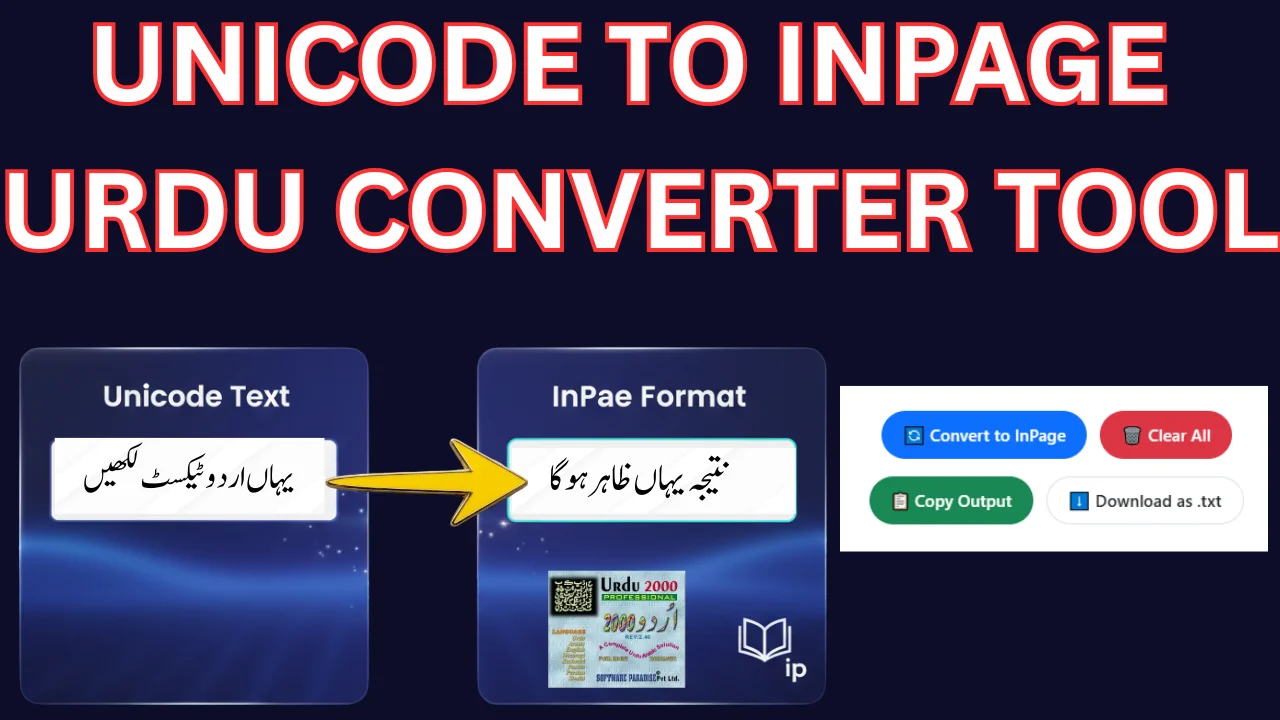
unicode to inpage text convert

Table of Content
Table of Contents
Unicode to InPage Urdu Converter
🔤 Unicode vs InPage: Unicode is the modern standard for Urdu text. InPage uses a legacy font-based encoding. This tool converts Unicode Urdu text into InPage-compatible format. After conversion, you can copy or download the text and use it in InPage software with the appropriate font (e.g., Jameel Noori Nastaleeq). Coverage note: this converter maps the full Urdu alphabet, Urdu digits, diacritics and common punctuation. Rare Quranic marks and Arabic-Indic digits pass through unchanged — please proofread before publishing.
Free Unicode to InPage Converter Online – Complete Guide
If yo’u are working with Urdu content, you may already know the difference between Unicode Urdu text and InPage format. Many writers, designers, and printing professionals in Pakistan use InPage software for publishing. However, most modern websites, MS Word documents, and social media platforms use Unicode Urdu text.
To solve this problem, our Free Unicode to InPage Converter helps you instantly convert Unicode Urdu text into InPage-compatible format without retyping everything manually.
In this complete guide, you will learn what Unicode and InPage formats are, why conversion is needed, and how to use this tool easily.
· Explore this professional Urdu Emad Nastaliq Font.
https://urdufontss.net/urdu-emad-nastaliq-regular-free-urdu-font-download/
What is Unicode Urdu?
Unicode is a universal character encoding standard used by modern systems. When you type Urdu using Pak Urdu Installer, Google Input Tools, or Windows Urdu Keyboard, the text is saved in Unicode format.
Example of Unicode Urdu text:
میرا نام خالد ہے اور میں اردو میں لکھ رہا ہوں۔
Unicode works perfectly on:
- Websites
- Microsoft Word
- Social media platforms
- Blogs and online articles
But the issue starts when you want to paste this text inside InPage software.
· Try this classic Urdu Nastaliq Unicode Font.
https://urdufontss.net/urdu-nastaliq-unicode-regular-free-urdu-font/
What is InPage Format?
InPage is a desktop publishing software widely used in Pakistan and India for Urdu newspapers, books, magazines, and print media. Older versions of InPage do not support Unicode directly. Instead, they use their own encoding system. That means if you copy Unicode Urdu text and paste it directly into InPage, it may show broken characters or boxes. This is where a Unicode to InPage converter becomes essential.
· Check out this stylish Xebec Unicode Font.
https://urdufontss.net/xebec-unicode-free-urdu-font-download/
Why Do You Need a Unicode to InPage Converter?
Here are the main reasons:
1️⃣ Save Time
Manually retyping long Urdu articles into InPage takes hours. The converter does it instantly.
2️⃣ Reduce Errors
Manual typing increases spelling mistakes. Automated conversion ensures better accuracy.
3️⃣ Printing & Publishing
If you write blog posts in Unicode but need to print them in newspapers or books using InPage, this tool bridges the gap.
4️⃣ Student & Designer Friendly
Students preparing assignments and graphic designers working on Urdu layouts can easily convert text without technical knowledge.
· Try this bold X Zar Heavy Urdu Font.
https://urdufontss.net/x-zar-heavy-urdu-font-download/
How to Convert Unicode Urdu Text to InPage?
Follow these simple steps:
- Copy your Unicode Urdu text.
- Paste it into the input box of the Unicode to InPage converter.
- Click on the “Convert to InPage” button.
- Your InPage-compatible text will appear in the output box.
- Click “Copy” or download the file as .txt.
- Paste it into InPage software.
It’s that simple.
· Explore this elegant Zafar Urdu Font.
https://urdufontss.net/zafar-zafar-urdu-font-download/
Key Features of Our Unicode to InPage Tool
Our tool is designed with modern UX/UI and mobile-first performance. Here are the main features:
- Fast and lightweight
- Fully mobile-friendly
- RTL (Right-to-Left) supported
- Copy to clipboard option
- Download as .txt feature
- Character and word counter
- Beginner-friendly interface
- No installation required
The tool works directly in your browser and does not require any software download.
· Check out this beautiful Zohar Unicode Font.
https://urdufontss.net/zohar-unicode-urdu-font-download/
Unicode vs InPage – What’s the Difference?
| Feature | Unicode | InPage |
|---|---|---|
| Compatibility | Works on all modern systems | Limited to InPage software |
| Web Support | Fully supported | Not web compatible |
| Printing | Needs conversion | Ideal for printing |
| Encoding Type | Standardized | Proprietary |
Unicode is better for web use, while InPage is still popular for traditional Urdu publishing.
Is This Unicode to InPage Converter Free?
Yes. Our Unicode to InPage Converter is completely free to use. There are no hidden charges, no login requirements, and no limitations. You can convert unlimited Urdu text anytime.
· Try this smooth Zohra Unicode Font.
https://urdufontss.net/zohra-unicode-free-urdu-font/
Frequently Asked Questions
What is a Unicode to InPage Converter?
A Unicode to InPage Converter is an online tool that converts Unicode Urdu text into InPage-compatible format so it can be used inside InPage software for printing and publishing.
Why do I need to convert Unicode Urdu text to InPage?
If you copy Unicode Urdu text directly into InPage, it may show broken characters. Converting it ensures the text displays correctly in InPage format.
Is this Unicode to InPage Converter free to use?
Yes, this tool is completely free. You can convert unlimited Urdu text without any registration or payment.
Does this tool work on mobile devices?
Yes, the converter is fully mobile-friendly and works on Android, iPhone, tablets, and desktop computers.
Will my Urdu text formatting remain the same after conversion?
Basic text formatting is preserved. However, advanced layouts may require small adjustments inside InPage software.
Is my data stored or saved on the server?
No. Your text is not saved or stored. The conversion process runs instantly in your browser for privacy and security.
Can I download the converted InPage text?
Yes, you can copy the output text or download it as a .txt file for use in InPage software.
What is the difference between Unicode and InPage format?
Unicode is a universal character encoding used on websites and modern systems, while InPage uses its own encoding designed mainly for Urdu publishing and printing.
Can I convert long Urdu articles using this tool?
Yes, you can convert short paragraphs or long Urdu articles instantly without retyping them manually.
Do I need to install any software to use this converter?
No installation is required. The tool works directly in your browser and does not require additional software.
Final Words
If you regularly work with Urdu content for blogging, printing, designing, or publishing, a reliable Unicode to InPage converter is a must-have tool. Instead of retyping your entire content manually, simply paste, convert, and use it instantly. Try our Free Unicode to InPage Converter today and make your Urdu workflow faster and easier.
· Explore this stylish Zoya Urdu Font.
https://urdufontss.net/zoya-zoya-free-urdu-font-download/