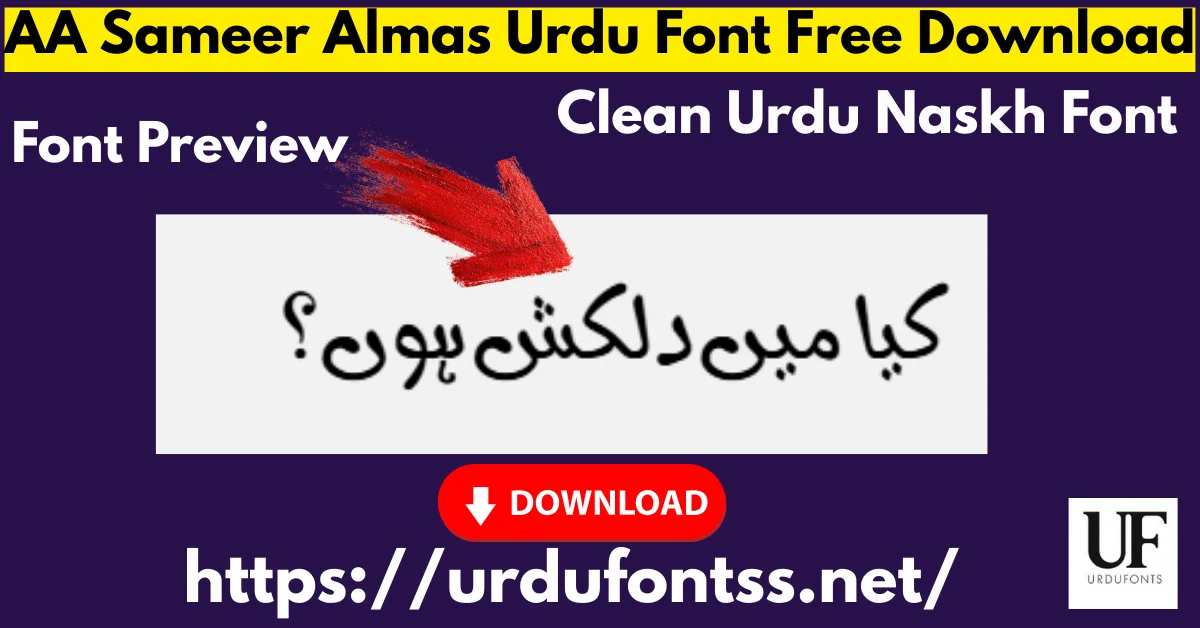
AA Sameer Almas Urdu Font Free Download 2026 – Clean Urdu Naskh Font

AA Sameer Almas is a clean, highly readable Urdu font in the traditional Naskh style, built for documents, printing and everyday typing. This is Version 1.20 (released 24 April 2010), with 431 glyphs and installable embedding, and it works in Microsoft Word, InPage, Photoshop and CorelDraw. Download the TTF free below and install it on Windows, Mac or Android.
Table of Content
Table of Contents
AA Sameer Almas Free Download
| Feature | Details |
|---|---|
| Font Name | AA Sameer Almas |
| Style | Naskh / Clean — Regular weight |
| Format | TTF (delivered in a ZIP of about 51 KB) |
| Glyphs | 431 (verified in the font file) |
| Version | 1.20 (released 24 April 2010) |
| Embedding | Installable — documents carry the font |
| Works With | MS Word, InPage, Photoshop, CorelDraw and all TTF-supported software |
| Platforms | Windows, Mac, Android (in apps) |
Before you download, you can also preview AA Sameer Almas with your own text in our Live Urdu Font Previews tool — type a line of your document and check the letterforms before you install anything.
Font Preview
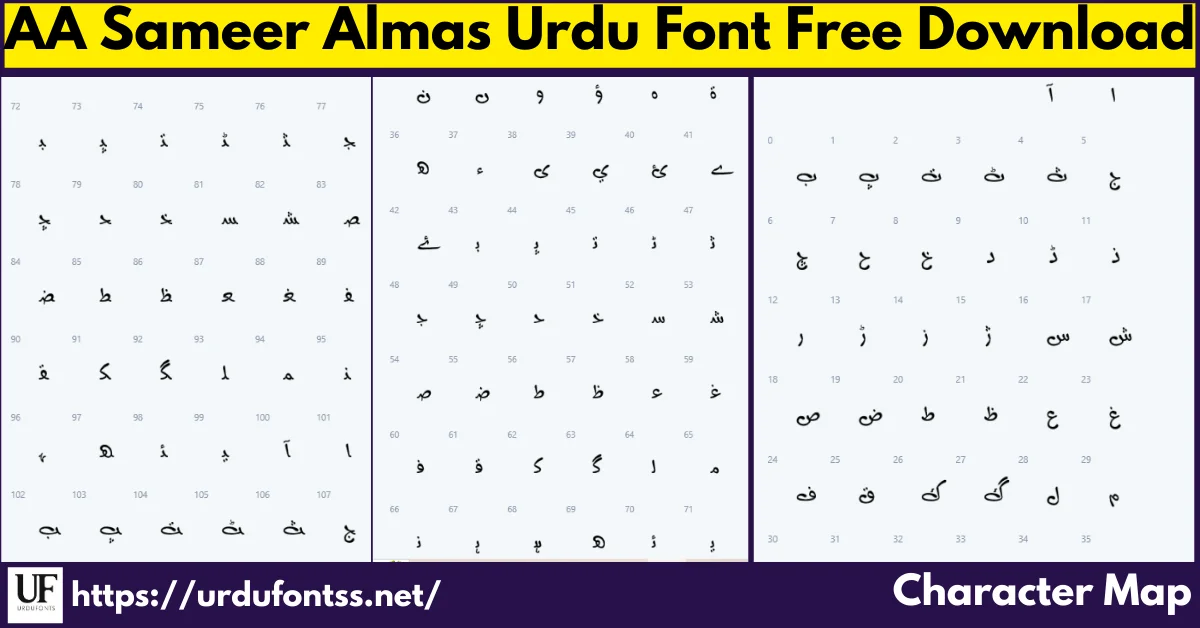
The character map above is this font’s own preview: the full glyph set behind the clean Naskh line — balanced letterforms with even spacing, drawn for reading rather than display. Check the forms your documents actually use here before you download.
What Makes AA Sameer Almas Different
- A document Naskh, not a display face: the letterforms are balanced and evenly spaced for paragraphs — official documents, books and long assignments read comfortably in it, which is exactly what decorative fonts cannot do.
- A stable, dated release: Version 1.20 dates to 24 April 2010 and is the version still in circulation — no silent changes, no family of weights to manage, one known file.
- 431 glyphs, verified in the file: the glyph count stated for this font was confirmed against the downloaded TTF itself, so the coverage claim on this page is the file’s own number.
- Installable embedding: documents and PDFs you share carry the font with them, so a Word file or InPage project keeps its rendering on another machine.
- Small download: the whole font arrives in a ZIP of about 51 KB — fast to download, quick to install, light on older systems.
Best Uses for AA Sameer Almas
- Official documents — government forms, office correspondence and professional reports where readability comes first.
- Book publishing — clean Naskh interiors for Urdu literature and educational texts.
- Academic work — assignments, research papers and teaching material for students and teachers.
- MS Word typing — letters, forms and everyday documents with a comfortable typing feel.
- InPage projects — Urdu publishing and newspaper layout work in the classic desktop tool.
- Printing — brochures, flyers and handouts where the clean design holds up on paper.
It sits on the Naskh shelf of the Urdu fonts category, alongside the text faces compared below.
How to Download and Install
On Windows
Click the download button at the top of this page, extract the ZIP, right-click the TTF file and choose Install. Restart your app and AA Sameer Almas appears in its font list — in MS Word it shows up in the font dropdown once installed. The full walkthrough is in our PC install guide for Urdu fonts.
On Mac
Extract the ZIP, double-click the TTF and choose Install Font in Font Book. If the font does not appear in an app’s list, restart the app — font lists refresh on launch.
On Android
Modern Android phones do not allow free system-wide font changes, so use the TTF inside apps such as PixelLab, CapCut, KineMaster or Canva through each app’s Add Font option — our Android install guide shows the in-app method step by step.
AA Sameer Almas vs Similar Fonts
| Font | How It Differs |
|---|---|
| Urdu Naskh Unicode | Another clean Naskh text option with a Unicode-first build. Choose it for web and modern-app work; AA Sameer Almas for the classic Word and InPage document route. |
| Nafees Naskh | A clean, professional Naskh from a different design tradition. Set the same paragraph in both and keep the one whose line your readers find easier. |
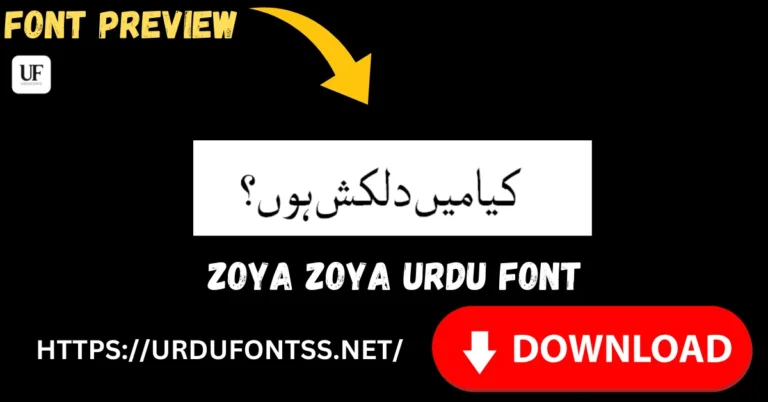
| Zoya | A plainer, evenly spaced Naskh by Syed Manzar Hasan Zaidi (Axis Softmedia) with a wider multilingual character set — Arabic, Latin, Greek, Urdu and Persian in one file. |
Troubleshooting
| Problem | Solution |
|---|---|
| Font not showing in software | Restart the application after installation — most apps only reload their font list at startup |
| Letters not joining properly | Enable right-to-left (RTL) text settings and the Urdu or Arabic keyboard layout |
| Boxes instead of Urdu text | Install the Urdu language pack on your system or check the app’s Unicode support |
| Installation fails | Run the installer as administrator, or check the file permissions on the extracted TTF |
For the full fix list, see our common Urdu font problems and fixes guide and the proper Unicode support guide.
Licence Information
| Usage Type | Licence Status |
|---|---|
| Personal Use | ✅ Free to download |
| Commercial Use | Check the font’s licence terms before using it in commercial work |
AA Sameer Almas is free to download from this page for personal use. We do not claim ownership of this font, and this page is provided for preview and informational purposes. If you are the copyright owner and believe any information here needs correction, contact us at urdufontss@gmail.com and we will act on it promptly.
Final Words
For everyday Urdu typing that has to stay clean and professional — documents, books, assignments, Word and InPage work — AA Sameer Almas is the steady choice on this shelf: one stable version, 431 verified glyphs and a ZIP of about 51 KB. Download it, set a real paragraph in it, and judge the reading line for yourself.
Frequently Asked Questions (FAQs)
Is AA Sameer Almas font free to download?
Yes. The TTF is free to download from the button at the top of this page for personal use. For commercial projects, check the font’s licence terms first.
What is the file size of AA Sameer Almas font?
The download is a ZIP of about 51 KB containing the TTF — a very light file that installs in seconds on Windows and Mac.
How many glyphs does AA Sameer Almas include?
431 glyphs — counted in the font file itself — covering the characters Urdu text needs for documents and print.
What is the current version of AA Sameer Almas?
Version 1.20, released on 24 April 2010. It is the long-standing release of the font and the version this download contains.
Is AA Sameer Almas compatible with InPage software?
Yes. It is a TrueType (TTF) font, so after installation it appears in InPage’s font list like any other system font, and it also works in MS Word, Photoshop and CorelDraw.
Does AA Sameer Almas work on Mac computers?
Yes. Extract the ZIP, double-click the TTF and choose Install Font in Font Book; the font then works across your Mac apps.
What is AA Sameer Almas best used for?
Reading text: official documents, book interiors, academic work, MS Word typing, InPage projects and printing — anywhere a clean Naskh line matters more than decoration.

3 Comments