El Messiri Font Free Download (TTF)

El Messiri is an elegant Arabic script font with full Urdu letter support, giving headings and quotes a refined, calligraphic look. Download the verified TTF file below and install it on Windows, Mac, or in your favourite mobile design apps.
Font Overview
| Feature | Details |
| Font Name | El Messiri |
| Designer | Mohamed Gaber |
| Style | Naskh (Arabic script) |
| Format | TTF |
| Language | Urdu (Arabic script) |
| License | SIL Open Font License 1.1 |
| Works With | MS Word, InPage, Photoshop, Illustrator + mobile apps (PixelLab, Canva) |
| Platforms | Windows, Mac, Android (in apps), iPhone/iPad (via a font installer app) |
By KG · Font file verified 28 Oct 2026: family name, format and glyph count checked from the TTF itself.
File verified 28 Oct 2026: El Messiri, TTF format, 648 glyphs, 138,664 bytes, checked from the TTF itself. The download button above serves this verified TTF file.
Variable font note: El Messiri is a variable font, with a weight axis (400–700, default 400) checked from the file itself. In apps that support variable fonts you can adjust the weight; older apps and apps without variable-font support will only show the default Regular instance.
Table of Content
Table of Contents
What Is El Messiri?
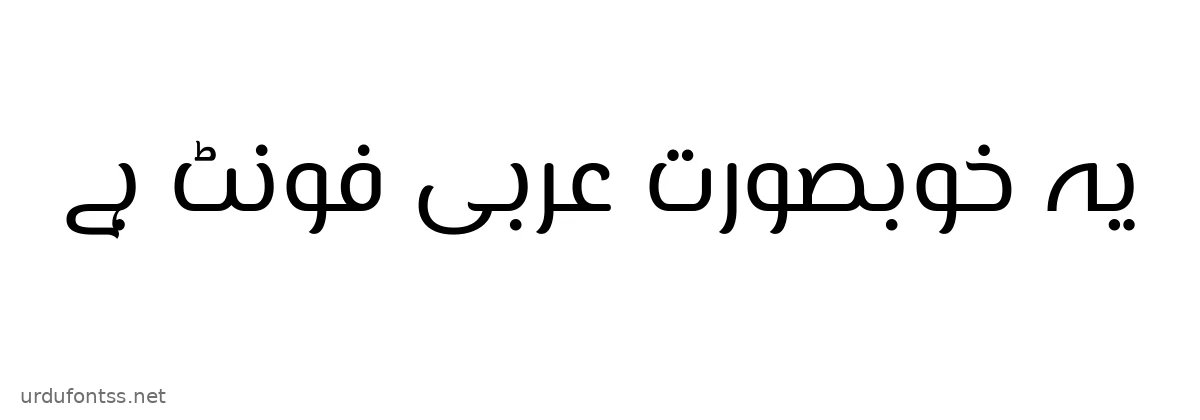
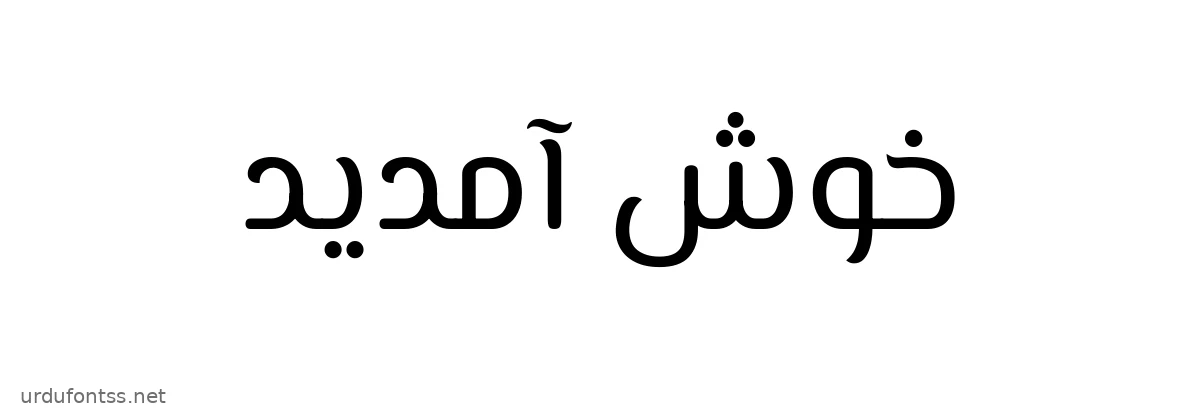
El Messiri is an elegant Arabic script font with full Urdu letter support. Its upright letters carry soft, calligraphic curves, giving headings and quotes a refined look without the slope of Nastaliq. Its full Urdu letter coverage was checked from the font file itself before this article was written. It is a TrueType variable font, so it installs like any standard font, and in variable-aware apps its weight can be adjusted from regular to bold.
If you want to compare how it looks against other faces before installing, try the live Urdu font preview tool on this site, and browse the full Arabic Fonts category for more options.
Features of El Messiri
- Elegant, calligraphic curves — upright shapes with soft flourishes that suit quotes, titles and invitations.
- Variable weight — weight 400–700 in apps that support variable fonts; the default Regular instance shows in older apps.
- Full Urdu letter coverage — all 37 tested Urdu letters present in the font file.
- TrueType format — installs on Windows and Mac and imports into mobile design apps.
- Unicode encoding — standard Unicode code points, so typed Urdu text stays searchable and copyable.
- Works in everyday apps — Word, InPage, Photoshop, Illustrator, PixelLab and Canva.
How to Install El Messiri on PC (Windows & Mac)
On Windows
- Download the TTF file using the button at the top of this page.
- Right-click the TTF file and choose Install (or Install for all users).
- Restart your app — Word, Photoshop or InPage — before the font appears in the font list.
- Select El Messiri from the font list and type Urdu with right-to-left text direction switched on.
On Mac
- Download the TTF file using the button at the top of this page.
- Double-click the TTF file to open it in Font Book, then click Install Font.
- Restart your app before the font appears in the font list.
Full step-by-step help is in our PC install guide (Windows) and Mac install guide.
How to Use El Messiri on Mobile Apps
Most font users today work on their phones, not on a desktop — so this section matters most. On Android and iPhone you use fonts inside design apps, not by changing the whole phone’s system font.
On Android (PixelLab, Canva and font-installer apps)
- Download the TTF file on your phone using the button at the top of this page.
- In PixelLab: open a text layer, tap the font option, choose My Fonts, and import the downloaded TTF file.
- In Canva: upload the font through the Brand Kit font upload on a plan that supports it, or use the in-app font list — see our Canva Urdu fonts guide for the exact steps.
- With a font-installer app: open the TTF in the installer app and follow its prompts to make the font available to supported apps.
- Type Urdu with an Urdu keyboard, keep the text direction right-to-left, and check that letters join correctly before exporting. If you only see the default Regular weight, your app does not support variable fonts — the weight slider will not appear there.
On iPhone and iPad (via a font installer app)
- Download the TTF file on your device using the button at the top of this page.
- Open it in a font-installer app and install the font profile when asked.
- Pick El Messiri inside apps that support custom fonts, such as Canva, and type Urdu with right-to-left direction on.
If the font does not appear after installing, restart the app — and see our Android install guide and common Urdu font problems guide if letters show as boxes.
How to Use El Messiri on a Website
- Download the TTF file using the button at the top of this page.
- Upload it to your website (for example, your theme’s fonts folder).
- Add an @font-face rule in your CSS pointing to the file, for example:
@font-face { font-family: 'El Messiri'; src: url('fonts/el-messiri-font-download.ttf') format('truetype'); } - Apply it to Urdu text with
font-family: 'El Messiri', sans-serif;on your Urdu content, withdir="rtl"andlang="ur"on the Urdu blocks. - Test in Chrome and Firefox — Urdu shaping differs slightly between browsers, so check a real paragraph, not just a heading. Note that a plain @font-face rule like the one above loads the default instance; variable weight needs variable-font CSS to take effect.
Best Uses for El Messiri
- Quotes and invitations — elegant curves give headings a refined, formal feel.
- Documents and articles — the steady baseline keeps long Urdu text readable.
- Social media graphics — made for PixelLab and Canva designs on mobile.
- Book and magazine headings — a clear heading face alongside body text; see our book publishing fonts guide for print tips.
- Educational material — steady letterforms are easy to read for students.
- Web headings — a modern face for website titles and menus; compare it with the faces in our best Urdu fonts for designers.
El Messiri vs Jameel Noori Nastaleeq
Jameel Noori Nastaleeq is the classic sloping Nastaliq benchmark. El Messiri is different in style: upright and elegant rather than sloping Nastaliq, so it suits quotes, invitations and headings where a refined look matters more than calligraphic flow. Choose Jameel Noori for traditional Nastaliq documents; choose El Messiri for clear, upright Urdu text. For more background on the styles, see our Urdu Nastaliq fonts history. Other upright faces on this site include Pak Nastaleeq and AlFars 18 Aban.
Frequently Asked Questions (FAQs)
Is El Messiri free to download?
Yes — the TTF file linked at the top of this page is available through the Google Drive link given here, and the file was verified from the TTF itself before this article was written. The file is licensed under the SIL Open Font License 1.1.
What format is the El Messiri download, and is it a variable font?
TTF (TrueType). El Messiri is a variable font with a weight 400–700. Apps that support variable fonts can adjust the weight; older apps will only show the default Regular instance.
Does El Messiri support all Urdu letters?
Yes — all 37 Urdu letters tested against the font file are present, including Peh, Tteh, Gaf and other Urdu-specific letters.
How do I install El Messiri on Windows?
Download the TTF, right-click it and choose Install, then restart your app. The full steps are in our PC install guide.
Can I use El Messiri on Android?
Yes, inside design apps. Import the TTF in PixelLab, Canva or a font-installer app — see the mobile section above and our Android install guide. Android does not change its system font on most phones, so use it inside apps.
Can I use El Messiri on iPhone?
Yes, through a font-installer app: import the TTF, install the font profile, then pick the font inside apps that support custom fonts, such as Canva.
Can I use El Messiri for commercial projects?
The verified file is licensed under the SIL Open Font License, Version 1.1, which allows free use, including in commercial projects, subject to its terms — read the licence text supplied with the font before commercial use.
Final Words
El Messiri is a solid pick when you need a clear, upright Urdu font that installs as a standard TTF on PC, Mac and mobile apps, with adjustable weight in variable-aware apps: download the verified file above, install it with the steps for your device, and test a real Urdu sentence before you publish. For more options, browse the Arabic Fonts category, compare with Jameel Noori Nastaleeq, Qahiri, Cairo and Noto Kufi Arabic, or see our best Urdu fonts for designers — and if you work with InPage documents, our Unicode to InPage converter keeps your converted text moving between formats.