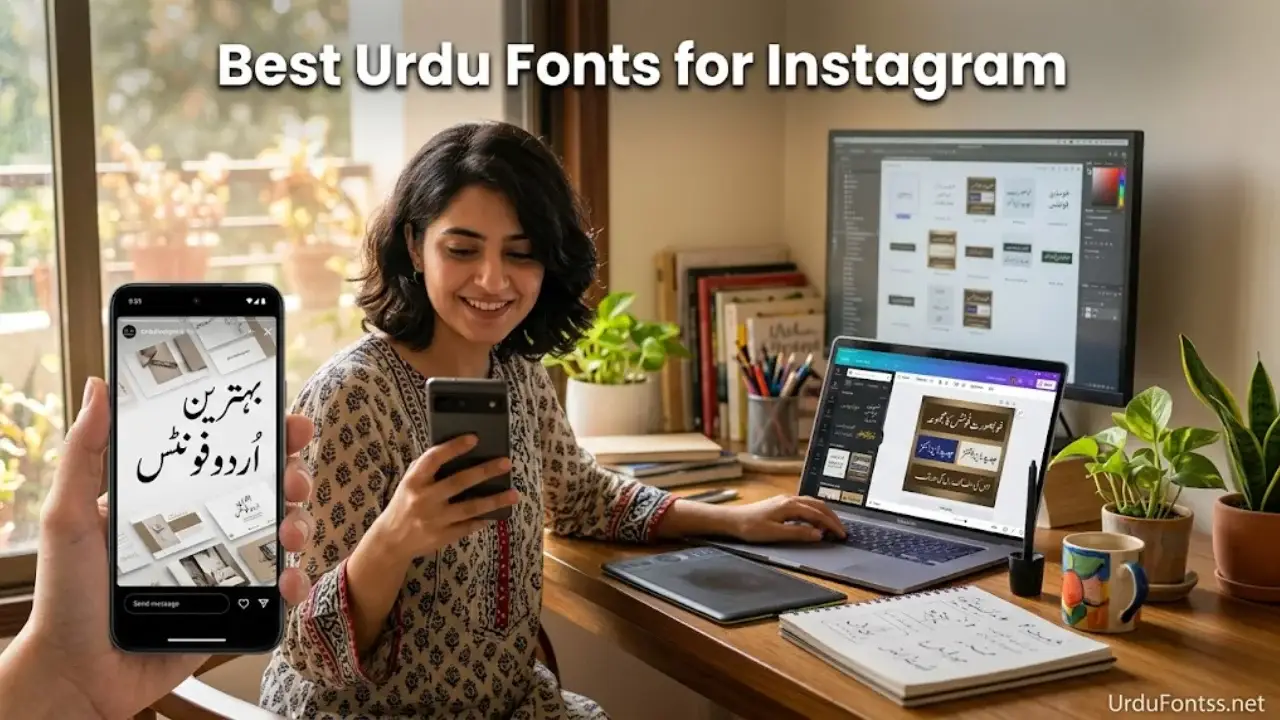
Best Urdu Fonts for Instagram Stories & Posts – Enhance Your Social Media Design

Table of Content
Table of Contents
Introduction – Why Font Choice Matters for Instagram
Instagram is a visual-first platform. Every element in your story or post, from the background image to the text overlay, contributes to how your audience perceives your content. When creating Urdu content, the font you choose can make the difference between a story that stops someone mid-scroll and one that gets skipped entirely.
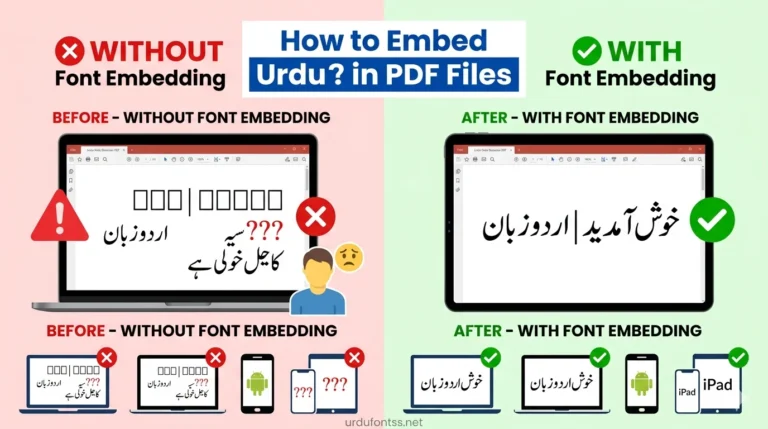
The challenge with Urdu typography on social media is real. Not all fonts render correctly. Some break into disconnected characters, while others display as empty boxes — a frustrating experience for any creator. This happens because Instagram and many design apps rely on Unicode-compatible fonts to display Urdu correctly. If your font lacks proper Unicode support, your beautifully crafted message turns into an unreadable mess. For a deeper understanding of this issue, you can read our guide on Proper Unicode Support Urdu Font Issues.
In this guide, I will walk you through the best Urdu fonts for Instagram stories and posts. You will find a curated list of fonts that work reliably, detailed reviews of each one, installation instructions for popular design tools, and practical tips to make your Urdu text stand out. Whether you are a social media manager, a content creator, or someone who simply enjoys sharing Urdu poetry online, this article will help you make informed font choices.
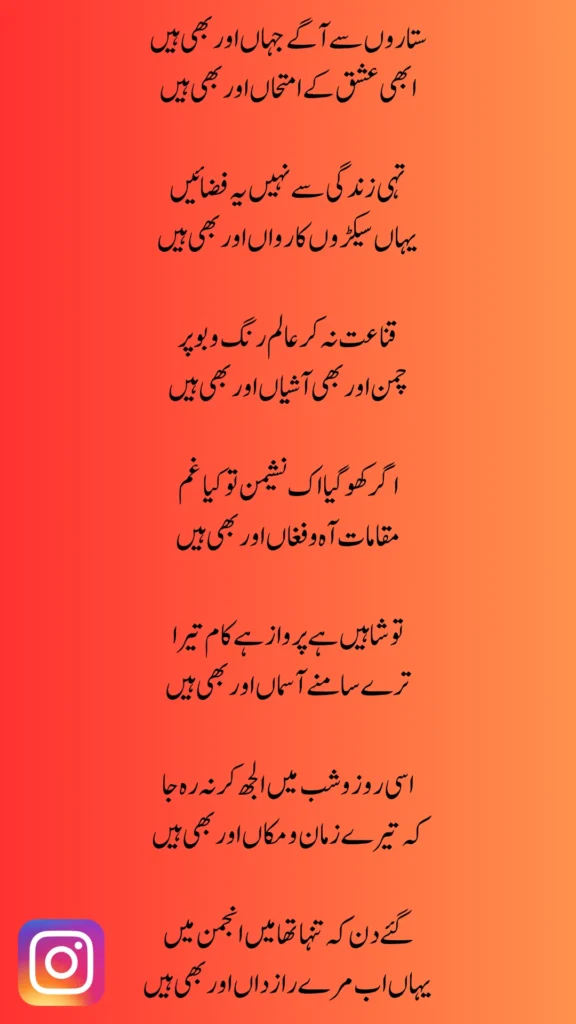
Top 10 Best Urdu Fonts for Instagram Stories & Posts
Here is a quick comparison of the fonts covered in this guide. Each one has been tested for Instagram compatibility, readability on mobile screens, and Unicode support.
| # | Font Name | Style | Best For | Unicode |
|---|---|---|---|---|
| 1 | Jameel Noori Nastaleeq | Traditional Nastaleeq | Poetry, Quotes | ✅ |
| 2 | Noto Nastaliq Urdu | Modern Nastaleeq | Clean Stories | ✅ |
| 3 | UL Amjad Outline Regular | Decorative Outline | Event Posts | ✅ |
| 4 | UL Sajid Heading Regular | Bold Heading | Announcements | ✅ |
| 5 | Tehreer Regular | Clean Minimal | Lifestyle Stories | ✅ |
| 6 | Al Qalam Quran Majeed | Quranic Arabic | Islamic Posts | ✅ |
| 7 | UL Noreen Bold Regular | Bold Readable | Highlight Text | ✅ |
| 8 | UL Bilal Outline Regular | Stylish Outline | Creative Posts | ✅ |
| 9 | Urdu Naskh Unicode | Simple Naskh | Professional Content | ✅ |
| 10 | Muhammadi Quranic Font | Arabic Style | Islamic Content | ✅ |
Detailed Font Reviews & Best Use Cases
Each font on this list has been selected based on readability, Instagram compatibility, and design versatility. Here is a closer look at what makes each one valuable for your social media content.
1. Jameel Noori Nastaleeq – The Classic Choice for Urdu Poetry
If you have ever seen an Urdu poetry post on Instagram that looked effortlessly elegant, there is a strong chance it was typed in Jameel Noori Nastaleeq. This font is the gold standard for traditional Urdu typography. It follows the Nastaleeq writing style, which is the cursive, flowing script that Urdu readers find most natural and familiar.
For Instagram stories featuring shayari, quotes, or literary content, Jameel Noori Nastaleeq is unmatched. The diagonal flow of the text creates a rhythm that complements poetic expression. It renders well on mobile screens and maintains readability even at smaller sizes. I have used this font extensively for quote posts, and it consistently receives positive feedback from followers who appreciate the authentic Urdu feel.
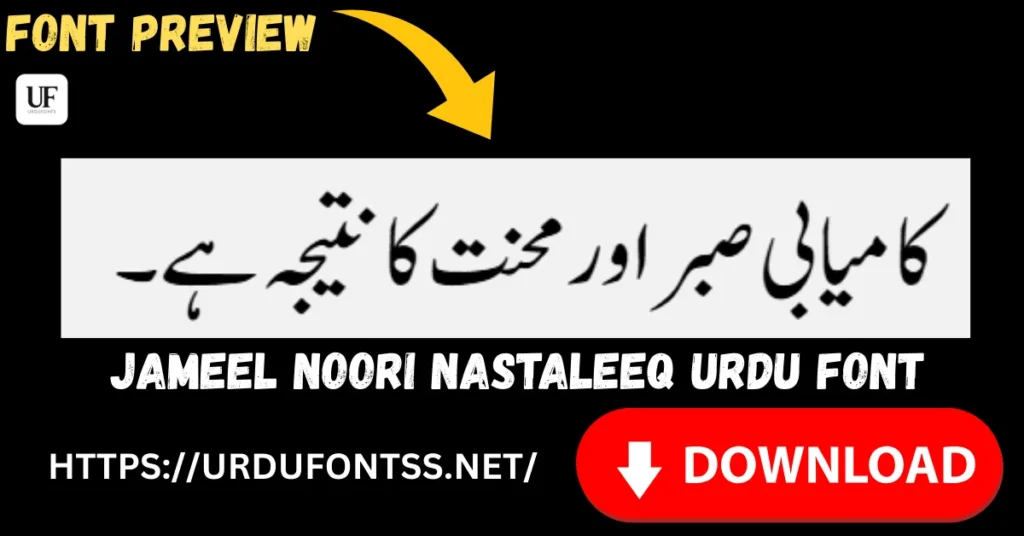
👉 Download: Jameel Noori Nastaleeq Urdu Font
2. Noto Nastaliq Urdu – Google’s Gift to Urdu Designers
Noto Nastaliq Urdu is part of Google’s Noto font family, which aims to support all the world’s languages. Being open-source and developed by Google, it comes with excellent Unicode compliance and rendering quality. The font has a clean, modern take on the Nastaleeq style without losing its traditional essence.
What makes Noto Nastaliq particularly suitable for Instagram is its consistency across platforms. Since it is available on Google Fonts, you can use it directly in web-based design tools without worrying about file compatibility. The letterforms are well-spaced, making the text easy to read on mobile screens. If you want a reliable, no-fuss Urdu font that works everywhere, this should be near the top of your list.
🔗 Authority Source: You can find Noto Nastaliq Urdu on the official Google Fonts library.
3. UL Amjad Outline Regular – Decorative & Eye-Catching
Sometimes your Instagram story needs text that does more than just convey a message — it needs to be part of the visual design. UL Amjad Outline Regular is built for exactly these situations. Its outline style creates a hollow, bordered effect that naturally draws the eye without overwhelming the background image.
This font works beautifully for event announcements, sale promotions, and invitation-style posts. The outlined characters add a decorative touch that feels festive and intentional. Despite its artistic appearance, the font maintains enough clarity to be read quickly — an important factor when users are tapping through stories rapidly. With over 587,520 downloads and a 5-star rating, this font has clearly earned its popularity.
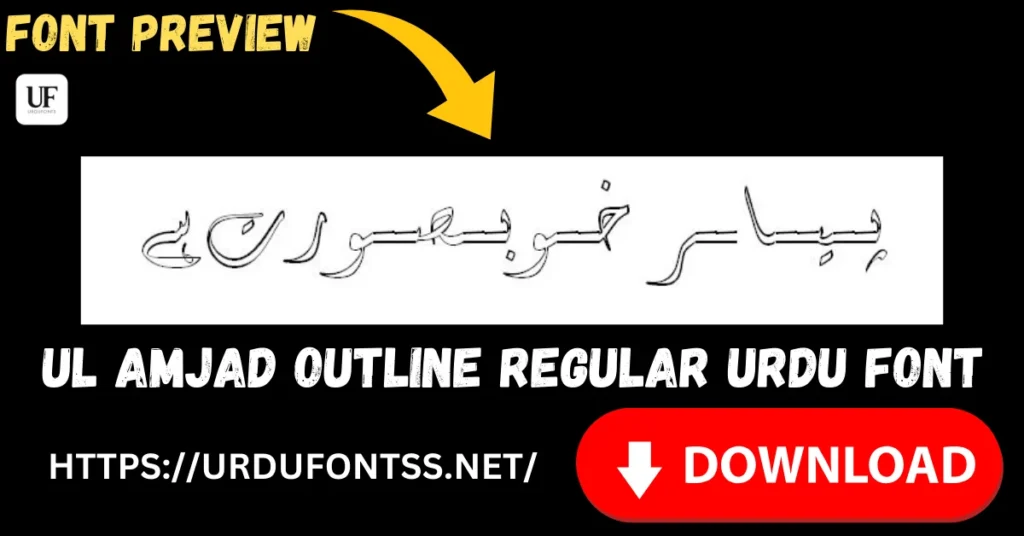
👉 Download: UL Amjad Outline Regular Font
4. UL Sajid Heading Regular – Bold Headlines That Pop
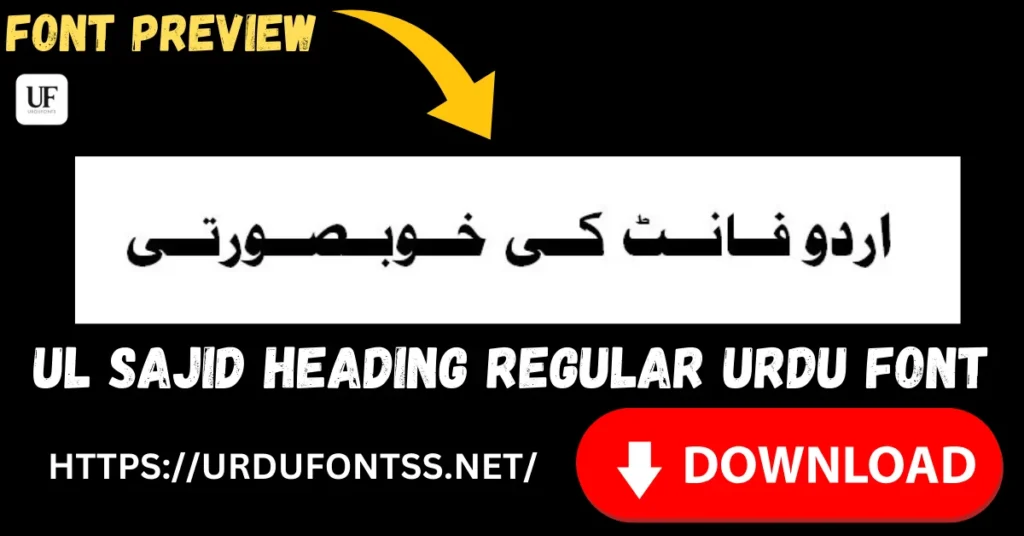
Bold fonts serve a specific purpose on Instagram: they stop the scroll. UL Sajid Heading Regular is designed specifically for headings and titles, making it ideal for announcements, sale banners, and any content where the text needs to command immediate attention.
The font features clean, heavy letterforms that remain readable even when placed over busy background images. It has been downloaded over 63,082 times with a rating of 3.68 out of 5. In my experience, this font works exceptionally well for promotional stories where the offer or discount percentage needs to be the focal point. Pair it with a lighter font for supporting text, and you have a professional-looking design in minutes.
👉 Download: UL Sajid Heading Regular Font
5. Tehreer Regular – Minimal & Clean Aesthetic
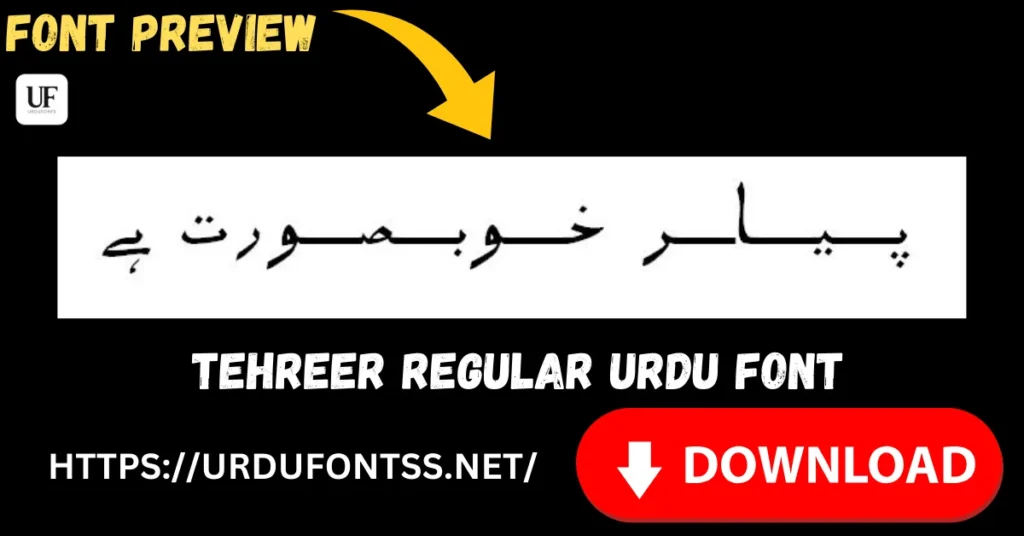
Not every Instagram story needs decorative or bold typography. Sometimes a clean, minimal look communicates sophistication better than anything elaborate. Tehreer Regular fills this role perfectly. It is a simple, highly readable Regular-style font with balanced letterforms and consistent spacing.
With over 30,882 downloads and a 3.8 out of 5 rating, Tehreer Regular has proven itself as a dependable choice for everyday Urdu content. I recommend this font for lifestyle content, personal updates, and brand messages where you want the focus to remain on the visual or the message rather than the typography itself. It is lightweight (72.5 KB), easy to install, and renders smoothly across all platforms.
👉 Download: Tehreer Regular Font
6. Al Qalam Quran Majeed – Perfect for Islamic Posts
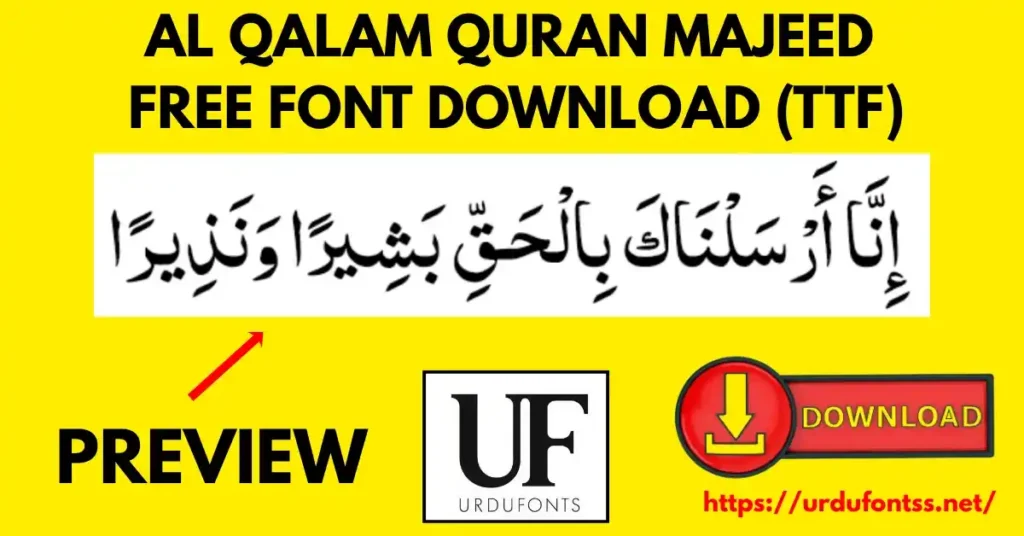
Islamic content forms a significant portion of Urdu social media, especially on Instagram. Whether you are sharing Quranic verses, Hadith, or religious reminders, the font you use should reflect the reverence of the content. Al Qalam Quran Majeed is designed specifically for Quranic Arabic text and works beautifully for Islamic posts in Urdu as well.
The font features elegant, traditional Arabic letterforms that readers instantly associate with Islamic typography. It brings authenticity to your religious content and sets the right tone for spiritual messaging. This font pairs well with simple backgrounds and minimal design elements to keep the focus on the text.
👉 Download: Al Qalam Quran Majeed Arabic Font
7. UL Noreen Bold Regular – When You Need Text to Stand Out
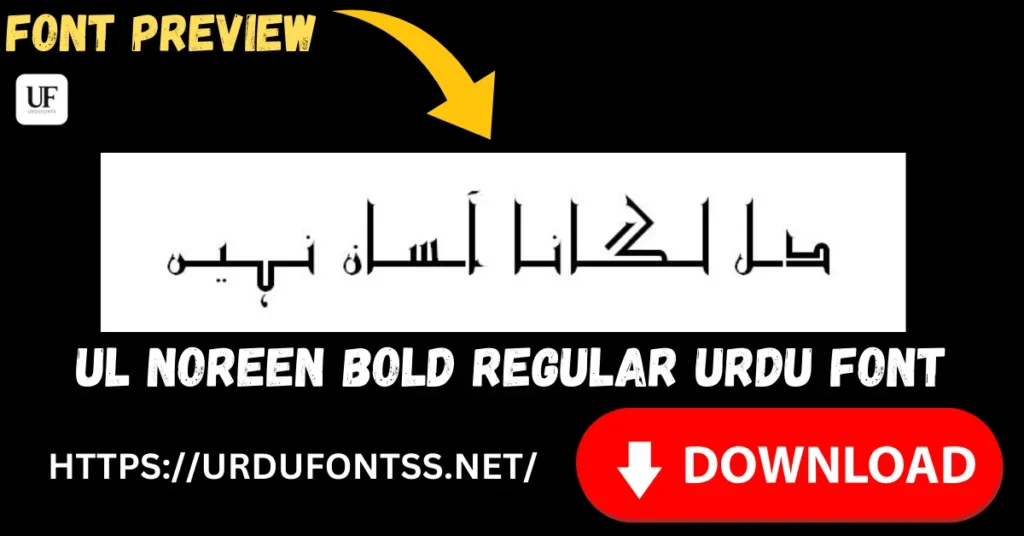
There are times when readability trumps all other design considerations. UL Noreen Bold Regular is built for these moments. It combines bold weight with clean Urdu letterforms, making it one of the most readable fonts on this list.
With over 637,019 downloads and a 3.6 out of 5 rating, UL Noreen Bold Regular has been widely adopted by Urdu content creators. It works particularly well for sale announcements, important updates, and any content where the text needs to be readable within the brief seconds a user spends on your story. The bold weight ensures visibility even on smaller mobile screens.
👉 Download: UL Noreen Bold Regular Font
8. UL Bilal Outline Regular – Artistic & Creative Edge
UL Bilal Outline Regular brings an artistic, creative edge to Urdu typography. Like UL Amjad Outline Regular, it features an outlined design, but with a bolder, more pronounced decorative effect. It has earned a rating of 4.15 out of 5 from users, reflecting its quality and visual appeal.
This font is ideal for creative campaigns, artistic announcements, and any content where you want the text itself to be a design element. The outlined effect creates visual interest without making the text hard to read — a balance that is not easy to achieve. With 14,693 downloads, it has found its niche among designers who value creative typography.
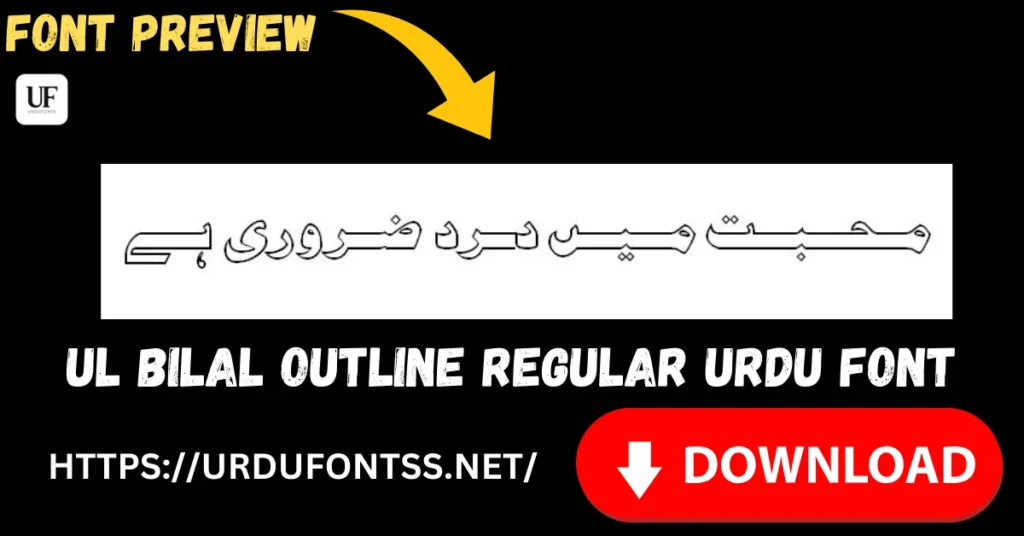
👉 Download: UL Bilal Outline Regular Font
9. Urdu Naskh Unicode – Simple & Professional
While Nastaleeq gets most of the attention in Urdu typography, the Naskh style has its own strengths. Urdu Naskh Unicode is a clean, simple font that follows the Naskh script, which is more linear and geometric compared to the flowing Nastaleeq.
This font works well for professional content, brand communications, and any context where you want a modern, understated look. Its simplicity makes it highly versatile — it does not compete with other design elements and lets your message take center stage.
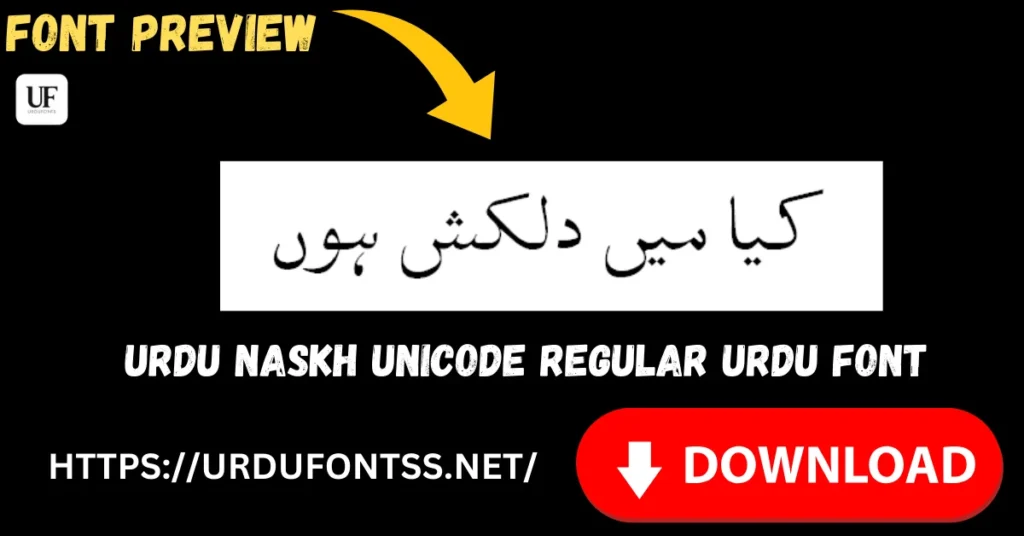
👉 Download: Urdu Naskh Unicode Regular Font
10. Muhammadi Quranic Font – Elegant Islamic Typography
Rounding out the list is Muhammadi Quranic Font, another excellent choice for Islamic and religious content. Its Arabic styling is elegant and traditional, making it suitable for Quranic verses, Dua posts, and Islamic event announcements.
The font renders cleanly on Instagram and maintains its visual quality across different story dimensions. If your content niche involves regular Islamic posts, having this font in your toolkit alongside Al Qalam Quran Majeed gives you variety while maintaining the appropriate religious aesthetic.
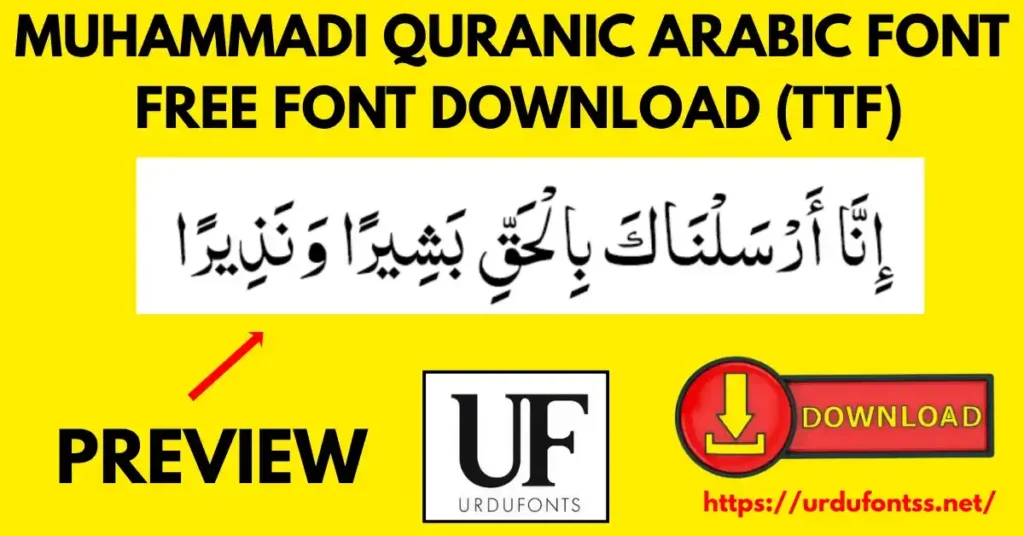
👉 Download: Muhammadi Quranic Font
How to Choose the Right Urdu Font for Instagram
With so many excellent fonts available, choosing the right one for your specific content can feel overwhelming. The key is to match the font style with the purpose and mood of your post. Here is a practical decision guide to help you select quickly.
Content Type vs Font Style – Quick Reference
| Content Type | Recommended Font Style | Best Font Pick |
|---|---|---|
| Poetry & Shayari | Traditional Nastaleeq | Jameel Noori Nastaleeq |
| Islamic Quotes | Quranic/Arabic Style | Al Qalam Quran Majeed |
| Sale Announcements | Bold & Heavy | UL Sajid Heading Regular |
| Event Invitations | Decorative Outline | UL Amjad Outline Regular |
| Lifestyle Content | Clean & Minimal | Tehreer Regular |
| Brand Messages | Modern & Professional | Urdu Naskh Unicode |
| Creative Campaigns | Artistic Outline | UL Bilal Outline Regular |
| Religious Reminders | Elegant Arabic | Muhammadi Quranic Font |
| Highlighted Text | Bold & Readable | UL Noreen Bold Regular |
| Cross-Platform Content | Universal Nastaleeq | Noto Nastaliq Urdu |
Font Pairing Tips for Instagram Stories
Using more than one font in a story can create visual hierarchy, but it needs to be done thoughtfully. Here are some practical pairing tips I have learned through experience:
- Stick to two fonts maximum. One for the main heading or quote, and one for supporting text or handles. Using three or more creates visual clutter that distracts from your message.
- Combine contrasting styles. Pair a bold heading font like UL Sajid Heading Regular with a clean body font like Tehreer Regular. The contrast guides the viewer’s eye naturally.
- Maintain readability. No matter how beautiful a font looks, if your audience cannot read the text within 2-3 seconds, the story fails its purpose. Always test readability on a mobile screen before publishing.
- Consider the background. Outline fonts work well on busy backgrounds where solid text might get lost. Solid bold fonts work better on clean, minimal backgrounds.
How to Install & Use Urdu Fonts for Instagram
Instagram itself does not have a built-in Urdu font selector. To use these fonts in your stories and posts, you need to create your designs in a graphics app and then upload them. Here are the most effective methods.
Method 1: Using Canva (Recommended for Beginners)
Canva is the most accessible design tool for Instagram creators. It has a free tier that includes the ability to upload custom fonts.
- Open Canva and go to your Brand Kit section
- Click on Upload a Font and select the TTF file from your device
- Once uploaded, the font becomes available in all your Canva designs
- Create a new Instagram Story canvas (1080×1920), add text, and select your Urdu font from the dropdown
For a complete step-by-step walkthrough, read our dedicated guide: How to Add Urdu Fonts in Canva.
Method 2: Using Pixellab (Best for Mobile Creators)
Pixellab is a powerful mobile design app that supports custom TTF fonts directly on your phone. This is ideal if you create content primarily from your mobile device.
- Download Pixellab from the Play Store
- Copy your TTF font file to your phone’s storage
- In Pixellab, create a new project and add text
- Tap on the font selector and choose “Add Font” to import your TTF file
- Your Urdu font is now ready to use
Full instructions here: How to Use Urdu Fonts in Pixellab.
Method 3: Using Adobe Illustrator (For Professional Designers)
If you are a professional designer, Adobe Illustrator gives you the most control over Urdu typography.
- Install the font on your system first (Windows or macOS)
- Open Illustrator and create an artboard at Instagram dimensions
- Select the Type Tool and choose your installed Urdu font
- Design with full control over kerning, spacing, and effects
Detailed guide: How to Use Urdu Fonts in Adobe Illustrator.
Method 4: Using Google Docs (Quick Text Overlays)
For simple text overlays, Google Docs can be a surprisingly effective tool.
- Upload your font to Google Docs using the font uploader
- Type your Urdu text in a document
- Screenshot or export the text area
- Use this as an overlay image in your Instagram story
Learn more: Use Urdu Fonts in Google Docs.
Method 5: Video Apps – CapCut & Kinemaster
If you create video content or animated stories, these apps support custom fonts.
- CapCut: Install Urdu Fonts in CapCut
- Kinemaster: How to Use Urdu Fonts in Kinemaster
Common Instagram Urdu Font Problems & Fixes
Even with the right fonts, technical issues can arise. Here are the most common problems and their solutions.
Font Showing Boxes Instead of Urdu Text?
This is the most frequently reported issue. It happens when the app or platform does not recognize the font’s Urdu glyphs. The primary reason is usually missing Unicode support in the font file. Our guide explains the fix in detail: Fix Urdu Fonts Showing Boxes or Question Marks.
Urdu Text Rendering Incorrectly in Browsers?
If you are previewing your design in a web browser and the Urdu text looks broken, this is typically a browser rendering issue. Follow this troubleshooting guide: Fix Urdu Font Rendering Issues in Browsers.
Downloaded Font File Won’t Open or Shows Error?
Corrupted downloads can happen, especially with larger font files or unstable internet connections. Here is how to recover and fix corrupted files: How to Recover Corrupted Urdu Font Files.
General Urdu Font Problems?
If you are experiencing other issues not covered above, our comprehensive resource addresses the most common Urdu font problems users face: Common Urdu Font Problems.
Pro Design Tips for Instagram Urdu Posts
Creating visually appealing Urdu content goes beyond choosing a good font. Here are some design principles that have consistently worked well in my experience.
Design Best Practices
- Keep text short and impactful. Instagram stories are viewed for seconds, not minutes. Your text should be readable in a single glance. Aim for 5-10 words per story slide.
- Use high contrast backgrounds. Dark text on a light background, or light text on a dark background. Avoid placing Urdu text over busy or highly textured images where letters can get lost.
- Test on a mobile screen. Always preview your design on an actual phone screen before publishing. What looks large on your desktop monitor may be too small on a 6-inch display.
- Use preview tools. Before downloading a font, preview how it will look with your text. Our tools are built for this purpose: Live Urdu Font Previews Tool and Urdu Billboard Font Preview Tool.
- Export at the right resolution. Instagram stories are 1080 pixels wide by 1920 pixels tall. Exporting at lower resolutions causes pixelation that makes text hard to read.
- Keep backups of your TTF files. Fonts can sometimes become unavailable or updated in ways that change their appearance. Keeping your own backup ensures consistency across your content.
Common Mistakes to Avoid
- Using too many fonts in one story. This is the number one mistake I see. Stick to one or two fonts maximum.
- Ignoring Unicode compatibility. Always verify that your chosen font is Unicode-compliant before investing time in design. Non-Unicode fonts will eventually cause rendering problems.
- Making text too small. Mobile users cannot pinch-zoom on Instagram stories. Ensure your text is large enough to read without straining.
- Low contrast combinations. Light grey text on a white background, or dark blue text on a black background — these are recipes for unreadable stories.
Where to Download Safe & Free Urdu Fonts
The internet is full of font download sites, but not all of them are trustworthy. Here is what you need to know about safe downloading.
Trusted Sources
- UrduFontss.net — Every font file on our platform is checked before publication. You get clean, virus-free TTF files with complete installation guides. We also provide comprehensive resources for using Urdu fonts effectively.
- Google Fonts — For open-source fonts like Noto Nastaliq Urdu, Google Fonts is the safest source. Files are verified and maintained by Google.
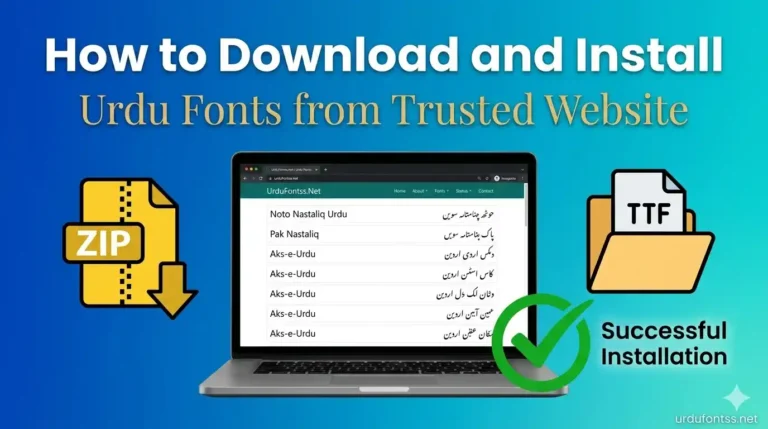
- For a complete guide on what to look for in a safe font source, read: How to Download and Install Urdu Fonts from Trusted Website.
What to Avoid
- Unverified random download sites that bundle fonts with adware or toolbars
- EXE font installers — legitimate fonts come as TTF or OTF files, not executable programs
- Modified fonts that lack proper Unicode support and will cause rendering issues later
Frequently Asked Questions
What are the best Urdu fonts for Instagram stories?
The top 5 best Urdu fonts for Instagram stories are Jameel Noori Nastaleeq for poetry, Noto Nastaliq Urdu for cross-platform compatibility, UL Sajid Heading Regular for bold announcements, Tehreer Regular for minimal lifestyle content, and UL Amjad Outline Regular for decorative event posts.
How do I add Urdu fonts to Canva for Instagram?
Go to your Canva Brand Kit, click “Upload a Font,” and select the TTF file from your device. Once uploaded, the font becomes available in all your designs. Full guide: How to Add Urdu Fonts in Canva.
Why do Urdu fonts break or show boxes on Instagram?
This happens when the font lacks proper Unicode support. Instagram and most design apps require Unicode-compliant fonts to render Urdu correctly. Use fonts from our verified list to avoid this issue.
Can I use Urdu fonts on Instagram without installing them?
Yes, you can use Canva or other online design tools that support font upload through their web interface without installing fonts on your device.
Which Urdu font do top Pakistani influencers use?
Most Pakistani influencers and content creators use Nastaleeq-style fonts like Jameel Noori Nastaleeq for poetry and quotes, and bold heading fonts like UL Sajid Heading Regular for announcements and promotions.
Are these fonts free for commercial use on Instagram?
Most of the fonts listed in this guide are free for personal and general use. However, for commercial usage at scale, it is advisable to verify the license of each font independently. Fonts like Noto Nastaliq Urdu from Google Fonts come with open-source licenses that explicitly permit commercial use.
How do I make Urdu text readable on Instagram stories?
Use high contrast between text and background, keep font size large, limit the number of words per story, and always preview on a mobile screen before publishing.
What is the best font for Urdu poetry on Instagram?
Jameel Noori Nastaleeq is widely considered the best font for Urdu poetry on Instagram. Its traditional Nastaleeq style matches the aesthetic expectations of Urdu poetry readers and provides excellent readability.
Final Thoughts – Elevate Your Instagram with the Right Urdu Font
The fonts you choose for your Instagram content do more than display text — they set the mood, communicate your brand’s personality, and determine whether your audience engages with your message or scrolls past it. In the fast-paced environment of Instagram stories, where attention spans are measured in seconds, good typography is not just a design choice. It is a communication strategy.
The ten fonts covered in this guide have all been tested for Instagram compatibility, mobile readability, and Unicode compliance. Whether you are sharing a heartfelt shayari, announcing a sale, posting an Islamic reminder, or building your brand’s visual identity, there is a font on this list that fits your needs.
I encourage you to experiment with different fonts, pair them thoughtfully, and develop a consistent typographic style that your audience comes to recognize. Start by downloading the fonts that match your content style, install them in your preferred design tool, and create a few test stories. See what works, refine your approach, and watch your engagement grow.
For more Urdu font resources, explore:
- All Fonts Collection
- Urdu Fonts Category
- Arabic Fonts Category
- User Guides & Tutorials
- Top 10 Best Urdu Fonts for Designers
Learn more about us at About Us, meet Our Team, or reach out through Contact Us.

One Comment