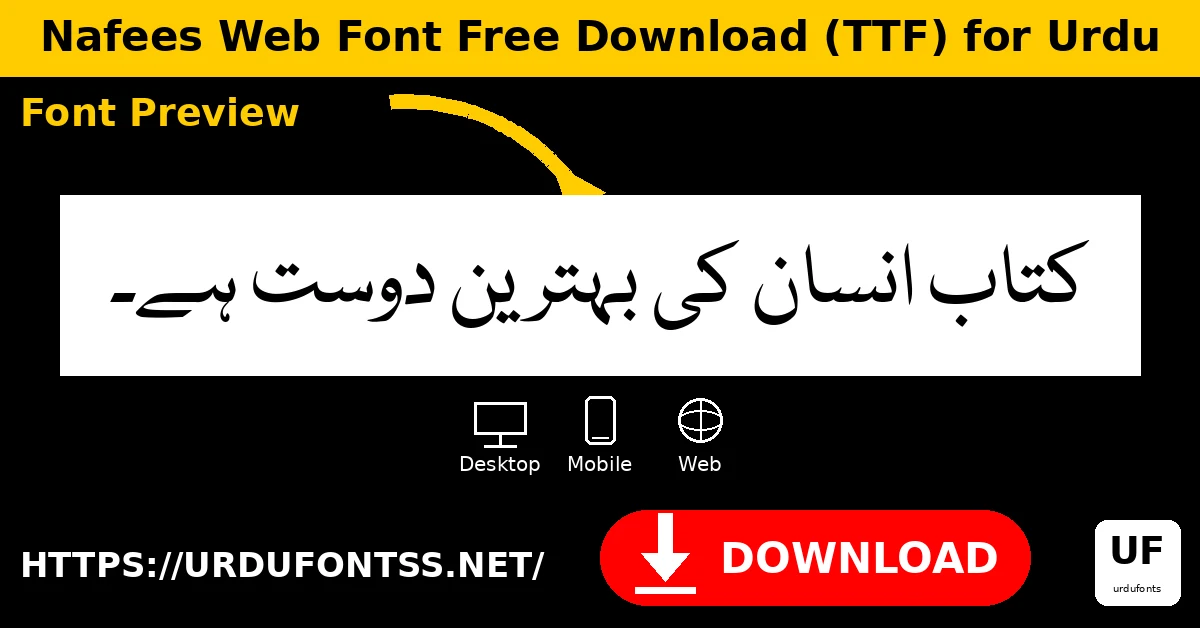
Nafees Web Font Free Download (TTF) for Urdu

Nafees Web is a free Naskh font for Urdu text, released under Bitstream-Vera with a GPL font exception. Naskh is the clear, upright style used for most modern Urdu reading — books, websites and documents — and Nafees Web is a compact, readable take on it. Download the TTF file below.
| Font Name | Nafees Web Naskh |
| Style | Naskh |
| Format | TTF |
| Version | 1.2 |
| Language | Urdu |
| License | Bitstream-Vera with GPL font exception |
| Works With | MS Word, InPage, Photoshop, Illustrator, PixelLab, Canva |
| Platforms | Windows, Mac, Android (in apps), iPhone/iPad (via a font installer app) |
By KG · Font file verified 24 Oct 2026: family name, format and glyph count checked from the TTF itself. File verified 24 Oct 2026: Nafees Web TTF (273,548 bytes, version 1.2, 328 glyphs) served via the button above under Bitstream-Vera with GPL font exception.
License warning: the Bitstream-Vera with GPL font exception license stated here applies to Nafees Web only. It must not be transferred to Nafees Nastaliq, which is a different font with its own licensing. Do not assume the two fonts share a license.
Table of Contents
- What Is Nafees Web?
- Features of Nafees Web
- Installing Nafees Web on PC
- Using Nafees Web on Mobile
- Adding Nafees Web to a Website
- Best Uses for Nafees Web
- Nafees Web vs Jameel Noori Nastaleeq
- Frequently Asked Questions (FAQs)
- Final Words
What Is Nafees Web?
Nafees Web (family name ‘Nafees Web Naskh’) is a Naskh-style font made for Urdu text on screen and in print. Its design is simple and open: the letters are upright, the spacing is even, and Urdu paragraphs stay easy to follow. It is a good everyday Urdu font — not a decorative display face, but a reliable reading face. Its license is Bitstream-Vera with a GPL font exception, as stated in the font’s license record. That license belongs to Nafees Web alone: Nafees Nastaliq is a separate font and this article makes no license claim for it. Try the live Urdu font preview tool and browse the Urdu Fonts category on this site.
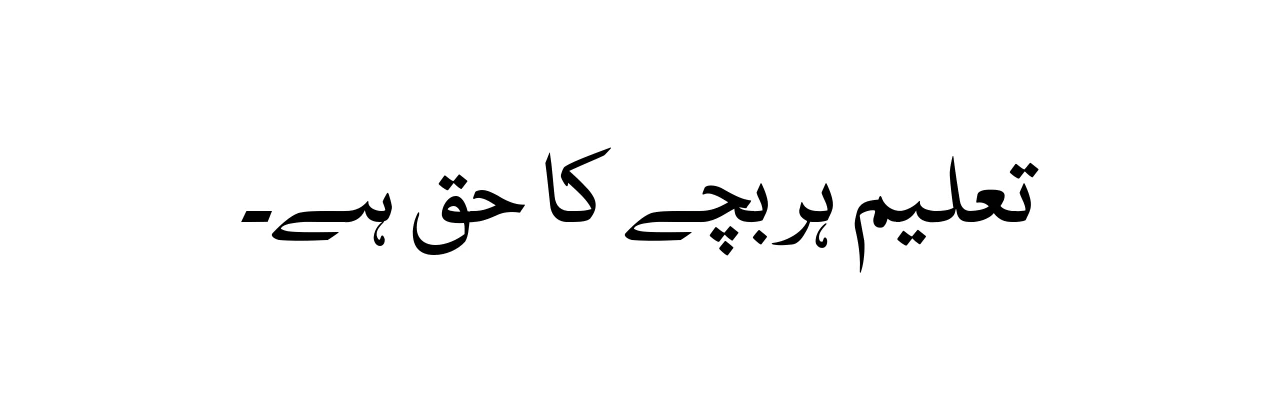
Features of Nafees Web
- Clear Naskh design — upright, even letterforms for comfortable Urdu reading.
- Made for Urdu text — the character set covers Urdu typing needs.
- Bitstream-Vera + GPL font exception — the license stated in its own record.
- Compact file — a 328-glyph TTF that loads fast on web and mobile.
- Standard TTF — installs on Windows, Mac and Linux and serves on websites.
Installing Nafees Web on PC
- Download the TTF using the button at the top of this page.
- Windows: Right-click the TTF file and choose Install. Full steps: PC install guide.
- macOS: Double-click the TTF file and click Install Font in Font Book. Full steps: Mac install guide.
- Linux: Copy the TTF file to ~/.fonts (or ~/.local/share/fonts) and run fc-cache -f -v.
- Restart the app (Word, Photoshop or your editor) so Nafees Web appears in the font list, then select it for your text.
Using Nafees Web on Mobile
Most font users today work on their phones, so here is the mobile path for Nafees Web. The TTF file from the button above is the same file desktop apps use — mobile apps that support custom fonts can import it directly.
Android: Download the TTF on your phone, then open it inside PixelLab, Canva, or a font-installer app and select Nafees Web for your design. PixelLab and Canva both let you add a custom TTF from your files; a font-installer app can also register it for apps that read installed fonts. Note that this works inside apps — modern Android does not change the system-wide font from a single TTF.
iPhone / iPad: Import the TTF with a font-installer app, then use Nafees Web inside apps that support custom fonts (design and document apps). Test one line before starting a full project, because each app handles custom fonts slightly differently.
Adding Nafees Web to a Website
Upload the TTF file to your own server and serve it with @font-face. Do not hotlink the download button URL — it is a file page, not a raw font file. @font-face { font-family: ‘Nafees Web Naskh’; src: url(‘NafeesWeb.ttf’); } Then set font-family: ‘Nafees Web Naskh’, serif; on your content with dir=”rtl” and lang=”ur” for Urdu text (or lang=”ar” for Arabic text). Test a real paragraph in two browsers before publishing, and keep a fallback serif font in the stack.
Best Uses for Nafees Web
- Urdu websites and blogs — clean body text that loads fast.
- Documents and letters — everyday Urdu typing in Word and Google Docs.
- Educational material — notes, worksheets and presentations.
- Social designs — Urdu captions via PixelLab or Canva.
- E-books and articles — long Urdu passages that must stay readable.
Nafees Web vs Jameel Noori Nastaleeq
Jameel Noori Nastaleeq is a Nastaliq face — sloping and calligraphic. Nafees Web is a Naskh face — upright and plain. Choose Jameel Noori for traditional Urdu print character; choose Nafees Web when you want simple, modern readability for Urdu text on screen.
Frequently Asked Questions (FAQs)
Is Nafees Web font free?
Yes. It is released under Bitstream-Vera with a GPL font exception, as stated in its license record.
Is Nafees Web the same as Nafees Nastaliq?
No. They are different fonts. The license stated in this article applies to Nafees Web only and must not be transferred to Nafees Nastaliq.
What format is the download?
A TTF file (version 1.2), served via the download button at the top of this article.
Does Nafees Web work for Urdu text?
Yes. Nafees Web is a Naskh font made for Urdu text.
Can I use Nafees Web in MS Word?
Yes — install the TTF, restart Word, and select Nafees Web from the font list.
Does Nafees Web work on mobile?
Yes, inside apps: on Android use PixelLab, Canva or a font-installer app; on iPhone import it with a font-installer app and use it in apps that support custom fonts.
Can I use Nafees Web on a website?
Yes — upload the TTF to your own server and serve it with @font-face (see the website section above).
Final Words
Nafees Web is a straightforward, readable Urdu font — clear Naskh design, fast-loading TTF, and a license stated plainly. Download the verified TTF above and test a paragraph in your app. Just keep the license warning in mind: this article’s license claim is for Nafees Web only, not for Nafees Nastaliq. For more faces, browse the Urdu Fonts category — including Jameel Noori Nastaleeq and the Urdu Naskh Unicode Regular post.