How to Recover Corrupted Urdu Font Files – Complete Guide.

Table of Content
Table of Contents
Introduction
Kya aap kabhi recover corrupted urdu font files ki zaroorat mehsoos ki hai? Agar aapke system mein installed Urdu fonts suddenly kaam karna band kar dein, boxes show karein, ya installation fail ho jaye, to aapko font recovery ki zaroorat hai.
Recover corrupted urdu font files ka process bohat easy hai agar aap sahi steps follow karein. Is article mein main aapko 6 different methods batane ja raha hoon jo aapki corrupted Urdu font files ko wapas restore karne mein help karein ge.
Is guide mein aap seekhoge:
- Recover corrupted urdu font files ke liye 6 methods
- Font corruption ki signs kaise pehchanein
- Windows Font Validator tool ka use
- Online font repair tools
- Font conversion method
- Font corruption se bachne ke tips
Agar aap Urdu fonts dekhna chahte hain to https://urdufontss.net/category/urdu-fonts/ visit karein.
https://urdufontss.net/how-to-download-and-install-urdu-fonts-from-trusted-website/ is article mein font installation ki complete guide hai.
Why Do Urdu Font Files Get Corrupted?
Recover corrupted urdu font files ki zaroorat tab hoti hai jab font files damage ho jayein. Common reasons hain:
| Reason | Explanation |
|---|---|
| Incomplete Download | Internet issue ki wajah se font file properly download nahi hui |
| Virus or Malware | Virus font files ko corrupt kar sakta hai |
| Power Failure | Installation ya download ke dauran power chali gayi |
| Bad Sectors on Hard Drive | Hard drive ke bad sectors font file ko damage kar sakte hain |
| File System Errors | Windows file system errors font ko corrupt kar sakte hain |
| Improper Installation | Sahi tareeqe se install na karne se font corrupt ho sakta hai |
In reasons ki wajah se aapko recover corrupted urdu font files ki zaroorat parti hai.
Read More: https://urdufontss.net/common-urdu-font-problems/ mein common font problems ke solutions hain.
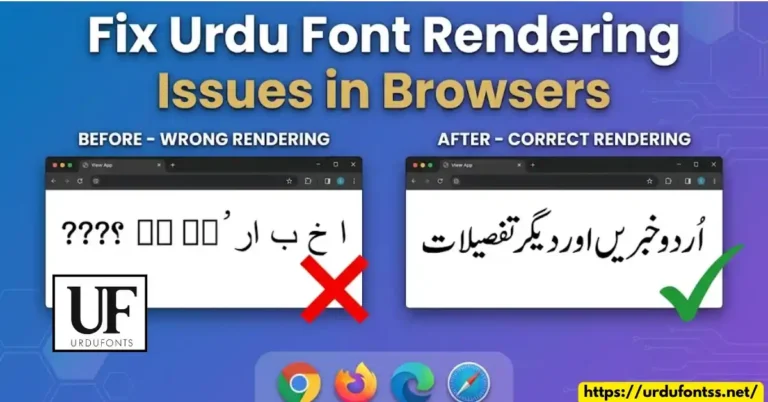
Read More: https://urdufontss.net/fix-urdu-font-rendering-issues-in-browsers/ mein browser rendering issues ka solution hai.
Signs of Corrupted Urdu Font Files
Pehle yeh pehchan lein ke font corrupt hai ya nahi. Recover corrupted urdu font files se pehle in signs ko check karein:
| Sign | What You See |
|---|---|
| Installation Fails | “The file is not a valid font” error message |
| Font Not Showing | Font installed hai lekin list mein nahi dikhta |
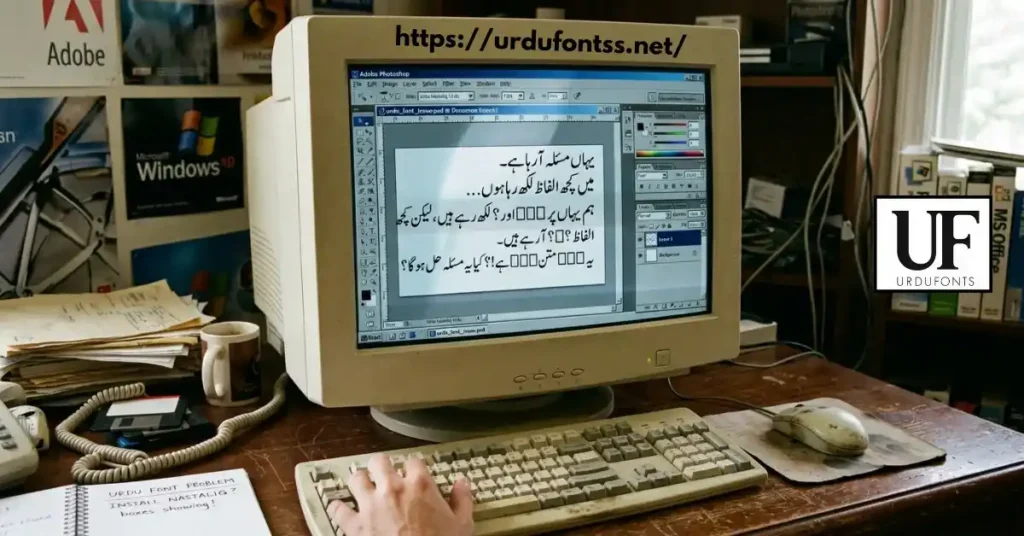
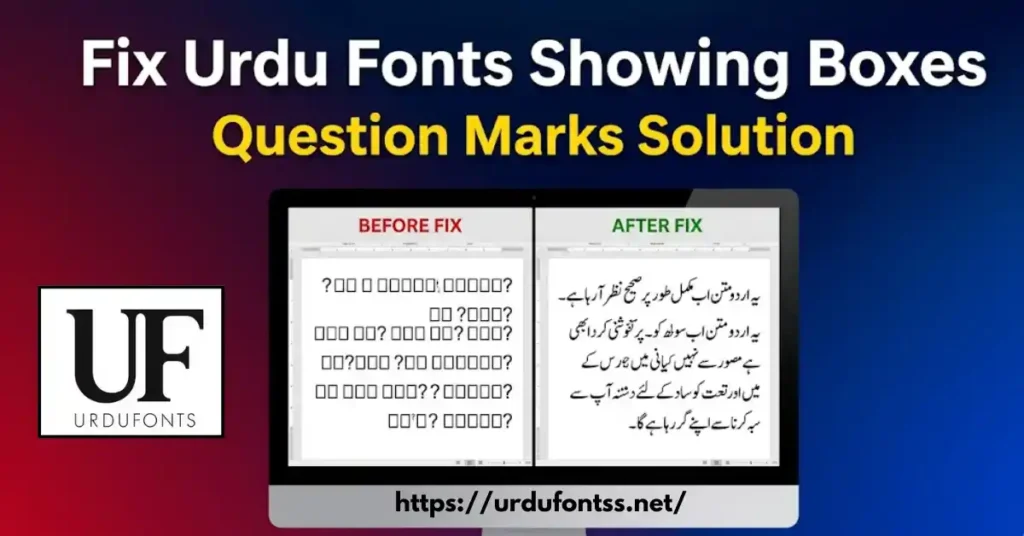
| Boxes Instead of Text | Text ki jagah □□□ boxes show ho rahe hain |
| Question Marks | Urdu text ki jagah ??? show ho raha hai |
| Broken Characters | Letters toot kar dikh rahe hain |
| Application Crashes | Font select karte hi software crash ho jata hai |
Agar aapko yeh signs dikhte hain, to aapko recover corrupted urdu font files ki zaroorat hai.
Read More: https://urdufontss.net/live-urdu-font-previews-tool/ se aap fonts ko preview kar sakte hain aur check kar sakte hain ke font sahi kaam kar raha hai ya nahi.
Read More: https://urdufontss.net/fix-urdu-fonts-showing-boxes-or-question-marks/ mein boxes aur question marks ka solution hai.
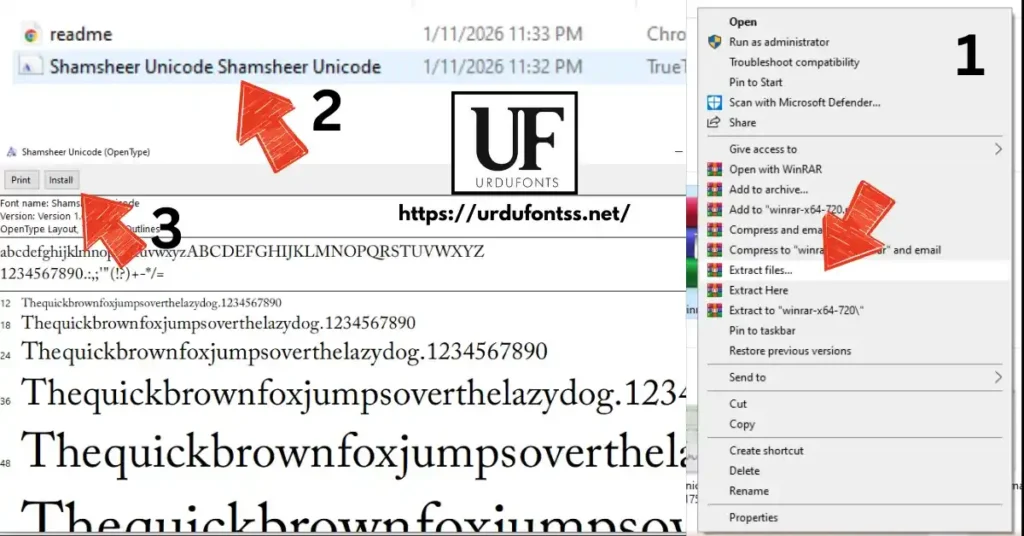
Method 1: Reinstall the Font from Original Source
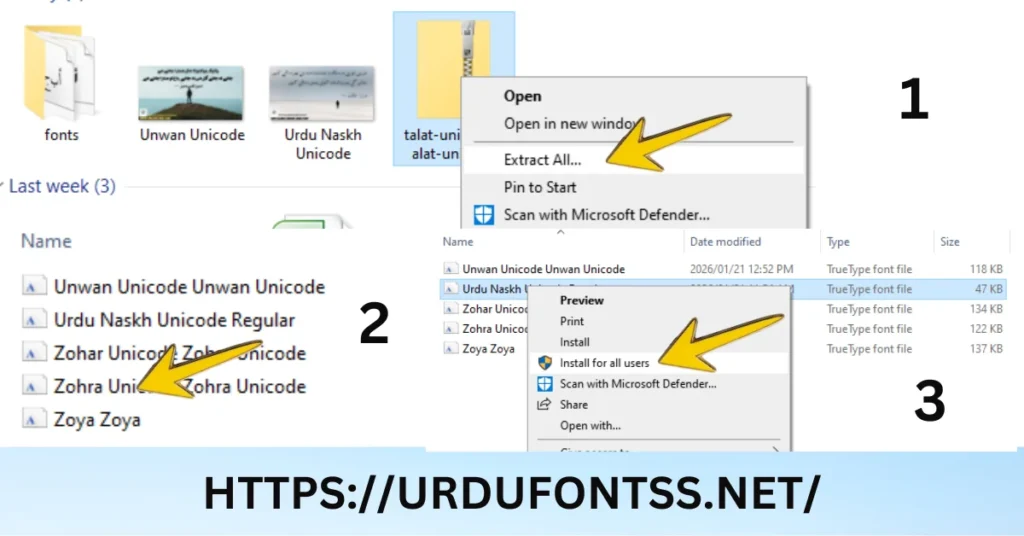
Recover corrupted urdu font files ka sab se easy tarika hai font ko dobara download aur install karna.
Step by Step:
- Original source se font download karein
- https://urdufontss.net/ par jayein
- Apna font search karein
- Download button pe click karein
- Human verification complete karein
- ZIP file download karein
- Purani font file Delete Kren
- Naya font install karein
- ZIP extract karein
- TTF file pe double-click karein
- Install button pe click karein
Yeh method recover corrupted urdu font files ke liye sab se effective hai.
Famous Urdu Fonts
- https://urdufontss.net/jameel-noori-nastaleeq-urdu-font-download/
- https://urdufontss.net/shamsheer-unicode-shamsheer-unicode-font/
- https://urdufontss.net/urdu-naskh-unicode-regular-free-urdu-font-download/
- https://urdufontss.net/tehreer-regular-font-download/
https://urdufontss.net/ul-noreen-bold-regular-free-urdu-font-download/
https://urdufontss.net/sf-koonj-regular-font-free-download/
Method 2: Use Windows Font Validator Tool
Microsoft ka Font Validator tool recover corrupted urdu font files mein help karta hai.
Step by Step:
- Microsoft Font Validator download karein
- Microsoft official website se download karein
- Tool install karein
- Corrupted font file open karein
- Font Validator open karein
- File > Open pe click karein
- Corrupted TTF file select karein
- Validate click karein
- Tool font mein errors check karega
- Errors ki list show karega
- Report save karein
- Agar errors hain to font corrupt hai
- Method 1 use karein (reinstall)
Font Validator recover corrupted urdu font files mein diagnostic tool ki tarah kaam karta hai.
Method 3: Use Online Font Repair Tools
Recover corrupted urdu font files ke liye online tools bhi available hain.
Popular Online Font Repair Tools:
| Tool Name | Website | Features |
|---|---|---|
| Online Font Fixer | onlinefontfixer | Free, easy to use |
| TTF Repair Tool | ttfrepair | Specialized for TTF |
| FontRepair | fontrepair | Multiple formats support |
Step by Step:
- Online tool open karein
- Corrupted font file upload karein
- Repair button pe click karein
- Repaired font download karein
- New font install karein
Note: Online tools par sensitive fonts upload karte waqt careful rahein. Personal use ke fonts ke liye safe hain.
Yeh online tools recover corrupted urdu font files ka quick solution provide karte hain.
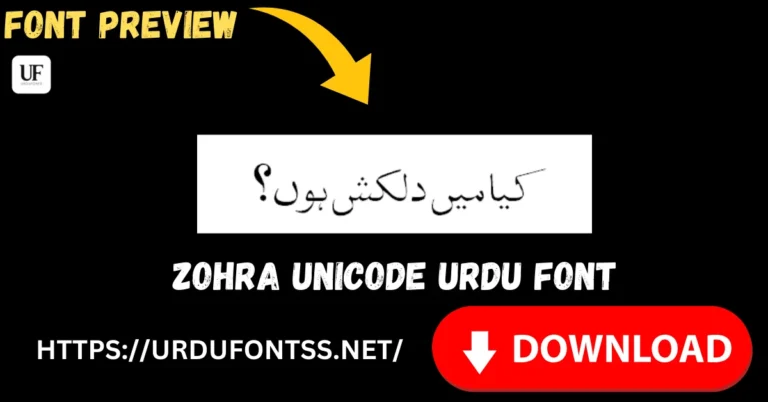
- https://urdufontss.net/zohra-unicode-free-urdu-font/ se Zohra Unicode font download kar sakte hain.
- https://urdufontss.net/ul-sajid-heading-regular-urdu-font-download/ se Ul Sajid Heading download kar sakte hain.
- https://urdufontss.net/ul-amjad-regular-free-urdu-font-download/ se Ul Amjad Regular download kar sakte hain.
Method 4: Convert Font to Different Format
Kabhi kabhi format convert karne se recover corrupted urdu font files ho sakti hain.
Font Conversion Tools:
| Tool | Format Support | Platform |
|---|---|---|
| TransType | TTF, OTF, Type1 | Windows/Mac |
| FontForge | All formats | Windows/Mac/Linux |
| Online Converters | TTF to OTF, OTF to TTF | Web |
Step by Step (Using Online Converter):
- Online font converter open karein
- Google search karein “TTF to OTF converter”
- Corrupted TTF file upload karein
- Output format select karein (OTF)
- Convert button pe click karein
- New font file download karein
- New font install karein
Kai baar format change karne se recover corrupted urdu font files ho jati hain.
- https://urdufontss.net/tafseer-regular-font-free-download/ se Tafseer Regular font download kar sakte hain.
- https://urdufontss.net/ul-amjad-outline-regular-urdu-font-download/ se Ul Amjad Outline download kar sakte hain.
- https://urdufontss.net/ul-bilal-outline-regular-urdu-font-download/ se Ul Bilal Outline download kar sakte hain.
Method 5: Use System Restore (Windows)
Agar aapke system par System Restore enable hai, to recover corrupted urdu font files ke liye yeh method use kar sakte hain.
Step by Step:
- Control Panel open karein
- Recovery pe click karein
- Open System Restore select karein
- Choose a different restore point select karein
- Font files sahi kaam kar rahe the us date se pehle ka restore point select karein
- Next > Finish pe click karein
- System restart hoga aur fonts restore ho jayein ge
Note: System Restore se aapke personal files delete nahi hote, lekin recently installed software remove ho sakte hain.
Yeh method recover corrupted urdu font files ke liye effective hai agar aapne regular restore points banaye hain.
- https://urdufontss.net/sharmeen-sharmeen-urdu-font/ se Sharmeen Urdu Font download kar sakte hain.
- https://urdufontss.net/al-qalam-quran-majeed-arabic-font-download/ se Al Qalam Quran Majeed download kar sakte hain.
- https://urdufontss.net/al-mushaf-arabic-font-download/ se Al Mushaf font download kar sakte hain.
Method 6: Use Font Management Software
Font management software recover corrupted urdu font files aur organize karne mein help karte hain.
Best Font Management Software:
| Software | Platform | Price | Features |
|---|---|---|---|
| NexusFont | Windows | Free | Font validation, backup, organize |
| FontBase | Windows/Mac | Free | Cloud sync, font activation |
| MainType | Windows | Paid | Professional font management |
| RightFont | Mac | Paid | Font management for designers |
Using NexusFont (Free):
- NexusFont download aur install karein
- Library > Add Fonts pe click karein
- Corrupted font folder select karein
- NexusFont font ko scan karega aur corrupt fonts ko identify karega
- Valid fonts ko activate karein
- Corrupt fonts ko remove karein aur dobara download karein
Font management software recover corrupted urdu font files aur future corruption se bachane mein help karte hain.
- https://urdufontss.net/muhammadi-quranic-font-arabic-download/ se Muhammadi Quranic Font download kar sakte hain.
- https://urdufontss.net/category/all-fonts/ par mazeed 500+ fonts available hain.
- https://urdufontss.net/category/urdu-fonts/ par Urdu fonts ki complete collection hai.
How to Prevent Font Corruption
Recover corrupted urdu font files ki zaroorat na pade iske liye yeh preventive measures follow karein:
| Prevention Tip | Why It Helps |
|---|---|
| Download from Trusted Sources Only | https://urdufontss.net/ se download karein |
| Keep Font Backups | Sab fonts ka backup external drive mein rakhein |
| Use Antivirus Software | Virus se fonts corrupt hone se bachein |
| Properly Eject USB Drives | Font transfer karte waqt safely eject karein |
| Regular System Maintenance | Disk cleanup aur error checking karein |
| Avoid Force Shutdown | Installation ke dauran computer band na karein |
Prevention is always better than cure. In tips ko follow karein to aapko recover corrupted urdu font files ki zaroorat nahi paregi.
- https://urdufontss.net/best-urdu-calligraphy-fonts-for-wedding-cards/ mein wedding cards ke liye best fonts hain.
- https://urdufontss.net/best-urdu-fonts-for-billboards-digital-signage/ mein billboards ke liye best fonts hain.
- https://urdufontss.net/best-urdu-fonts-for-ebooks-and-kindle/ mein e-books ke liye best fonts hain.
Best Places to Re-download Urdu Fonts
Agar aap recover corrupted urdu font files nahi kar pa rahe, to sab se acha hai fonts ko dobara download kar lein. Trusted sources yeh hain:
| Source | URL | Fonts Count |
|---|---|---|
| UrduFontss.Net | https://urdufontss.net/ | 500+ |
| Urdu Fonts Category | https://urdufontss.net/category/urdu-fonts/ | 300+ |
| All Fonts | https://urdufontss.net/category/all-fonts/ | 500+ |
Yeh trusted sources hain jahan se aap safe aur virus-free fonts download kar sakte hain.
- https://urdufontss.net/best-urdu-fonts-for-instagram-stories-and-posts/ mein Instagram ke liye best fonts hain.
- https://urdufontss.net/about-us/ par hamari website ke baare mein jaan sakte hain.
- https://urdufontss.net/contact-us/ par kisi bhi problem ke liye rabta kar sakte hain.
How to Fix Font Installation Errors
Font installation ke dauran errors aana bhi corruption ki nishani ho sakti hai. Recover corrupted urdu font files ke liye in errors ko fix karein:
| Error Message | Solution |
|---|---|
| “The file is not a valid font” | Font corrupt hai, dobara download karein |
| “Font already installed” | Purani font uninstall karein, phir install karein |
| “Access denied” | Administrator mode mein install karein |
| “Font file is corrupted” | Method 1 ya 3 use karein |
| “Cannot install font” | Windows Font cache clear karein |
- https://urdufontss.net/inpage-to-unicode-converter-urdu-text/ mein conversion tool hai.
- https://urdufontss.net/unicode-to-inpage-converter/ mein Unicode to Inpage converter hai.
- https://urdufontss.net/cute-fonts-text-generator/ mein text generator tool hai.
Other Urdu Fonts You May Like
Aur bhi Urdu fonts dekhne ke liye https://urdufontss.net/category/urdu-fonts/ visit karein.
Why Choose UrduFontss.Net for Font Downloads?
| Feature | Benefit |
|---|---|
| 500+ Fonts | Sab se bara Urdu fonts collection |
| TTF Format | Windows, Mac, sab par kaam karta hai |
| 100% Safe | Virus-free aur tested fonts |
| Free Tools | Font preview aur converters |
| Regular Updates | Naye fonts regularly add kiye jate hain |
Free Tools:
- https://urdufontss.net/live-urdu-font-previews-tool/
- https://urdufontss.net/inpage-to-unicode-converter-urdu-text/
- https://urdufontss.net/unicode-to-inpage-converter/
- https://urdufontss.net/cute-fonts-text-generator/
Final Thoughts
Recover corrupted urdu font files ka process bohat simple hai agar aap sahi methods follow karein. Is article mein humne 6 different methods cover kiye:
| Method | Best For |
|---|---|
| Reinstall from Original Source | Sab se easy aur effective |
| Windows Font Validator | Diagnostic tool |
| Online Font Repair Tools | Quick fix |
| Convert to Different Format | Format change se repair |
| System Restore | Restore previous working state |
| Font Management Software | Organize aur validate |
Key Takeaways:
- Hamesha trusted sources se fonts download karein
- Regular backups rakhein
- Antivirus software use karein
- Agar font corrupt ho jaye to pehle Method 1 try karein
Ab aap asani se recover corrupted urdu font files kar sakte hain. Agar koi problem ho to https://urdufontss.net/contact-us/ par rabta karein.
https://urdufontss.net/blog/ par mazeed helpful articles hain.
Frequently Asked Questions (FAQs)
How to know if my Urdu font file is corrupted?
Font installation fail hoti hai, boxes show hotay hain, ya font list mein font nahi dikhta to font corrupt hai. Signs section mein detail di gayi hai.
Can I repair a corrupted TTF font file?
Haan, online font repair tools ya font validator use kar sakte hain. Best tarika hai font ko dobara download karna.
How to fix font not installing error in Windows?
Purani font uninstall karein, system restart karein, phir naya font install karein. Administrator mode mein install karein.
Where can I re-download corrupted Urdu fonts?
https://urdufontss.net/ se safe aur virus-free fonts download kar sakte hain. Yeh trusted source hai.
How to prevent Urdu font files from getting corrupted?
Trusted sources se download karein, backups rakhein, antivirus use karein, aur system maintain karte rahein.
Is there any free font repair tool available?
Haan, Microsoft Font Validator free hai. Online font repair tools bhi free available hain.
Disclaimer: Yeh fonts personal use ke liye provide kiye ja rahe hain. Recover corrupted urdu font files ke liye hamesha trusted sources se dubara download karein.
DMCA Copyright Note: If you are the original creator of any font and believe your rights have been violated, please contact us at urdufontss@gmail.com with proof of ownership.
📌 Important Note: Hamari website ka main maqsad aap ko free Urdu fonts provide karna hai. Recover corrupted urdu font files ke liye pehla aur best method hai font ko trusted source se dubara download karna. Agar koi problem ho to kindly humein contact karein.

7 Comments