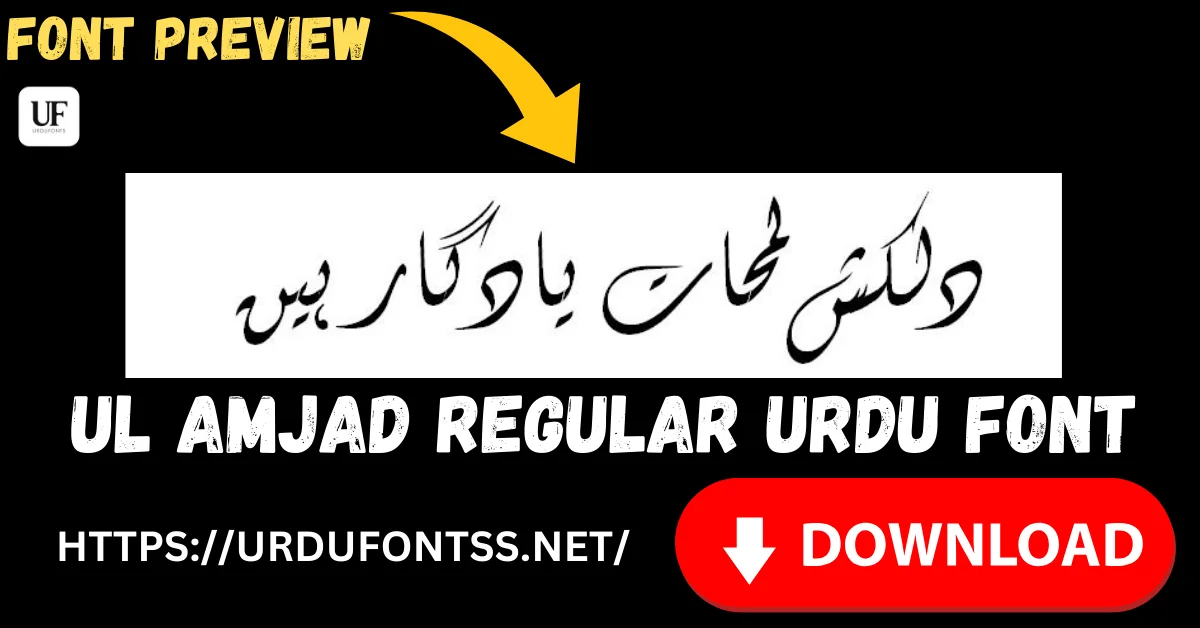
UL Amjad Regular Free Urdu Font Download (TTF) 2026

UL Amjad Regular is the solid, readable heart of the Amjad family — an elegant flowing Nastaliq drawn for real text: books, documents, lessons and long Urdu passages that must stay graceful without tiring the reader. It is also the parent design of the family — the letterforms that Amjad Shaded decorates and Amjad Outline hollows out both start here, filled and plain. Download the TTF file free below and install it on Windows, Mac or Android.
⚠️ One family, three downloads: this page is for UL Amjad Regular — solid letterforms for reading. UL Amjad Shaded adds a fine shadow line for elegant headings, and UL Amjad Outline draws the same curves hollow. If you came for a variant, use its own page — each is a separate file.
Table of Content
Table of Contents
UL Amjad Regular Free Download
| Feature | Details |
|---|---|
| Font Name | UL Amjad Regular |
| Style | Regular — solid, elegant flowing Nastaliq |
| Format | TTF (delivered in a ZIP of about 47 KB) |
| Works With | MS Word, InPage, Photoshop, Illustrator, Canva and all TTF-supported software |
| Platforms | Windows, Mac, Android (in apps) |
Before you download, you can also preview UL Amjad Regular with your own text in our Live Urdu Font Previews tool — paste a full paragraph, not just a word, because a reading font should be judged at reading size.
Font Preview
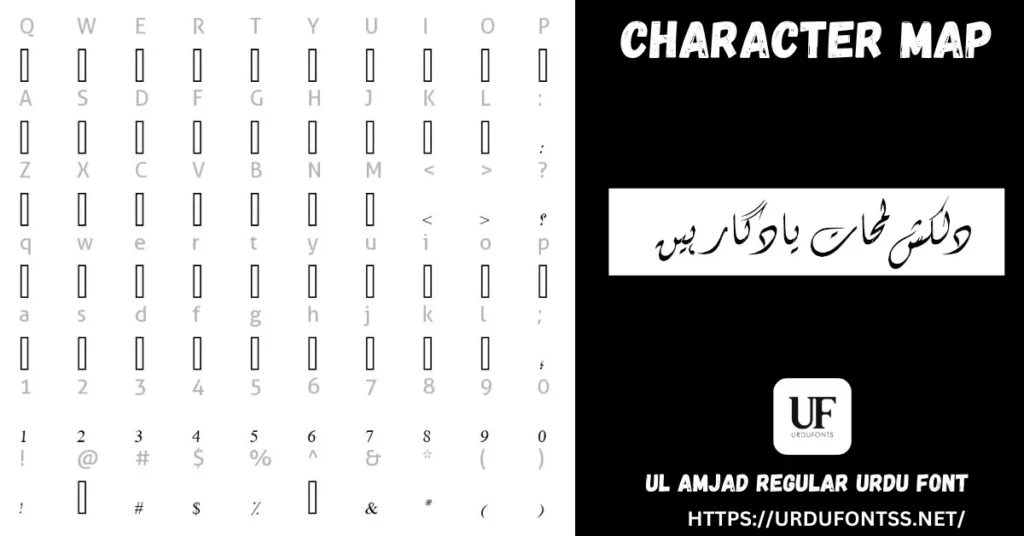
The sample line in the character map shows what this font is for: a smooth, confident Nastaliq hand with the strokes filled solid — the same elegant curves you will see hollowed in the Outline variant and shadowed in the Shaded one, here in their original reading form.
What Makes UL Amjad Regular Different
- The family’s reference design: Shaded and Outline are treatments applied to these letterforms. Regular is the letterforms themselves — so a document set in Amjad Regular, with its headings in Amjad Shaded, keeps one consistent hand across the whole page instead of mixing strangers.
- Elegance that survives paragraphs: many pretty Nastaliq faces are drawn for titles and fall apart in body text. The live page positions this one correctly — clean, consistent letterforms for daily tasks — and the solid, even sample backs it up.
- Light for a full text face: at about 47 KB the file is barely heavier than the batch’s bold display font, yet it is a complete reading font — quick to download, quick to embed in the PDFs and e-books it will mostly live in.
- Print and screen alike: solid strokes with no effects means nothing is lost between a monitor, an office printer and a photocopy — the failure mode of shaded and outline styles never applies here.
- Know its limit: it will not make a poster shout. For headings that need presence, reach for its own Shaded sibling or a bold — and keep Regular doing the quieter, longer job it is best at.
Best Uses for UL Amjad Regular
- Books and long documents — chapters, articles and reports in a traditional-looking, readable Nastaliq.
- Education material — textbooks, worksheets and handouts where students read for extended periods.
- Religious and literary text — poetry collections and prose where the classic Nastaliq hand is expected.
- E-books and PDFs — a light, solid font that embeds cleanly and prints exactly as it reads on screen.
- Office writing — letters and formal documents that need more grace than a plain sans-style Urdu font gives.
Pair it with its own family for headings: the top 10 Urdu fonts for graphic designers guide lists Amjad Shaded among the display styles worth downloading alongside a reading font like this one.
How to Download and Install
On Windows
Click the download button at the top of this page, extract the ZIP, right-click the TTF file and choose Install. Restart your app and UL Amjad Regular appears in its font list. The full walkthrough is in our PC install guide for Urdu fonts.
On Mac
Extract the ZIP, double-click the TTF and choose Install Font in Font Book.
On Android
Modern Android phones do not allow free system-wide font changes, so use the TTF inside apps such as reading apps, office suites, PixelLab or Canva — our Android install guide shows the in-app method step by step.
UL Amjad Regular vs Similar Fonts
| Font | How It Differs |
|---|---|
| UL Amjad Shaded Regular | The same Amjad hand with a fine shadow line added — a heading and cover font. Download Shaded for the title page, Regular for everything after it; the two are designed to sit on the same document. |
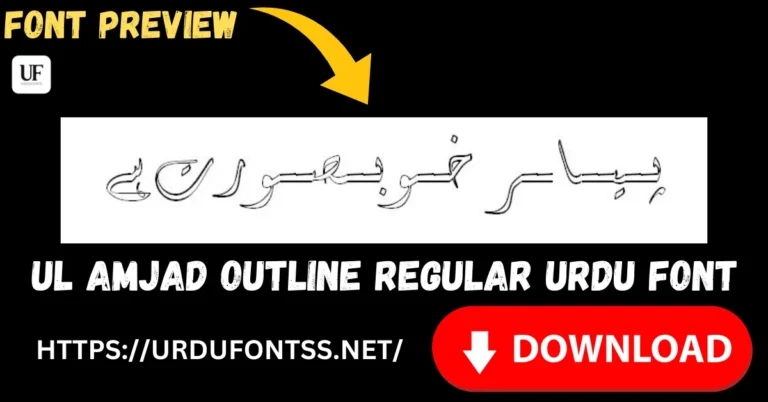
| UL Amjad Outline Regular | The same curves drawn hollow — a design material for fills, layers and large display lines. Outline cannot carry reading text; Regular is the variant that can. |
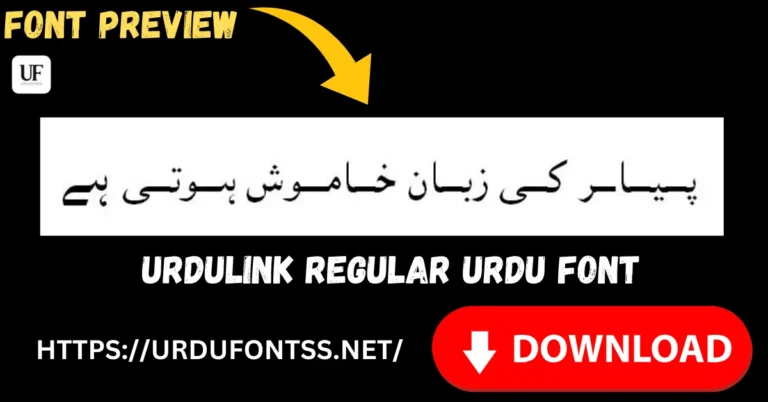
| UrduLink Regular | Another everyday Regular, but plainer and more neutral, with a fuller mixed-script character set. Choose UrduLink for office-style mixed documents; Amjad Regular when the page should look like traditional Urdu print. |
Browse the full shelf in the Urdu fonts category, or compare the main reading styles in our Urdu Nastaliq fonts guide.
Troubleshooting
| Problem | Solution |
|---|---|
| Font not showing in software | Restart the application after installation |
| Letters not joining properly | Enable RTL (right-to-left) text settings in your app |
| Lines overlap or look crowded | Nastaliq needs generous line spacing — increase the line height so the sloping lines clear each other |
| Boxes instead of Urdu text | Install the Urdu language pack or check your Unicode support settings |
For the full fix list, see our common Urdu font problems and fixes guide.
Licence Information
| Usage Type | Licence Status |
|---|---|
| Personal Use | ✅ Free to download |
| Commercial Use | Check the font’s licence terms before using it in commercial work |
UL Amjad Regular is free to download from this page. All rights to the font belong to its respective owner; we do not claim ownership, and this page is provided for preview and informational purposes. If you are the copyright owner and believe any information here needs correction, contact us at urdufontss@gmail.com and we will act on it promptly.
Final Words
Start the Amjad family here. UL Amjad Regular is the variant your documents will actually be read in — elegant, solid and light — and once it is installed, its Shaded and Outline siblings become heading tools in the same familiar hand. Download it, set a full paragraph, and read it the way your readers will.
Frequently Asked Questions (FAQs)
Is UL Amjad Regular free to download?
Yes. The TTF is free to download from the button at the top of this page, in a ZIP of about 47 KB. For commercial projects, check the font’s licence terms first.
What is the difference between UL Amjad Regular, Shaded and Outline?
They are three files built on the same Amjad letterforms. Regular is solid and made for reading; Shaded adds a fine shadow line for elegant headings; Outline draws the letters hollow for fills and layering. Most projects need Regular first.
Is UL Amjad Regular a Nastaliq font?
Yes — its sample shows the flowing, sloping letterforms of Nastaliq, drawn solid for everyday text. Set it with generous line spacing, as Nastaliq lines need vertical room.
What is UL Amjad Regular best used for?
Reading text with a traditional look: books, long documents, education material, literary and religious text, e-books and formal letters.
How do I install UL Amjad Regular on Windows?
Download and extract the ZIP, right-click the TTF file, and choose Install. Restart your app and the font appears in its font list in Word, InPage and other software.
Can I use UL Amjad Regular for headings as well?
You can — it stays elegant at large sizes — but for real presence, pair it with its own Shaded variant for titles. The two share the same hand, so the page looks designed rather than assembled.
Can I preview UL Amjad Regular with my own text before downloading?
Yes — open the Live Urdu Font Previews tool on urdufontss.net, paste a full paragraph of your own text, and judge it at reading size before you install anything.


13 Comments