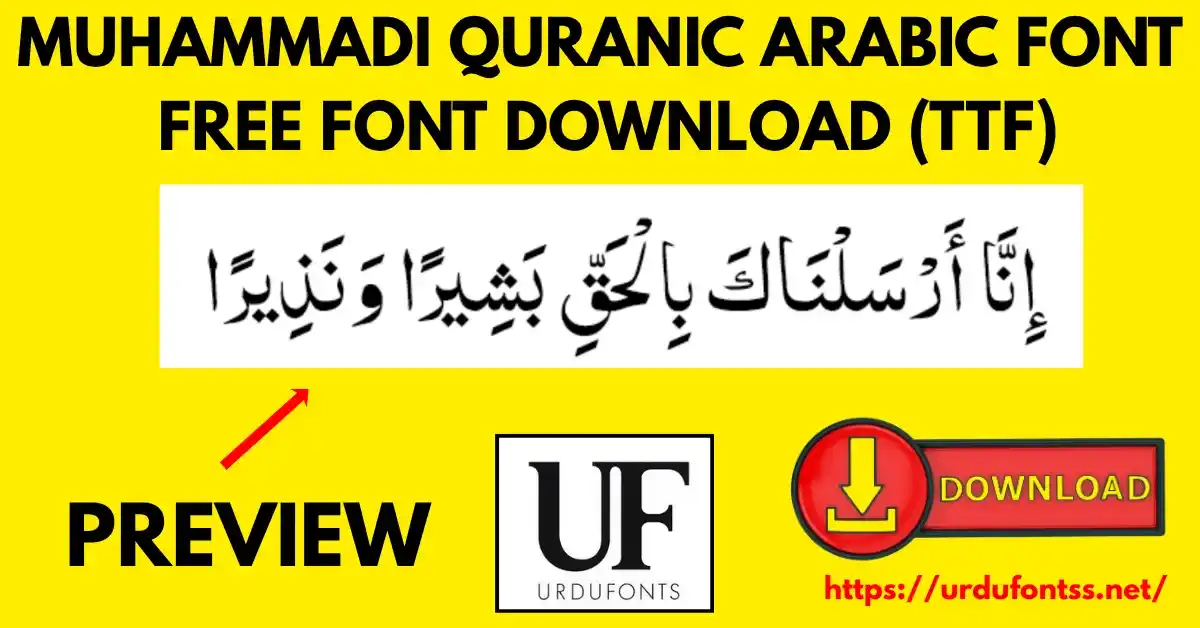
Muhammadi Quranic Font Arabic – Download and Install Guide

Muhammadi Quranic Font Arabic is a TrueType Arabic font designed for Quranic text and Islamic publications. Created on 21 March 2001 by Paul C. Nelson (Arabic glyphs) and John Hudson (Latin glyphs), it pairs a semi-light weight with a modern serif design and a character set of 998 glyphs covering the Arabic script. Download the TTF file free below and install it on Windows, Mac or Android.
Table of Content
Table of Contents
Muhammadi Quranic Font Arabic Free Download
| Feature | Details |
|---|---|
| Font Name | Muhammadi Quranic Font |
| Style | Semi-light — modern serif Arabic design |
| Format | TTF (delivered in a ZIP of about 168 KB) |
| Glyphs | 998 (as specified for this font) |
| Designers | Paul C. Nelson (Arabic glyphs) and John Hudson (Latin glyphs) |
| Created | 21 March 2001 |
| Works With | MS Word, InPage, Photoshop, Illustrator, Canva and all TTF-supported software |
| Platforms | Windows, Mac, Android (in apps) |
Before you download, you can also preview Muhammadi Quranic Font with your own text in our Live Urdu Font Previews tool — type an Arabic line and check the letterforms before you install anything.
Font Preview
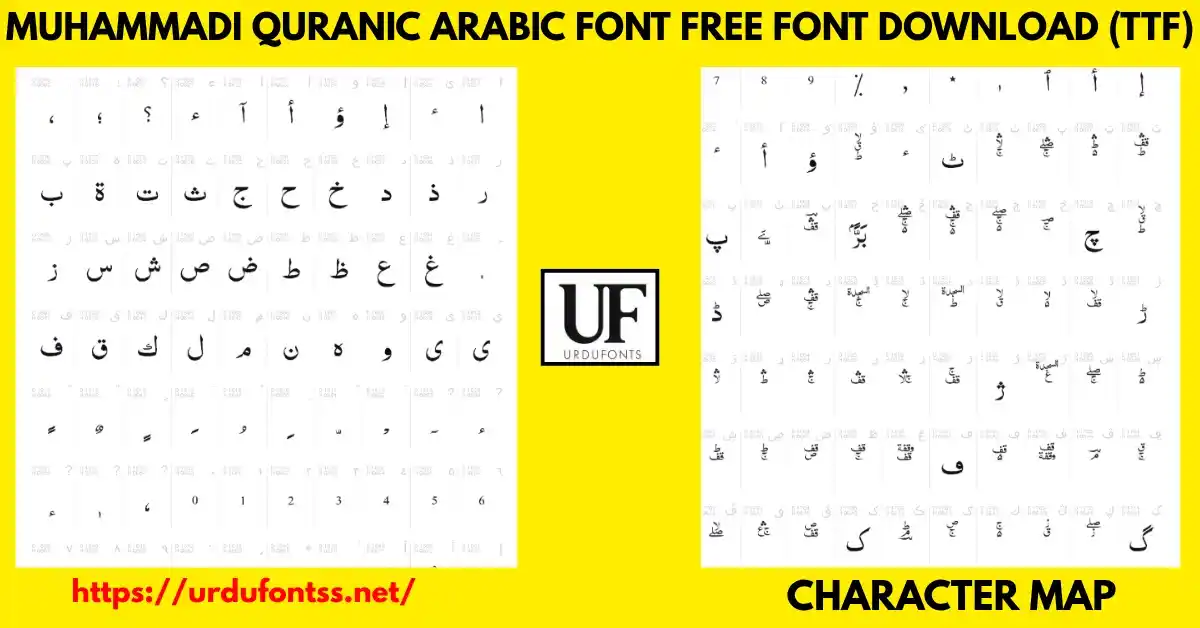
The character map above shows the font’s Arabic glyph set — the base letters, vowel marks and extended characters the font carries for Arabic-script text. This map is the font’s own preview; judge the semi-light strokes and the spacing of the marks at the size you plan to print.
What Makes Muhammadi Quranic Font Arabic Different
- Built for Quranic text: this is not a general Arabic text font later pointed at religious work — the page’s own specification describes a font designed for Quranic text and Islamic publications, with the glyph coverage that work needs.
- 998 glyphs: the character set reaches well beyond the basic Arabic alphabet, which is what vocalised Arabic text demands — the marks and extended forms are inside the font rather than borrowed from fallbacks.
- Semi-light weight: lighter than a standard text face, so long passages keep an open, calm page — and the modern serif design keeps that lightness looking formal rather than thin.
- Named, dated craftsmanship: the Arabic glyphs were drawn by Paul C. Nelson (1999–2000) and the Latin glyphs by John Hudson (2000–2001), and the font was created on 21 March 2001 — a documented origin most fonts on this shelf do not state.
- Embedding allowed: the font permits preview-and-print embedding, so documents and PDFs you share carry the font’s rendering with them (check the licence note below before commercial use).
Best Uses for Muhammadi Quranic Font Arabic
- Quranic text — verses and passages set in a font designed for that purpose.
- Islamic books and publications — religious titles, tafseer works and printed Islamic literature.
- Madrasa and educational material — worksheets, lesson sheets and learning resources with vocalised Arabic.
- Arabic typography projects — professional Arabic design work that needs a semi-light serif face.
- Digital Islamic content — e-books, apps and websites publishing Arabic religious text.
It sits on the Arabic and Quranic shelf of the site, alongside the fonts compared in our Islamic and calligraphy fonts guide.
How to Download and Install
On Windows
Click the download button at the top of this page, extract the ZIP, right-click the TTF file and choose Install. Restart your app and Muhammadi Quranic appears in its font list. The full walkthrough is in our PC install guide for Urdu fonts.
On Mac
Extract the ZIP, double-click the TTF and choose Install Font in Font Book. If the font does not appear in an app’s list, restart the app — font lists refresh on launch.
On Android
Modern Android phones do not allow free system-wide font changes, so use the TTF inside apps such as PixelLab, CapCut, KineMaster or Canva through each app’s Add Font option — our Android install guide shows the in-app method step by step. On iPhone and iPad, a font-installer app such as iFont can import the TTF for use in supported apps.
Muhammadi Quranic Font Arabic vs Similar Fonts
| Font | How It Differs |
|---|---|
| Al Qalam Quran Majeed | The other Quranic download on this shelf — a Regular-weight Arabic Naskh with installable embedding. Choose Al Qalam for a classic Naskh reading face; Muhammadi for the lighter, modern-serif touch. |
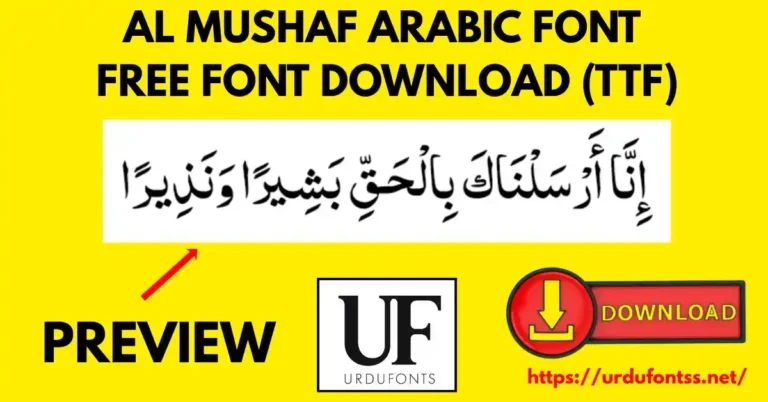
| Al Mushaf | Another Quranic text font in a regular weight, built for reading the verses themselves — compare both character maps and keep the one whose letterforms match your publication. |
| Trad Arabic Bold Unicode | Not a text font at all — a true bold for the headings above Quranic passages. Pair it with Muhammadi: bold for the title line, Muhammadi for the text. |
More Arabic styles are collected in the Arabic fonts category.
Troubleshooting
| Problem | Solution |
|---|---|
| Font not showing after installation | Restart the device or the app — font lists refresh on launch, and some apps only reload fonts at startup |
| Arabic letters not joining properly | Enable the Arabic keyboard layout and right-to-left text direction, and make sure the app supports Arabic text shaping |
| Download fails or is slow | Check your connection and try again; clearing the browser cache also helps a stalled download |
| Marks look misplaced in one app | Test the same text in a second app — vocalised Arabic rendering depends on the app’s text engine as much as on the font |
For the full fix list, see our common Urdu font problems and fixes guide. When you publish Islamic content, follow the live page’s own expert advice: keep Quranic text at a comfortable reading size (the guide suggests 14–18 pt) and test on more than one device before final publication.
Licence Information
| Usage Type | Licence Status |
|---|---|
| Personal Use | ✅ Free to download |
| Commercial Use | Check the font’s licence terms before using it in commercial work |
Muhammadi Quranic Font Arabic is free to download from this page for personal use. Copyright in the font remains with its designers, Paul C. Nelson and John Hudson; we do not claim ownership, and this page is provided for preview and informational purposes. If you are the copyright owner and believe any information here needs correction, contact us at urdufontss@gmail.com and we will act on it promptly.
Final Words
For Quranic text and Islamic publications that need a light, formal Arabic face with documented craftsmanship behind it, Muhammadi Quranic Font Arabic is this shelf’s considered choice: 998 glyphs, a semi-light modern serif design, and a 2001 pedigree. Download it, test it with your own passage at your real print size, and compare it with Al Qalam Quran Majeed before you settle a publication on either.
Frequently Asked Questions (FAQs)
What is Muhammadi Quranic Font Arabic?
It is a TrueType Arabic font designed for Quranic text and Islamic publications. It was created on 21 March 2001 and uses a semi-light weight with a modern serif design.
How many glyphs does Muhammadi Quranic Font have?
The font carries 998 glyphs, covering the Arabic script including the marks that vocalised Arabic text needs.
Who designed Muhammadi Quranic Font?
The Arabic glyphs were designed by Paul C. Nelson (1999–2000) and the Latin glyphs by John Hudson (2000–2001). Copyright in the font remains with its designers.
What is the font style of Muhammadi Quranic Font?
It belongs to the modern serifs family: semi-light weight, medium (normal) width, in a Regular subfamily — a formal, readable face for long Arabic passages.
Is Muhammadi Quranic Font free to download?
Yes. The TTF is free to download from the button at the top of this page for personal use, in a ZIP of about 168 KB. For commercial projects, check the font’s licence terms first.
How do I install Muhammadi Quranic Font on Android?
Modern Android does not allow free system-wide font changes, so load the TTF inside an app — PixelLab, CapCut, KineMaster and Canva all offer an Add Font option — and select the font there for your Arabic text.
Can I preview Muhammadi Quranic Font with my own text before downloading?
Yes — open the Live Urdu Font Previews tool on urdufontss.net, type your own Arabic line, and check the letterforms and marks before you install anything.

6 Comments