Zohar Unicode Free Urdu Font Download (TTF)

Zohar Unicode is a clean, modern Urdu font. Download the TTF free below and install it on Windows, Mac or Android. It is a Unicode TrueType font made for readable Urdu text in documents, graphics and web content.
Not to be confused with Zohra Unicode — different font, different file. Zohar Unicode and Zohra Unicode are two separate fonts with separate downloads. If you want the other font, see Zohra Unicode Free Urdu Font Download (TTF) 2026.
Zohar Unicode Free Download
Use the button below to download the Zohar Unicode zip file from this site.
| Specification | Details |
|---|---|
| Font | Zohar Unicode |
| Format | TTF (TrueType) |
| Script | Urdu |
| Unicode | Yes — Unicode-based |
| File size | 75.0 KB |
| Downloads | 36,505 |
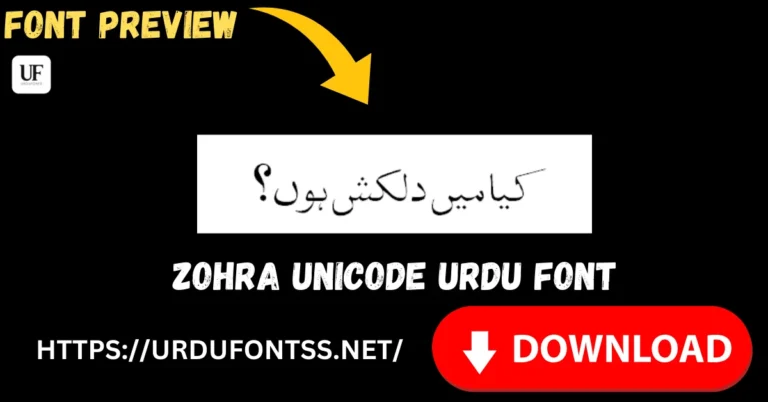
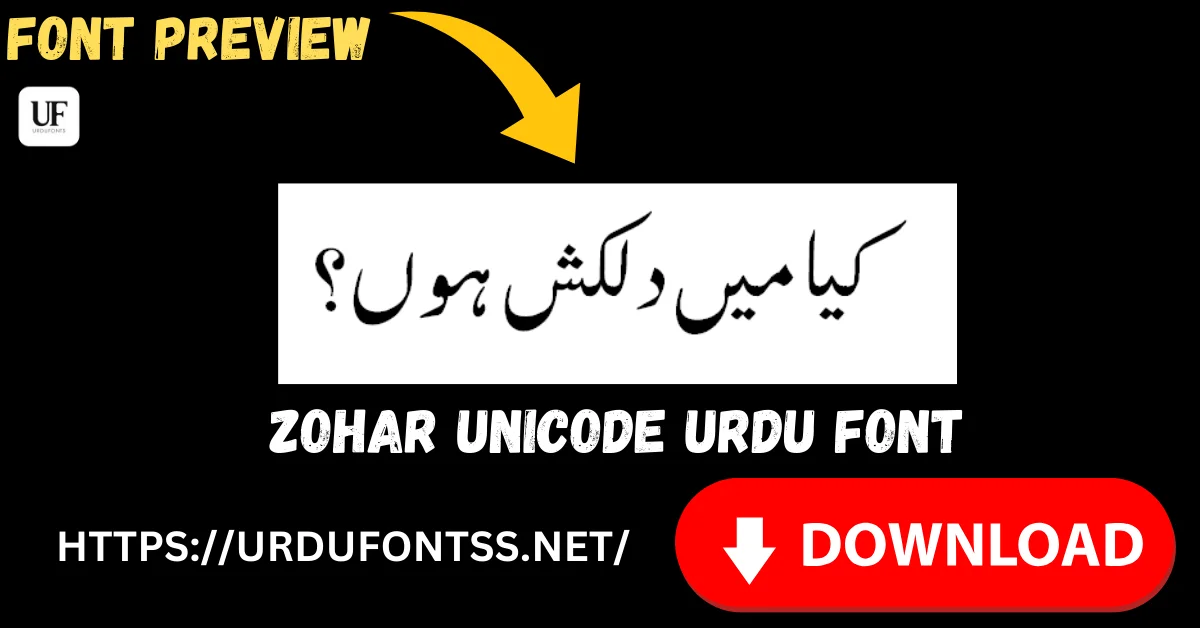
Font Preview
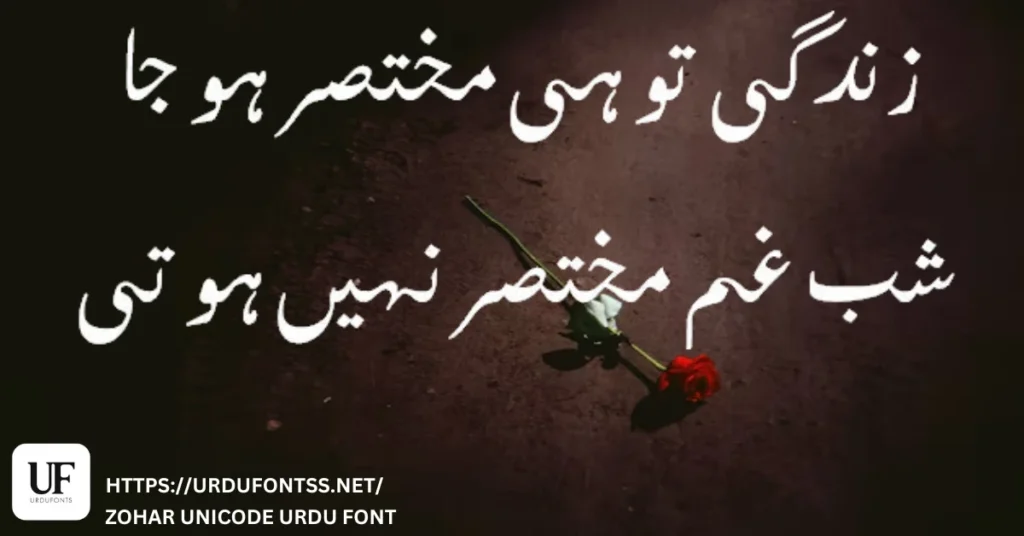
The preview above shows Zohar Unicode in use. To try your own text before you download, open the live Urdu font preview tool.
What Makes Zohar Unicode Different
Zohar Unicode is built for long, readable Urdu text rather than decoration. Its letterforms stay open and even at body-text sizes, so paragraphs, articles and documents remain easy to follow. The contemporary, uncluttered look works for both headings and body text without the heavy calligraphic weight of Nastaleeq styles. At 75.0 KB it is lightweight, and because it is Unicode-based it keeps Urdu text consistent across modern apps and devices instead of relying on legacy encoding.
Best Uses
- Long documents and articles: use Zohar Unicode for Urdu articles, reports and notes where readability matters most.
- Website and blog body text: keep Urdu posts and pages readable on desktop and mobile.
- Social media graphics and posters: set Urdu quotes, announcements and posters in a clean, modern style.
- School and office documents: prepare assignments, handouts, letters and presentations in clear Urdu.
- eBooks and PDFs: use it for Urdu eBooks, guides and PDF documents that readers will read for a long time.
- Headings and quotes in bilingual documents: pair it with a plain Latin font for Urdu headings alongside English text.
How to Download and Install Zohar Unicode
Download the zip file from the button on this page, extract it, and install the TTF file on your device. Then choose Zohar Unicode in your app.
Windows
- Download the Zohar Unicode zip file and extract it to a folder.
- Right-click the TTF file and select Install.
- Close and reopen Word, Photoshop or your other app, then select Zohar Unicode from the font list.
Mac
- Download the Zohar Unicode zip file and extract it.
- Double-click the TTF file and select Install Font in Font Book.
- Reopen your app and select Zohar Unicode. For step-by-step help, see the guide to downloading and installing an Urdu font on Mac.
Android (in-app)
- Download the Zohar Unicode zip file and extract the TTF file on your Android device.
- Open an app that supports custom TTF fonts, such as a design or video-editing app.
- Use the app import or add-font option to select the extracted Zohar Unicode TTF file, then apply it to your text.
Zohar Unicode vs Similar Fonts
Not to be confused with Zohra Unicode — different font, different file. Zohar Unicode and Zohra Unicode have similar names but are separate fonts. Download only the file you need: Zohra Unicode Free Urdu Font Download (TTF) 2026.
| Font | Style | Best for |
|---|---|---|
| Zohar Unicode | Modern and clean | Readable documents, graphics and web text |
| Zohra Unicode | Clean, standard Urdu script | Everyday typing and professional documents |
| Jameel Noori Nastaleeq | Elegant Nastaleeq | Print and websites with calligraphic style |
| Nafees Web Naskh | Traditional Naskh | Books and official documents |
If you want a modern, lightweight font for long readable text, choose Zohar Unicode. If you want a calligraphic Nastaleeq look, choose a Nastaleeq font instead.
Troubleshooting
- Font does not appear in the app: restart the app after installing, then search for Zohar Unicode exactly. Reinstall the TTF if it still does not appear.
- Text shows as boxes or disconnected letters: use a Unicode-aware app and an Urdu keyboard, and retype the text instead of pasting from a non-Unicode source.
- Zip file will not open: download the file again and let the download finish, then extract it with your device file manager or extraction tool.
- Text looks different on another device: install Zohar Unicode on that device too, or share the document as a PDF with the font embedded where your app allows it.
Frequently Asked Questions (FAQs)
What is Zohar Unicode?
Zohar Unicode is a clean, modern Urdu font in TrueType (TTF) format, designed for readable Urdu text in documents, graphics and web content.
Is Zohar Unicode free to download?
Yes, you can download Zohar Unicode free from this page. Check the licence terms before commercial use.
Is Zohar Unicode the same as Zohra Unicode?
No. Zohar Unicode and Zohra Unicode are different fonts with different files. Do not mix them up; download the font you actually want.
How do I download Zohar Unicode?
Click the Download Zohar Unicode button on this page to download the zip file, then extract and install the TTF file.
Can I use Zohar Unicode in Microsoft Word and PDFs?
Yes, once installed it appears in Word and other apps that use system fonts, and you can use it in PDF documents.
Does Zohar Unicode work on Windows, Mac and Android?
Yes, it is a Unicode TTF font. Install it on Windows or Mac, and use it in Android apps that support custom TTF fonts.
Can I use Zohar Unicode for commercial projects?
It is free for personal use. Check the licence terms before commercial use, as commercial use may need permission.
Final Words
Zohar Unicode is a clean, modern Urdu font that keeps long text readable without losing style. Its Unicode TTF format makes it a practical choice for documents, graphics and web content. If you need a lightweight font for everyday Urdu writing, it is worth trying. Download it below and test it with your own text.