UrduLink Regular Free Urdu Font Download (TTF) 2026

UrduLink Regular is a clean, versatile Urdu font for everyday work — the one you install when you need Urdu text that simply behaves: documents, study material, social posts and print, in a plain Regular style with no decoration to fight with. At about 113 KB it is the most substantial download in its group, a single TrueType file built for compatibility across Windows, Mac and Android apps. Download the TTF file free below and install it on Windows, Mac or Android.
Table of Content
Table of Contents
UrduLink Regular Free Download
| Feature | Details |
|---|---|
| Font Name | UrduLink Regular |
| Style | Regular — clean, plain, everyday Urdu lettering |
| Format | TTF (delivered in a ZIP of about 113 KB) |
| Works With | MS Word, InPage, Photoshop, Illustrator, Canva and all TTF-supported software |
| Platforms | Windows, Mac, Android (in apps) |
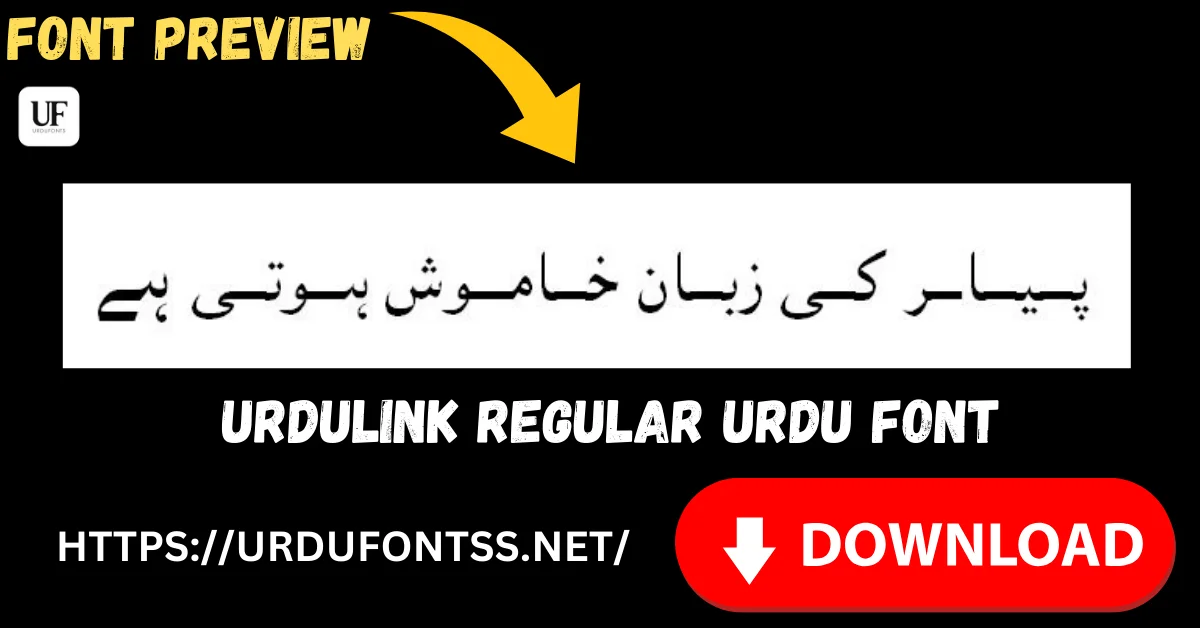
Before you download, you can also preview UrduLink Regular with your own text in our Live Urdu Font Previews tool — type a line from your document and check how plainly it reads at your working size.
Font Preview
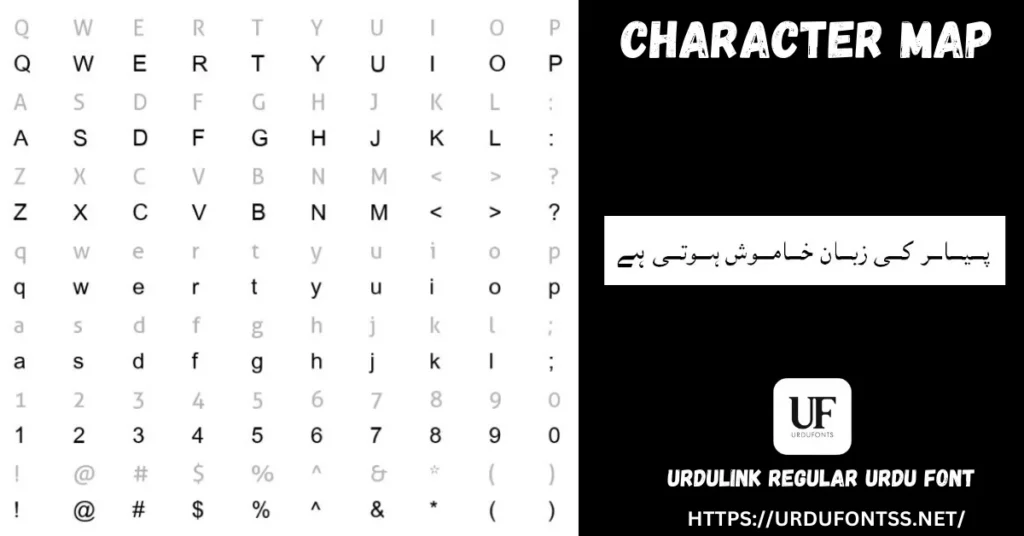
The character map above shows the font’s full working set — Latin letters, figures and symbols on the left, and the Urdu sample line on the right. Everything renders cleanly and evenly; there are no novelty shapes here, which is exactly why the font suits mixed Urdu-and-English documents.
What Makes UrduLink Regular Different
- A true general-purpose Regular: most fonts in this corner of the site do one special job — italics, outlines, shading. UrduLink Regular is the opposite: a plain, even text face meant to be the default Urdu font in a document, not the decoration on top of it.
- Mixed-document manners: the character map tells the story — the Latin side renders as a complete, tidy sans set in the same visual weight as the Urdu, so a page that mixes English terms, numbers and Urdu sentences does not lurch between two clashing styles.
- The substantial file in its group: at about 113 KB the ZIP is the largest among its closest siblings. That weight sits in the character set rather than in effects — this is a working font, not a display trick.
- Traditional roots, modern finish: the live page describes the design as modern simplicity over traditional Urdu calligraphy, and the sample line backs that up — familiar letter shapes, cleaned up for screens and office print.
- Know its limit: plain is a choice, not a flaw — but it means UrduLink will not give a wedding card or a poster heading any presence by itself. Pair it with a display font for titles, as the comparison below suggests.
Best Uses for UrduLink Regular
- Documents and reports — letters, assignments, office files and PDFs where Urdu must read clearly for pages at a time.
- Education material — worksheets, handouts and presentations with an even, untiring text style.
- Websites and WordPress content — a standard TrueType file that drops into the same font workflows as your other Urdu fonts.
- Social media text posts — clean Urdu lines for quotes, announcements and captions in design apps.
- Mixed Urdu–English layouts — forms, notices and documents where both scripts share the page.
How to Download and Install
On Windows
Click the download button at the top of this page, extract the ZIP, right-click the TTF file and choose Install. Restart your app and UrduLink Regular appears in its font list. The full walkthrough is in our PC install guide for Urdu fonts.
On Mac
Extract the ZIP, double-click the TTF and choose Install Font in Font Book.
On Android
Modern Android phones do not allow free system-wide font changes, so use the TTF inside apps such as PixelLab, CapCut or Canva — our Android install guide shows the in-app method step by step.
UrduLink Regular vs Similar Fonts
| Font | How It Differs |
|---|---|
| Urdulife Italic Regular | The expressive sibling in this group — slanted, curly italic lettering for quotes and creative headings. Choose Urdulife Italic for style; UrduLink Regular for straight, everyday text. |
| UL Amjad Regular | Another plain Regular, but in an elegant flowing Nastaliq hand and a much lighter file (about 47 KB). Amjad suits traditional-looking pages; UrduLink is the plainer, more neutral office choice. |
| Urdu Nastaliq Unicode Regular | A dedicated Unicode Nastaliq for classic Urdu publishing. If the page must look like traditional Urdu print, choose it; UrduLink is the simpler all-rounder for mixed documents. |
Browse the full shelf in the Urdu fonts category.
Troubleshooting
| Problem | Solution |
|---|---|
| Font not showing in software | Restart the application after installation |
| Letters not joining properly | Enable RTL (right-to-left) text settings in your app |
| Boxes instead of Urdu text | Install the Urdu language pack or check your Unicode support settings |
| Downloaded ZIP will not open | Re-download the file on a stable connection — at about 113 KB it is larger than most fonts here |
For the full fix list, see our common Urdu font problems and fixes guide.
Licence Information
| Usage Type | Licence Status |
|---|---|
| Personal Use | ✅ Free to download |
| Commercial Use | Check the font’s licence terms before using it in commercial work |
UrduLink Regular is free to download from this page. All rights to the font belong to its respective owner; we do not claim ownership, and this page is provided for preview and informational purposes. If you are the copyright owner and believe any information here needs correction, contact us at urdufontss@gmail.com and we will act on it promptly.
Final Words
Every font library needs one unglamorous workhorse — the font that opens in every app, reads cleanly on every page and never asks for attention. UrduLink Regular is that font in this group. Download it, set it as your everyday Urdu face, and reach for the decorative styles only when a heading asks for them.
Frequently Asked Questions (FAQs)
Is UrduLink Regular free to download?
Yes. The TTF is free to download from the button at the top of this page, in a ZIP of about 113 KB. For commercial projects, check the font’s licence terms first.
What type of font is UrduLink Regular?
It is a Regular-style TrueType (TTF) Urdu font — plain, even lettering designed for reading and everyday documents rather than decoration.
What is UrduLink Regular best used for?
Documents, reports, study material, website content and mixed Urdu–English layouts — anywhere clean, neutral Urdu text matters more than styling.
How do I install UrduLink Regular on Windows?
Download and extract the ZIP, right-click the TTF file, and choose Install. Restart your app and the font appears in its font list in Word, Photoshop and other software.
Does UrduLink Regular work on Android?
Yes, inside apps. Modern Android does not allow free system-wide font changes, so load the TTF in an app such as PixelLab, CapCut or Canva and select it there.
How is UrduLink Regular different from Urdulife Italic Regular?
UrduLink is straight, plain text lettering for documents. Urdulife Italic is slanted and curly, made for expressive headings and quotes. They solve opposite jobs in the same group of fonts.
Can I preview UrduLink Regular with my own text before downloading?
Yes — open the Live Urdu Font Previews tool on urdufontss.net, type your own words, and check the reading clarity before you install anything.