UL Amjad Shaded Regular Free Urdu Font Download (TTF) 2026

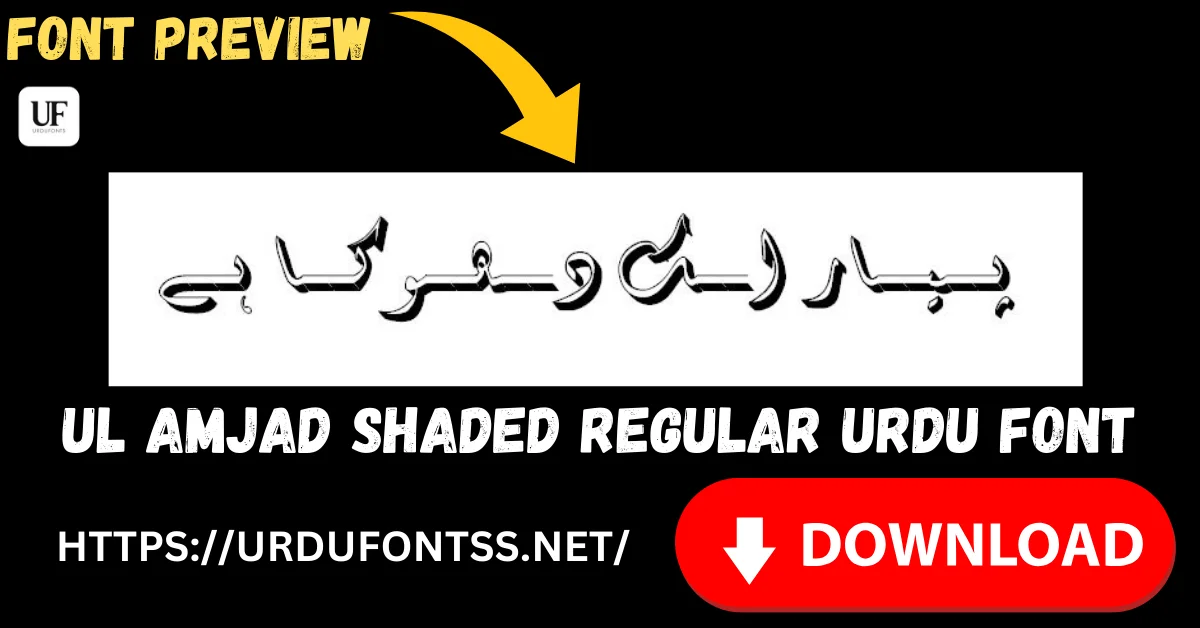
UL Amjad Shaded Regular is a decorative Urdu font that gives Nastaliq lettering a fine, hand-drawn shade — each letter carries a delicate shadow line that adds depth without turning the heading into a block of metal. It is made for titles that should look crafted: book covers, wedding cards, poetry headings and certificates. Download the TTF file free below and install it on Windows, Mac or Android.
Table of Content
Table of Contents
UL Amjad Shaded Regular Free Download
| Feature | Details |
|---|---|
| Font Name | UL Amjad Shaded Regular |
| Style | Regular — shaded Nastaliq display style |
| Format | TTF (delivered in a ZIP of about 90 KB) |
| Works With | MS Word, InPage, Photoshop, Illustrator, Canva and all TTF-supported software |
| Platforms | Windows, Mac, Android (in apps) |
Before you download, you can also preview UL Amjad Shaded with your own words in our Live Urdu Font Previews tool — shaded fonts reward a preview, because the effect changes with the letters you actually use.
Font Preview
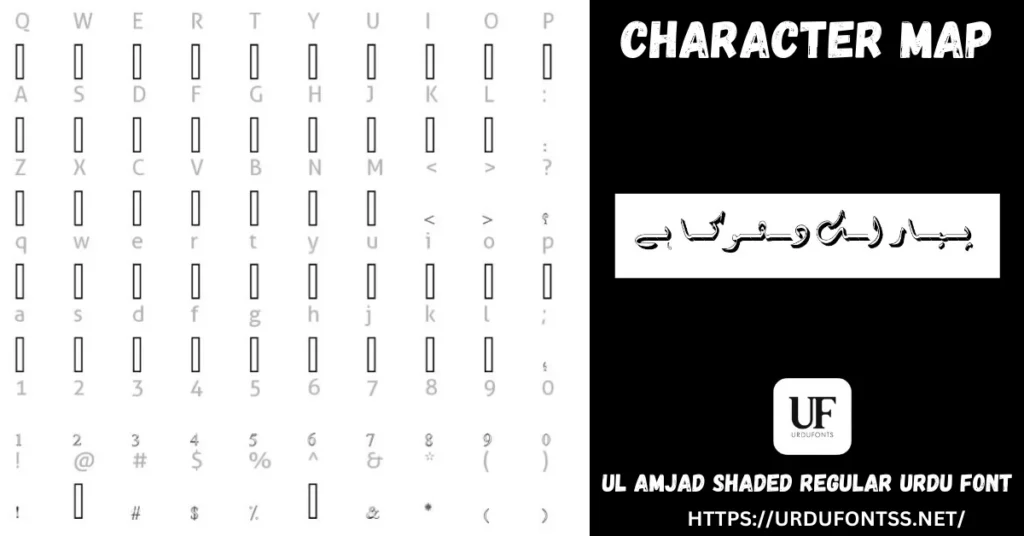
Look at the sample line in the character map: the Nastaliq strokes stay fine and flowing, and the shading sits behind them as a light offset line. That restraint is what separates this font from heavier shaded designs — the calligraphy still leads.
What Makes UL Amjad Shaded Regular Different
- Fine shading, not block shading: many shaded fonts stamp a heavy 3D block behind every letter. Amjad Shaded uses a thin shadow line, so a heading gains depth while keeping the elegance of the underlying Nastaliq.
- Decoration that survives medium sizes: because the shading is light, the effect still reads at poster-title and book-cover sizes where delicate detail would vanish at body size — use it where it can be seen.
- A crafted, print-like finish: the shaded line mimics the hand-finishing of traditional title lettering, which is why it suits formal pieces — certificates, invitations, title pages — better than flat digital-looking display fonts.
- Colour takes the whole letter: when you colour text in your app, the letter and its shade take the colour together as one glyph — plan your palette around a single colour per line, or layer two copies for a two-tone effect in Photoshop.
- Know its limit: this is a display font. Paragraphs set in it become hard work for the reader — keep it to headings and short lines, and set the text underneath in a plain reading font.
Best Uses for UL Amjad Shaded Regular
- Book and ebook covers — a title with depth that still looks literary, not loud.
- Wedding cards and invitations — names and headings with a hand-finished, ceremonial feel.
- Poetry headings — the title line of a ghazal or nazm page, above body text in a reading Nastaliq.
- Certificates and awards — recipient names and headings that should look engraved rather than typed.
- Posters and event titles — cultural and religious event headings at sizes where the shading can breathe.
Our top 10 Urdu fonts for graphic designers lists this font among the display styles worth downloading for headings — pair it there with the readable Nastaliq picks for the text beneath your titles.
How to Download and Install
On Windows
Click the download button at the top of this page, extract the ZIP, right-click the TTF file and choose Install. Restart your app and UL Amjad Shaded appears in its font list. The full walkthrough is in our PC install guide for Urdu fonts.
On Mac
Extract the ZIP, double-click the TTF and choose Install Font in Font Book.
On Android
Modern Android phones do not allow free system-wide font changes, so use the TTF inside apps such as PixelLab, CapCut or Canva — our Android install guide shows the in-app method step by step. Display fonts like this one are most at home in PixelLab thumbnails and poster designs.
UL Amjad Shaded Regular vs Similar Fonts
| Font | How It Differs |
|---|---|
| UL Noreen Shaded Regular | The other shaded font in the UL family — but its shading is a heavy, bold block with far more impact. Choose Noreen Shaded for loud banners and thumbnails; Amjad Shaded when the heading should stay elegant. |
| UL Noreen Outline Regular | Hollow outline letters instead of shaded solid ones — better when you want to fill letters with colour or place them over a photograph. |
| Sulus Unicode | Classical Thuluth calligraphy for religious and ceremonial headings — unshaded, monumental, and more formal than Amjad’s decorative shade. |
Browse the rest of the family and more display styles in the Urdu fonts category.
Troubleshooting
| Problem | Solution |
|---|---|
| Font not showing in software | Restart the application after installation |
| Shading looks muddy or letters seem blurry | The size is too small for a shaded design — increase the size, or switch that line to a plain font |
| Heading looks crowded against the text below | Add line spacing — shaded letters need vertical room so the shade does not collide with the next line |
| Boxes instead of Urdu text | Install the Urdu language pack or check your Unicode support settings |
For the full fix list, see our common Urdu font problems and fixes guide.
Licence Information
| Usage Type | Licence Status |
|---|---|
| Personal Use | ✅ Free to download |
| Commercial Use | Check the font’s licence terms before using it in commercial work |
UL Amjad Shaded Regular is free to download from this page. All rights to the font belong to its respective owner; we do not claim ownership, and this page is provided for preview and informational purposes. If you are the copyright owner and believe any information here needs correction, contact us at urdufontss@gmail.com and we will act on it promptly.
Final Words
Choose UL Amjad Shaded when a heading deserves more than flat type but the design must stay graceful — a cover, a card, a certificate. Download it, preview your exact title line, set it large, and let a plain reading font carry everything below it.
Frequently Asked Questions (FAQs)
Is UL Amjad Shaded Regular free to download?
Yes. The TTF is free to download from the button at the top of this page, in a ZIP of about 90 KB. For commercial projects, check the font’s licence terms first.
What does “shaded” mean in this font?
Each letter is drawn with a fine shadow line offset behind it, giving the text a hand-finished, slightly raised look. The shading is part of the font itself — you do not add any effect in your app.
Can I change the colour of the shading separately?
Not inside normal text — the letter and its shade are one glyph and take one colour. In Photoshop you can layer two copies of the text in different colours, slightly offset, for a two-tone result.
What is UL Amjad Shaded best used for?
Elegant headings: book covers, wedding cards, poetry titles, certificates and event posters — set large, with body text in a plain reading font underneath.
How is UL Amjad Shaded different from UL Noreen Shaded?
Amjad’s shading is fine and delicate over flowing Nastaliq; Noreen Shaded uses a much heavier block shadow for maximum impact. Amjad suits formal, graceful designs; Noreen suits loud banners and thumbnails.
Can I use UL Amjad Shaded for paragraphs and long text?
It is not recommended. Shaded display lettering tires the eye over long reading. Keep it for headings and short lines, and set long text in a reading font such as a standard Nastaliq.
Can I preview UL Amjad Shaded with my own text before downloading?
Yes — open the Live Urdu Font Previews tool on urdufontss.net, type your own title, and see exactly how the shading falls on your letters before you install anything.

4 Comments