Shifa Italic Unicode Free Urdu Font Download (TTF)

Shifa Italic Unicode is a bold, slanted Urdu font with a strong calligraphic lean — thick strokes, a clear forward tilt, and letterforms made to be seen at a distance. It was designed by Syed Manzar Hasan Zaidi for Axis SoftMedia (Version 1.00, 497 glyphs), and it arrives in a light ZIP of about 67 KB. Download the TTF free below and install it on Windows, Mac or Android.
Table of Content
Table of Contents
Shifa Italic Unicode Free Download
| Feature | Details |
|---|---|
| Font Name | Shifa Italic Unicode |
| Style | Italic / slanted display — Regular subfamily, bold strokes |
| Format | TTF (delivered in a ZIP of about 67 KB) |
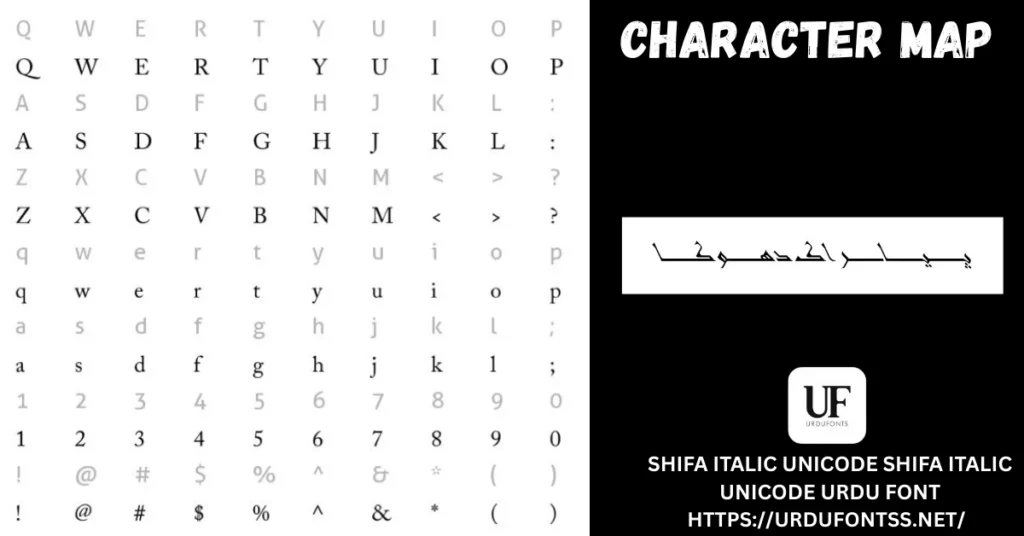
| Glyphs | 497 (verified in the font file) |
| Version | 1.00 |
| Designer | Syed Manzar Hasan Zaidi — Axis SoftMedia Pvt. Ltd. (verified in the font file) |
| Works With | MS Word, InPage, Photoshop, Illustrator, Canva and all TTF-supported software |
| Platforms | Windows, Mac, Android (in apps) |
Before you download, you can also preview Shifa Italic Unicode with your own words in our Live Urdu Font Previews tool — a slanted display font should always be judged on your exact heading before you install it.
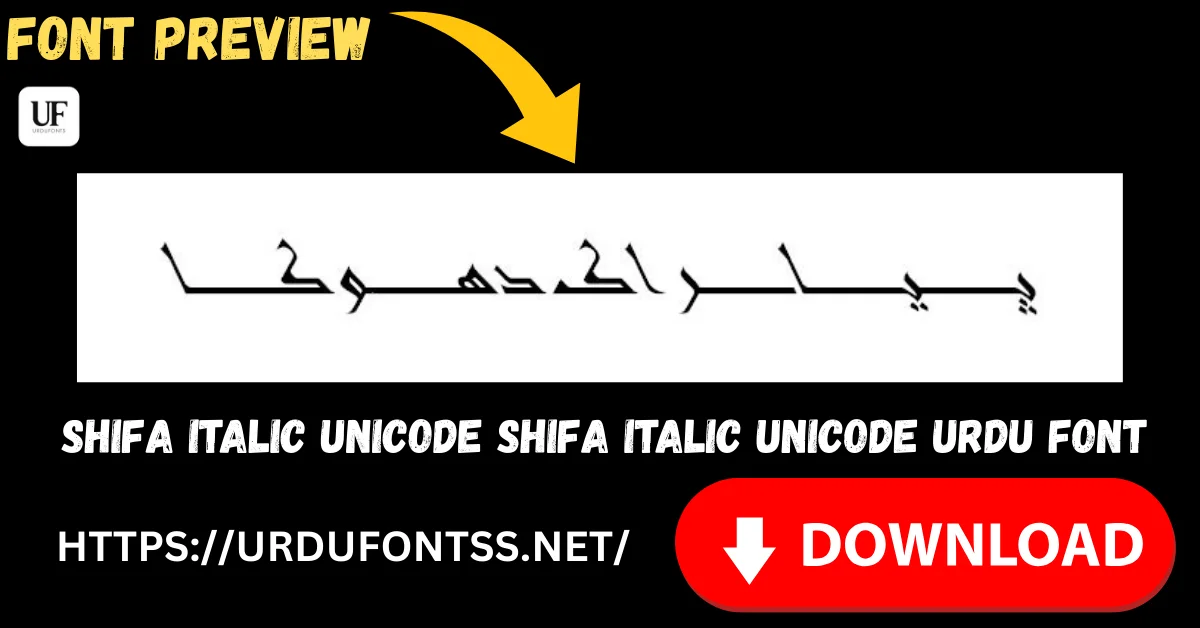
Font Preview
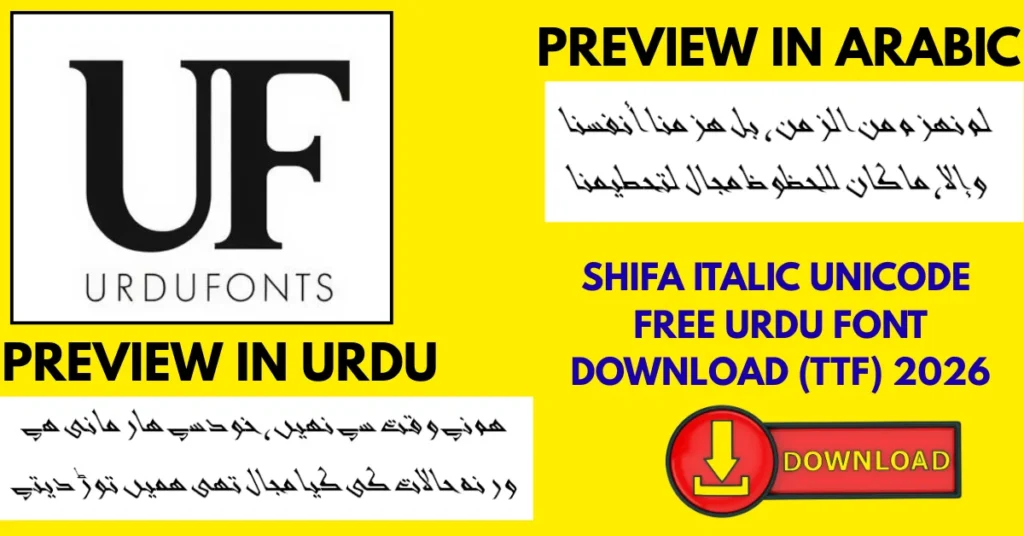
Look at the weight first: this is not a delicate italic. The strokes are thick and the slant is strong, so headlines stay bold and legible even on busy poster backgrounds — and the same weight is exactly why it is not a body-text font.
What Makes Shifa Italic Unicode Different
- Bold weight with a real slant: most Urdu italics are light. Shifa pairs heavy strokes with its forward lean, so it works like a display font — posters, banners and thumbnails — not just as emphasis inside a paragraph.
- A verified designer: the font file names Syed Manzar Hasan Zaidi of Axis SoftMedia — the same hand behind Xebec and Zoya on this site — at Version 1.00 with 497 glyphs.
- Unicode build: text stays editable, searchable and copyable across modern apps, unlike legacy image-based or hacked Urdu fonts.
- Honest limits (kept from the live post’s pros & cons): the bold slant tires the eye in long paragraphs, and at very small sizes the thick strokes can crowd. Keep it for headings and short lines — the comparison below points you to reading fonts for everything else.
Best Uses for Shifa Italic Unicode
- Wedding invitations — names and welcome lines with a celebratory, slanted flourish.
- Posters and social media graphics — bold Urdu headlines that survive busy backgrounds and small thumbnails.
- Logo design and wordmarks — a short brand name with a distinctive leaning signature (check the licence point below first).
- YouTube thumbnails and banners — big Urdu titles that read at a glance.
- School projects and presentations — covers and title slides with a lively heading voice.
- Digital marketing creatives — sale announcements and offer headlines in Urdu.
For phone-based design work, the live post’s app notes still hold: Shifa works inside PixelLab, CapCut and Canva on Android through each app’s own Add Font option, and our guide to adding Urdu fonts in Canva walks through the Canva route. Browse more display faces in the Urdu fonts category.
How to Download and Install
On Windows
Click the download button at the top of this page, extract the ZIP, right-click the TTF file and choose Install. It works the same on Windows 10 and Windows 11; restart your app and Shifa Italic Unicode appears in its font list. The full walkthrough is in our PC install guide for Urdu fonts. In MS Word it then works like any installed font, and in InPage use an updated version for correct Unicode rendering.
On Mac
Extract the ZIP, double-click the TTF and choose Install Font in Font Book.
On Android
Modern Android phones do not allow free system-wide font changes, so use the TTF inside apps such as PixelLab, CapCut, KineMaster or Canva through each app’s Add Font option — our Android install guide shows the in-app method step by step.
Shifa Italic Unicode vs Similar Fonts
| Font | How It Differs |
|---|---|
| Urdulife Italic Regular | A lighter, curlier slanted font for quotes and invitations. Shifa is bolder and straighter in its slant — pick Shifa when the line must shout, Urdulife when it should whisper. |
| Urdu Emad Nastaliq | An upright, formal Nastaliq for traditional publishing. Emad is ceremony; Shifa is energy — slanted, bold and informal. |
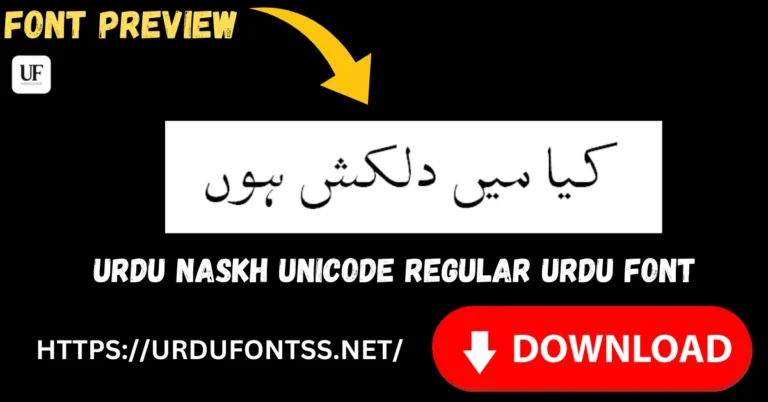
| Urdu Naskh Unicode Regular | A plain reading Naskh for documents and long text — the opposite job to Shifa. Pair them: Shifa for the headline, Naskh Unicode for everything under it. |
Troubleshooting
| Problem | Solution |
|---|---|
| Font not showing in software | Restart the application after installation — most apps only reload their font list at startup |
| Font not showing correctly in an app | Check the app uses the installed system font list; on Android, add the TTF inside the app (PixelLab / CapCut / Canva) instead of expecting a system-wide change |
| Letters not joining properly | Enable right-to-left (RTL) text settings and the Urdu or Arabic keyboard layout |
| Text looks crowded at small sizes | Use Shifa at heading sizes — its bold slant is drawn for display, and small text is better set in a reading font |
For the full fix list, see our common Urdu font problems and fixes guide.
Licence Information
| Usage Type | Licence Status |
|---|---|
| Personal Use | ✅ Free to download |
| Commercial Use | Check the font’s licence terms before using it in commercial work |
Shifa Italic Unicode is free to download from this page for personal use. Before using any Urdu font in commercial logos, posters or branding, verify the licence terms — that caution is kept from the live page because it is the right one. All rights to the font belong to its respective owner; we do not claim ownership, and this page is provided for preview and informational purposes. If you are the copyright owner and believe any information here needs correction, contact us at urdufontss@gmail.com and we will act on it promptly.
Final Words
Choose Shifa Italic Unicode when an Urdu line has to arrive bold and leaning — a poster headline, an invitation name, a thumbnail title. It is a verified Axis SoftMedia design in a ZIP of about 67 KB. Download it, preview your exact words, set them large, and let a reading font carry the paragraphs.
Frequently Asked Questions (FAQs)
Is Shifa Italic Unicode free to download?
Yes. The TTF is free to download from the button at the top of this page, in a ZIP of about 67 KB. For commercial projects, check the font’s licence terms first.
Who designed Shifa Italic Unicode?
Syed Manzar Hasan Zaidi of Axis SoftMedia Pvt. Ltd. — the font file itself records him as the designer, at Version 1.00 with 497 glyphs.
Can I use Shifa Italic Unicode in Canva?
Yes. Upload the TTF through Canva’s font upload (a paid-plan feature) or use it in the mobile app’s font options where available — our Canva guide on this site shows the steps.
Does Shifa Italic Unicode work on Android?
Yes, inside apps. Modern Android does not allow free system-wide font changes, so add the TTF inside PixelLab, CapCut, KineMaster or Canva through each app’s Add Font option.
Is Shifa Italic Unicode good for long paragraphs?
No. Its bold, slanted strokes are drawn for headings and short lines and tire the eye over long reading. Set body text in a reading font and keep Shifa for the lines that need impact.
Can designers use Shifa Italic Unicode for logos?
Its bold slant suits short wordmarks well. Before using it in a commercial logo, check the font’s licence terms — the file does not grant a blanket commercial licence on this page.
Why is Shifa Italic Unicode not showing correctly in my app?
Restart the app after installing — font lists refresh at launch. On Android, make sure you added the TTF inside the app itself, and enable right-to-left text so the letters join properly.

One Comment