X Zar Heavy Free Urdu Font – Bold & Eye Catching TTF Font 2026

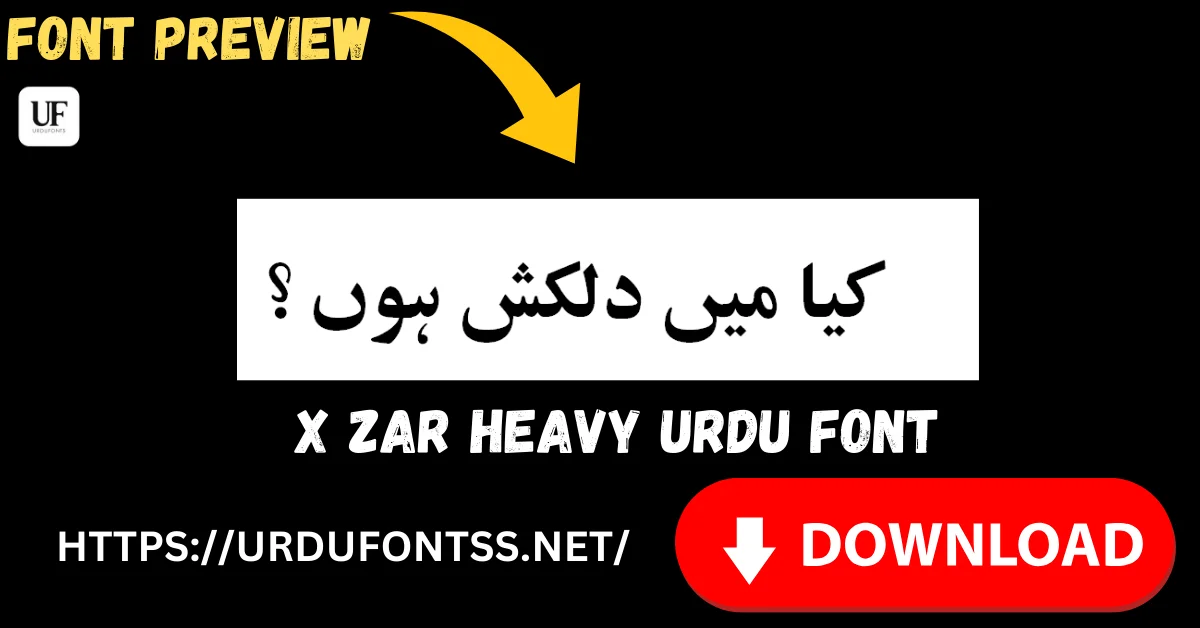
X Zar Heavy is a bold, heavy Urdu display font built for maximum visibility: thick strokes that keep headings, titles and highlighted text readable from a distance. It is a TrueType (TTF) font aimed at designers, students and content creators who need Urdu headlines with real impact. Download the TTF free below and install it on Windows, Mac or Android.
Table of Content
Table of Contents
X Zar Heavy Free Download
| Feature | Details |
|---|---|
| Font Name | X Zar Heavy |
| Style | Heavy / Bold — display lettering |
| Format | TTF (delivered in a ZIP of about 117 KB) |
| Glyphs | 845 (counted in the downloaded font file) |
| Works With | Photoshop, Illustrator, Word, Canva and all TTF-supported software |
| Platforms | Windows, Mac, Android (in apps) |
Before you download, you can also preview X Zar Heavy with your own headline in our Live Urdu Font Previews tool — type the exact title you plan to design and check the weight at real size before you install anything.
Font Preview
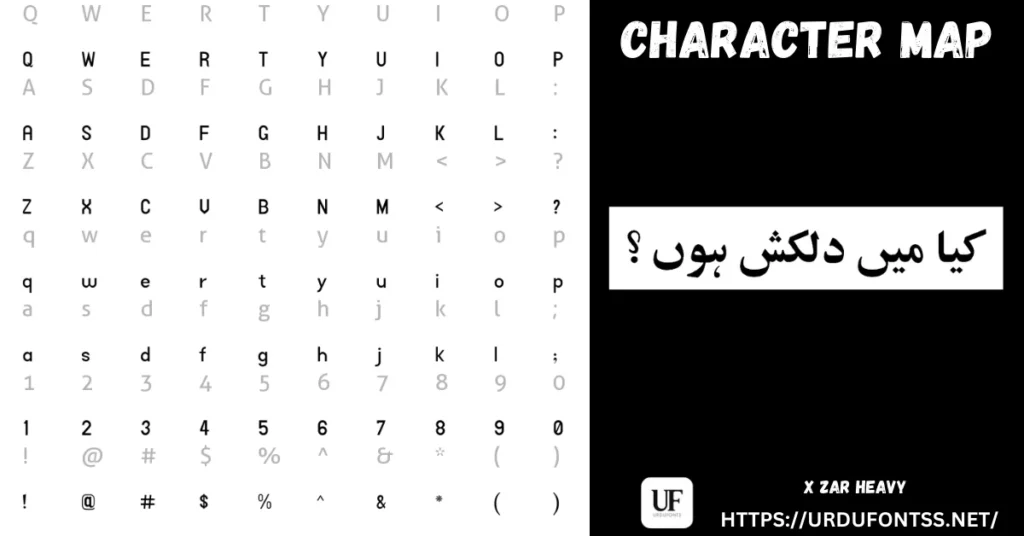
The panel above pairs the character set with a set sample line, so you can judge the stroke weight on real Urdu words. Below, the same heavy lettering is shown the way designers actually use it — set as poetry lines on a finished design.
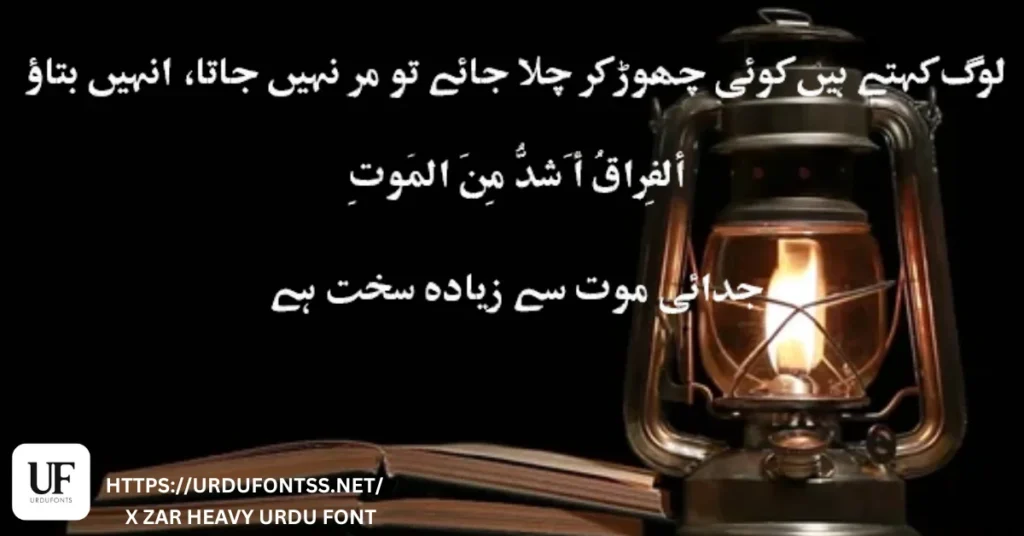
What Makes X Zar Heavy Different
- Weight is the whole point: the strokes are drawn heavy from the start, so headlines stay solid and legible at banner and poster sizes where a regular-weight font thins out and disappears.
- A display face with a real character set: the downloaded file carries 845 glyphs — deep coverage for a display font, so titles with marks and mixed content do not fall back to a substitute face mid-line.
- Made for the Pakistani design workflow: advertisements, banners, posters and educational material are its home ground — the work where a headline has one second to be read.
- Know its limit: heavy strokes close up in small sizes and long paragraphs. Set titles in X Zar Heavy and pair it with a lighter text font for everything underneath.
Best Uses for X Zar Heavy
- Banners and posters — headlines that must read across a street or a market stall.
- Advertisements — print and social ads where the Urdu line carries the offer.
- Magazine and newspaper headlines — bold titles above regular-weight body text.
- Educational material — chart headings, diagrams and presentation titles.
- Social media graphics — quote posts and announcement cards for Urdu audiences.
- Video titles and thumbnails — heavy lines that survive small preview sizes.
More headline and text styles are collected in the Urdu fonts category.
How to Download and Install
On Windows
Click the download button at the top of this page, extract the ZIP, right-click the TTF file and choose Install. Restart your app and X Zar Heavy appears in its font list. The full walkthrough is in our PC install guide for Urdu fonts.
On Mac
Extract the ZIP, double-click the TTF and choose Install Font in Font Book. If the font does not appear in an app’s list, restart the app — font lists refresh on launch.
On Android
Modern Android phones do not allow free system-wide font changes, so use the TTF inside apps such as PixelLab, CapCut, KineMaster or Canva through each app’s Add Font option — our Android install guide shows the in-app method step by step.
X Zar Heavy vs Similar Fonts
| Font | How It Differs |
|---|---|
| Trad Arabic Bold Unicode | A true bold in the Arabic tradition — the heading choice above Arabic and Quranic passages. X Zar Heavy is the bolder, heavier option for Urdu display lines. |
| UL Noreen Bold | A solid bold from the UL families — heavy enough for posters, cleaner in outline than X Zar Heavy. Choose Noreen Bold for a tidy bold; X Zar Heavy when the line must shout. |
| Tafseer Regular | The opposite job: a readable regular-weight text font. Pair it under an X Zar Heavy headline instead of setting body text in a display face. |
Troubleshooting
| Problem | Solution |
|---|---|
| Font not showing in software | Restart the application after installation — most apps only reload their font list at startup |
| Headline looks cramped or letters merge | The heavy strokes need room — increase the font size or line spacing, and keep the text to short lines |
| Letters not joining properly | Enable right-to-left (RTL) text settings and the Urdu or Arabic keyboard layout |
| Boxes instead of Urdu text | Install the Urdu language pack on your system or check the app’s Unicode support |
For the full fix list, see our common Urdu font problems and fixes guide.
Licence Information
| Usage Type | Licence Status |
|---|---|
| Personal Use | ✅ Free to download |
| Commercial Use | Check with the developer before commercial use |
X Zar Heavy is free to download from this page for personal use. We do not claim ownership of this font, and this page is provided for preview and informational purposes. If you are the copyright owner and believe any information here needs correction, contact us at urdufontss@gmail.com and we will act on it promptly.
Final Words
When an Urdu headline has to be read first and read from far away, X Zar Heavy is the heavy hand on this shelf: bold strokes, a deep 845-glyph file and a ZIP of about 117 KB. Download it, set your real headline at its real size, and pair it with a lighter font for the text below.
Frequently Asked Questions (FAQs)
Is X Zar Heavy free to download?
Yes. The TTF is free to download from the button at the top of this page for personal use. For commercial projects, check with the developer first.
What type of font is X Zar Heavy?
A TrueType (TTF) heavy display font for Urdu — drawn with thick strokes for headings, titles and highlighted text rather than body paragraphs.
What is the file size of X Zar Heavy?
The download is a ZIP of about 117 KB containing the TTF — quick to download and install on Windows, Mac and in Android apps.
Can I use X Zar Heavy on Windows and Mac?
Yes. On Windows, extract the ZIP, right-click the TTF and choose Install. On Mac, double-click the TTF and choose Install Font in Font Book.
Can X Zar Heavy be used for body text?
It is not built for that. Its heavy strokes close up at small sizes and in long paragraphs. Use it for headlines and pair it with a regular-weight font for the text underneath.
Can I combine X Zar Heavy with other fonts?
Yes — that is the intended workflow. Set the title in X Zar Heavy and the body in a lighter Urdu font; the contrast between the heavy headline and the light text is what makes the layout work.
Can I preview X Zar Heavy with my own text before downloading?
Yes — open the Live Urdu Font Previews tool on urdufontss.net, type your headline, and check the weight on your exact words before you install anything.