AA Sameer Armaa Font Free Download for Urdu Design

AA Sameer Armaa is a TrueType Urdu Nastaliq font from the AA Sameer family — a design-weight Nastaliq for Urdu headings, posters and social designs. If you already use AA Sameer faces and want to know where Armaa sits among them, this page gives you that answer first, then the practical steps for PC, mobile and web, with the font page linked at the top.
Font Overview
| Font Name | AA Sameer Armaa |
| Family | AA Sameer |
| Style | Urdu Nastaliq |
| Format | TrueType (as described on the font page) |
| Language | Urdu |
| Works With | Word, Photoshop, Illustrator, PixelLab, Canva (after getting the font from the linked page) |
| Platforms | Windows, Mac, Android (in apps), iPhone/iPad (via a font installer app) |
By KG · No TTF was staged or re-hosted for this article; the button links to the font’s page on our sister site.
Table of Content
Table of Contents
What Is AA Sameer Armaa?
AA Sameer Armaa is a TrueType Urdu Nastaliq font belonging to the AA Sameer family — a group of Urdu Nastaliq faces that designers use for headings, posters and display work. As a Nastaliq, it carries the sloping, hanging character of Urdu print rather than the upright Naskh style. Its natural home is design work: short lines, titles and posters where the lettering itself does the talking.
Before you commit to any new face, it helps to compare it against the faces you already know. Try the live Urdu font preview tool and browse the Urdu Fonts category on this site.
Not Almas, Not Mosan — Three Different Fonts
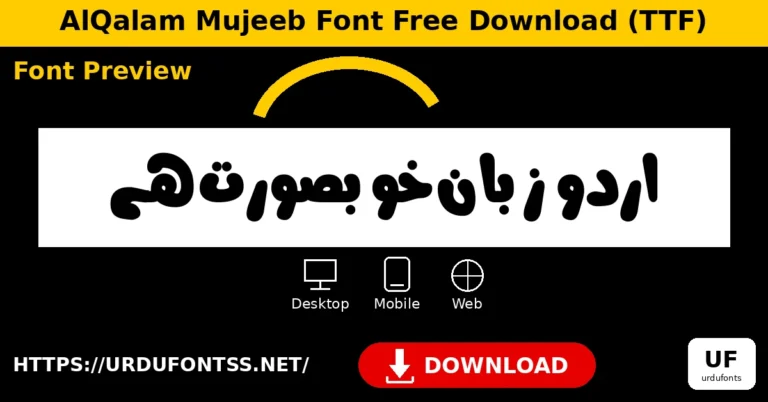
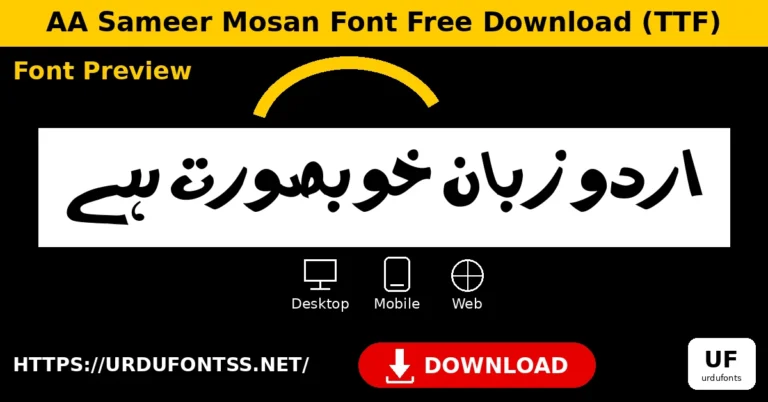
The AA Sameer family has several similarly named members, and mixing them up is easy — so here is the distinction, plainly stated. AA Sameer Armaa is different from AA Sameer Almas and different from AA Sameer Mosan. All three belong to the AA Sameer family and all three are Urdu Nastaliq faces, but they are three separate fonts, not three names for one font and not variants of one another. If you already use Almas or Mosan, Armaa is a further face in the same family to try — not a replacement file for either of them. Download counts and ratings are deliberately not repeated on this page: the figures shown on the sister-site font page are inconsistent with each other, so this page states nothing rather than repeating an unreliable number.
Getting Started on Windows & Mac
These are generic font install steps. They apply only after you have obtained the font from the linked sister-site page above — this site does not host the file.
- Get the font from the jameelnoori.com font page linked at the top of this article.
- Windows: Right-click the font file and choose Install.
- macOS: Double-click the font file and click Install Font in Font Book.
- Restart the app (Word, Photoshop, InPage or your editor) so AA Sameer Armaa appears in the font list, then select it for your text.
- Test one heading first. A design Nastaliq behaves differently at heading size than at body size — check one title and one short line before starting a full project.
Using It on Android & iPhone
Most font users today work on their phones, so here is the mobile path for AA Sameer Armaa. It assumes you already hold the font file from the linked page — mobile apps that support custom fonts can import it directly.
Android: Download the font on your phone, then open it inside PixelLab, Canva, or a font-installer app and select AA Sameer Armaa for your design. PixelLab posters and Canva social designs are the natural home for a design Nastaliq like this one. Our guide to adding Urdu fonts in Canva walks through the Canva steps. Note that this works inside apps — modern Android does not change the system-wide font from a single font file.
iPhone / iPad: Import the font with a font-installer app, then use it inside apps that support custom fonts (design and document apps). Test one heading before starting a full project, because each app handles custom fonts slightly differently.
Using It on a Website
If you hold a legitimate copy of the font and its licence permits your use, you can serve it from your own server with @font-face. Do not hotlink the sister-site page — it is a font page, not a raw font file. A design Nastaliq like Armaa is best used for headings and short display lines on the web rather than body text; keep a fallback font in the stack, set dir="rtl" and lang="ur" for Urdu text, and test a real heading in two browsers before publishing.
Best Design Uses for AA Sameer Armaa
- Posters and banners — Urdu titles in a design-weight Nastaliq.
- Social media designs — quotes and captions where the lettering carries the post, including Instagram stories.
- Book and magazine covers — strong Urdu title lettering.
- Event and wedding cards — decorative Urdu headings.
- YouTube thumbnails and channel art — short, bold Urdu lines at display size.
AA Sameer Armaa vs Jameel Noori Nastaleeq
Jameel Noori Nastaleeq is the classic, standard-weight Urdu Nastaliq — the safe choice for general Urdu text. AA Sameer Armaa is a design face from a different family, better suited to headings and display work than to long paragraphs. For background on how these Nastaliq faces developed, see the history of Urdu Nastaliq fonts. If a heading renders oddly in any app, our common Urdu font problems guide covers the usual fixes.
Frequently Asked Questions (FAQs)
Is AA Sameer Armaa the same as AA Sameer Almas?
No. Armaa is different from AA Sameer Almas, and different from AA Sameer Mosan. All three are AA Sameer Urdu Nastaliq faces, but they are three separate fonts.
Can I download AA Sameer Armaa from this site?
No. This site does not host the file. The button at the top links to the font’s page on jameelnoori.com, our sister site — a third-party page, not a file hosted by urdufontss.net.
What format is AA Sameer Armaa?
TrueType, as described on the font page. No designer, glyph count, version or licence is claimed on this page, because none was verified.
Does AA Sameer Armaa work on mobile?
Yes, inside apps: on Android use PixelLab, Canva or a font-installer app; on iPhone import it with a font-installer app and use it in apps that support custom fonts — once you hold the font file from the linked page.
Is AA Sameer Armaa good for long paragraphs?
It is a design Nastaliq, so it suits headings, posters and short display lines better than long body text. For paragraphs, use a standard-weight Nastaliq such as Jameel Noori.
Can I use AA Sameer Armaa on a website?
Yes, if you hold a legitimate copy and its licence permits it — serve it from your own server with @font-face, for headings and short display lines, with a fallback font in the stack.
Which AA Sameer font should I pick?
They are separate faces, so there is no single right answer: try Armaa, Almas and Mosan as separate fonts and pick by eye for your design. The preview tool linked in this article helps you compare them.
Final Words
AA Sameer Armaa is a design-weight Urdu Nastaliq from the AA Sameer family — distinct from Almas and Mosan, and best used where headings and display lines matter. Start from the labelled sister-site page linked at the top, test one heading before committing to it, and browse the Urdu Fonts category for more faces in the family.
Font page (sister site, not hosted by urdufontss.net): AA Sameer Armaa font page on jameelnoori.com.