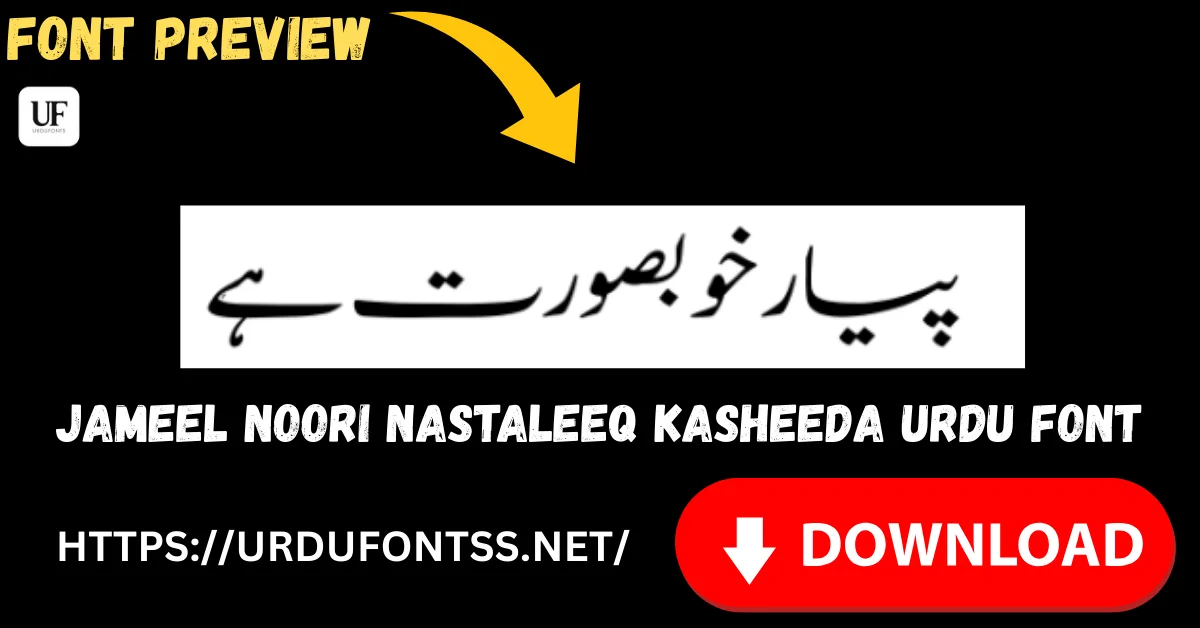
Jameel Noori Nastaleeq Kasheeda Font Free Download (TTF)

Jameel Noori Nastaleeq Kasheeda is the stretched variant of Jameel Noori Nastaleeq. Download the TTF file free below, then install it on Windows or Mac, or import it into an Android app such as PixelLab. Kasheeda lengthens the connecting strokes in Nastaliq, which helps justified lines sit evenly in books, newspapers and headings.
On this page
Jameel Noori Nastaleeq Kasheeda Free Download
Use the button below to download the Kasheeda font file. The download is a ZIP file containing the TTF font file, so extract the ZIP first, then install the TTF file by following the steps further down this page.
Verified specifications from this page and the font file on this page:
| Detail | Information |
|---|---|
| Font name | Jameel Noori Nastaleeq Kasheeda |
| Format | TTF (TrueType Font), supplied in a ZIP file |
| Script | Nastaliq |
| Variant | Kasheeda (stretched) |
| Unicode | Yes, Unicode-based |
| Best for | Justified long-form text, books, newspapers and headings |
Font Preview
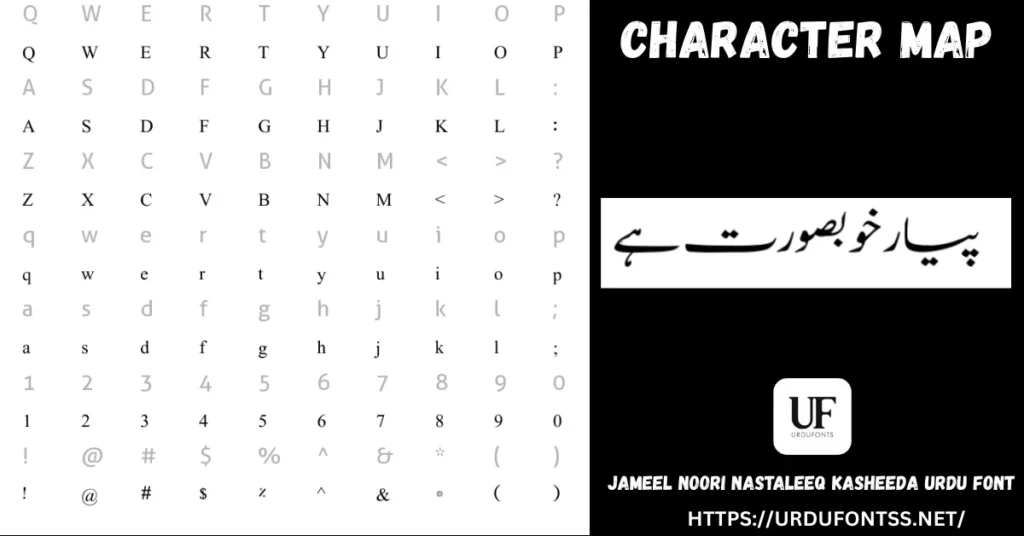
پیار خوبصورت ہے
Try your own words in the Live Urdu Font Previews Tool before you download, and compare the stretched look with the Standard version.
What Kasheeda Means
Kasheeda, also written kashida, means stretching. In Nastaliq, certain connecting strokes can be lengthened so a word spreads across more space. The Kasheeda variant is built for that stretched look: its joins can extend further than the Standard file, which keeps lines balanced instead of leaving large gaps.
This is a typesetting effect, not a different alphabet. The same Urdu words are used; only the spacing and the length of the connecting strokes change. That is why Kasheeda is most useful where line length is fixed, such as a justified book page or a newspaper column.
When to Use Kasheeda
- Use Kasheeda for justified books, long articles, newspaper columns and magazine pages.
- Use Kasheeda for headings and titles where a wider, more calligraphic line looks better.
- Use Standard for everyday typing, short messages, websites and apps where stretching is not needed.
- Use Standard when an app does not apply justification or stretching, because Kasheeda may then look the same as Standard.
Best Uses
- Justified Urdu books and novels: stretched joins keep long lines even.
- Newspaper and magazine columns: Kasheeda fills fixed-width columns neatly.
- Headings and titles: wider, calligraphic lines for posters and covers.
- Poetry layouts: balanced lines for couplets and verse pages.
- Islamic books and articles: traditional Nastaliq feel for long religious texts.
How to Download and Install
Download the ZIP file, extract it, then install the Kasheeda TTF file for your device. For the full step-by-step walkthrough, see the Download and Installation Guide.
Windows
- Extract the downloaded ZIP file to find the Kasheeda TTF file.
- Right-click the TTF file and select Install.
- Restart the app, then select Jameel Noori Nastaleeq Kasheeda from the font list, not the Standard file.
Mac
- Extract the downloaded ZIP file to find the Kasheeda TTF file.
- Double-click the TTF file to open it in Font Book.
- Select Install Font, then choose the Kasheeda font in your app. See the Download and Install Urdu Font on Mac guide for the full steps.
Android
Android does not install this as a system-wide font from this page. Instead, import the TTF file inside an app that supports custom fonts.
- Extract the ZIP file and keep the Kasheeda TTF file on your device.
- In your app, use its font or import option to add the TTF file.
- See the app guides: How to Use Urdu Fonts in PixelLab, Install Urdu Fonts in CapCut and How to Use Urdu Fonts in KineMaster.
InPage and Word
In Word, install the Kasheeda font on Windows or Mac first, then select Jameel Noori Nastaleeq Kasheeda and use justified alignment to see the stretching effect. In InPage, use a Unicode-supported version and Unicode Urdu text. For web documents, see Use Urdu Fonts in Google Docs.
Kasheeda vs Standard
| Feature | Standard | Kasheeda |
|---|---|---|
| File | Standard TTF file | Kasheeda TTF file, separate download |
| Strokes | Standard length | Stretched, elongated joins |
| Best for | Everyday typing, websites, short text | Justified books, newspapers, headings |
| Line fitting | Ordinary spacing | Fills justified lines more evenly |
Standard and Kasheeda are different files. Installing one does not give you the other. If you want the everyday version, use the Standard page below.
Troubleshooting
- Stretching does not show: check you installed the Kasheeda file, not the Standard file, and use justified alignment in Word. Some apps do not apply stretching at all.
- Font looks like Standard: you may have selected the Standard font name in the app. Choose Jameel Noori Nastaleeq Kasheeda from the font list.
- Boxes or question marks instead of Urdu: the font is not active, or the text is not Unicode. Reinstall the font, restart the app and use Unicode Urdu text. See Fix Urdu Fonts Showing Boxes or Question Marks.
- Broken or incomplete ZIP file: download the file again, extract it with a standard ZIP tool, and check that the TTF file appears. See How to Recover Corrupted Urdu Font Files.
For other issues, see Common Urdu Font Problems and Fix Urdu Font Rendering Issues in Browsers.
Frequently Asked Questions (FAQs)
What is Kasheeda in Jameel Noori Nastaleeq Kasheeda?
Kasheeda means stretching. It lengthens connecting strokes in Nastaliq so justified lines sit more evenly.
Is Jameel Noori Nastaleeq Kasheeda free to download?
Yes, the TTF file on this page is free to download from the button above.
Is Kasheeda a different file from Standard?
Yes. Standard and Kasheeda are different files. Install the Kasheeda file from this page for stretching, or the Standard file from its own page for everyday typing.
When should I use Kasheeda instead of Standard?
Use Kasheeda for justified books, newspapers, magazine pages and headings. Use Standard for everyday typing, short text, websites and apps that do not apply stretching.
Why does Kasheeda not stretch in my app?
Some apps do not apply justification or stretching. Check you installed and selected the Kasheeda file, and use justified alignment where the app supports it.
Can I use Kasheeda in Word and on Android?
Yes. In Word, install the font, select the Kasheeda font name and use justified alignment. On Android, import the TTF file inside an app that supports custom fonts.
Can I use Kasheeda for commercial work?
This page does not state a licence for the font, so verify the rights that apply to your use before commercial work, and do not claim ownership of the font.
Final Words
If your Urdu text needs justified, book-style lines, Kasheeda is the right variant to try. Download the Kasheeda TTF file above, install it on your device, then try it with a justified paragraph in Word. For everyday typing, switch back to the Standard file.
Jameel Noori Nastaleeq Kasheeda font is the property of its respective copyright owner. This font is shared on UrduFontss.net for educational and informational purposes only. We do not claim ownership of this font.

2 Comments