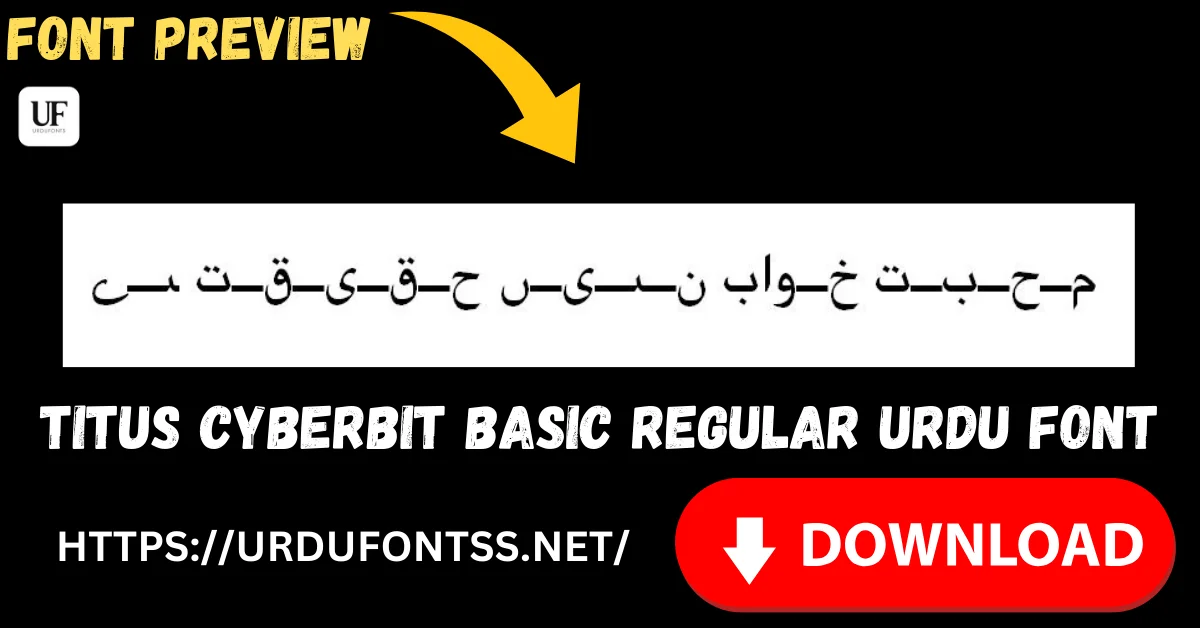
TITUS Cyberbit Basic Regular Free Urdu Font Download (TTF) 2026

TITUS Cyberbit Basic Regular is a multilingual Unicode font that covers Urdu and Arabic alongside Latin and a wide range of other scripts in a single TrueType file. It comes from the TITUS project in Frankfurt, which built it on the Cyberbit design as a free research font — so one install can set mixed-script documents that would otherwise need several fonts. Download the TTF file free below and install it on Windows, Mac or Android.
Table of Content
Table of Contents
TITUS Cyberbit Basic Regular Free Download
| Feature | Details |
|---|---|
| Font Name | TITUS Cyberbit Basic Regular |
| Style | Regular — multilingual text face (Naskh-style for Arabic script) |
| Format | TTF (delivered in a ZIP of about 824 KB) |
| Unicode | Yes — broad multi-script coverage in a single font file |
| Works With | MS Word, InPage, Photoshop, Illustrator and all TTF-supported software |
| Platforms | Windows, Mac, Android (in apps) |
Before you download, you can also preview TITUS Cyberbit Basic with your own text in our Live Urdu Font Previews tool — paste a mixed Urdu and English line and see both scripts set in the one font.
Font Preview
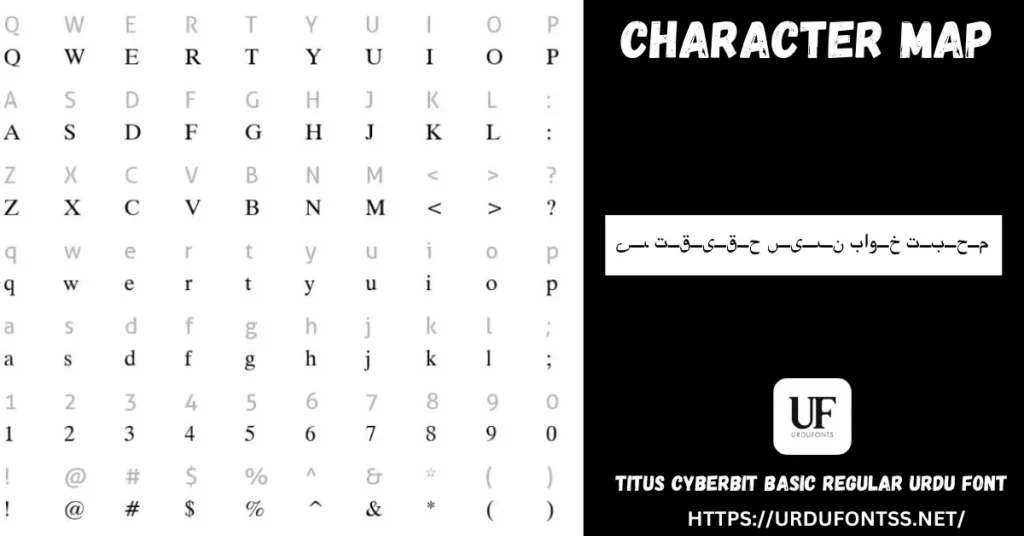
The character map above shows the Latin and symbol set with the font’s Urdu sample line. The map only hints at the coverage — the full character set inside the file is far larger, which is exactly why the download is the size it is.
What Makes TITUS Cyberbit Basic Regular Different
- One font, many scripts: most fonts on this site do one job — Urdu. TITUS Cyberbit Basic was built to cover many writing systems in a single file, so a document mixing Urdu, Arabic, English and transliteration stays in one consistent face instead of falling back to mismatched fonts.
- The 824 KB is the feature: this is the largest download on the site because the character coverage is inside the file. A 30 KB font is light because it carries one script’s essentials; this one carries a library.
- A research pedigree: the TITUS project (Thesaurus Indogermanischer Text- und Sprachmaterialien) at the University of Frankfurt produced the Cyberbit Basic font for scholarly text work — it was made for documents where missing characters are not an option.
- Plain, neutral letterforms: there is no calligraphic styling here. The Arabic-script side renders in a straightforward Naskh-style form meant for reading and citation, not display.
- Know its limit: if you only write Urdu and want the flowing Nastaliq look readers expect, this is not that font — use a Nastaliq such as Nafees Nastaleeq or Jameel Noori Nastaleeq, and keep TITUS for mixed-script work.
Best Uses for TITUS Cyberbit Basic Regular
- Academic and research documents — theses, papers and articles quoting Urdu or Arabic alongside English and transliteration.
- Mixed-script documents — any file where several languages must appear in one consistent typeface.
- Educational material — worksheets and slides where a character must never turn into a blank box mid-lesson.
- Digital archives and e-books — long documents that need dependable Unicode coverage more than decoration.
- A safety-net font — keep it installed as the fallback that can display text your specialist fonts cannot.
How to Download and Install
On Windows
Click the download button at the top of this page, extract the ZIP, right-click the TTF file and choose Install. Restart your app and TITUS Cyberbit Basic appears in its font list. The full walkthrough is in our PC install guide for Urdu fonts.
On Mac
Extract the ZIP, double-click the TTF and choose Install Font in Font Book. Font Book may take a moment to validate a file this size — that is normal for a font with this much coverage.
On Android
Modern Android phones do not allow free system-wide font changes, so use the TTF inside apps such as office suites and design apps that accept custom fonts — our Android install guide shows the in-app method step by step.
TITUS Cyberbit Basic Regular vs Similar Fonts
| Font | How It Differs |
|---|---|
| Scheherazade | A scholarly Naskh focused on Arabic-script languages — lighter and more specialised; TITUS is the choice when the document also leaves the Arabic script entirely. |
| Tafseer Regular | A clean, modern Urdu text font in a ZIP of about 27 KB — the opposite trade-off: one script, featherweight file, contemporary look. |
| Nafees Nastaleeq | A true Nastaliq for Urdu reading and publishing. If the Urdu itself must look like Urdu print, choose Nafees; TITUS is for coverage, not for the Nastaliq look. |
For everyday Urdu reading fonts, browse the Urdu fonts category or the full list in our Urdu Nastaliq fonts guide.
Troubleshooting
| Problem | Solution |
|---|---|
| Download seems slow or stalls | At about 824 KB this file is far bigger than other fonts here — give it a moment, and re-download on a stable connection if it fails |
| Font not showing in software | Restart the application after installation |
| Urdu renders in a straight Naskh style, not Nastaliq | That is this font’s design — for the Nastaliq look, set the Urdu text in a Nastaliq font and keep TITUS for the mixed-script parts |
| Boxes instead of characters | Check the text is real Unicode text; if a character is outside even this font’s coverage, the source text may use a legacy encoding |
For the full fix list, see our common Urdu font problems and fixes guide and the Unicode support guide for Urdu fonts.
Licence Information
| Usage Type | Licence Status |
|---|---|
| Personal Use | ✅ Free to download |
| Commercial Use | Check the font’s licence terms before using it in commercial work |
TITUS Cyberbit Basic Regular is free to download from this page. All rights to the font belong to its respective owner; we do not claim ownership, and this page is provided for preview and informational purposes. If you are the copyright owner and believe any information here needs correction, contact us at urdufontss@gmail.com and we will act on it promptly.
Final Words
Most visitors here need a beautiful Urdu font; TITUS Cyberbit Basic serves a different visitor — the one whose document refuses to stay in one script. If your work mixes Urdu with other languages and you are tired of missing-character boxes, this big, plain, dependable font is the download that ends the problem.
Frequently Asked Questions (FAQs)
Why is the TITUS Cyberbit Basic download so large (about 824 KB)?
Because of its character coverage. The file carries glyphs for many scripts, not just Urdu — that breadth is the reason the font exists, and it is what makes the ZIP many times larger than a single-script font.
Is TITUS Cyberbit Basic free to download?
Yes. The TTF is free to download from the button at the top of this page. For commercial projects, check the font’s licence terms first.
Does TITUS Cyberbit Basic render Urdu in Nastaliq style?
No — its Arabic-script letters use a plain Naskh-style form built for clarity and coverage. For the flowing Nastaliq look of Urdu publishing, install a Nastaliq font such as Nafees Nastaleeq instead.
What is TITUS Cyberbit Basic best used for?
Mixed-script documents: academic work, research papers and educational material that combine Urdu or Arabic with English and other languages in one consistent typeface.
How do I install TITUS Cyberbit Basic on Windows?
Download and extract the ZIP, right-click the TTF file, and choose Install. Restart your app and the font appears in its font list in Word, Photoshop and other software.
Where does the TITUS Cyberbit font come from?
It was produced by the TITUS project at the University of Frankfurt as a free multilingual font, based on the Cyberbit design, for scholarly work with texts in many languages.
Can I preview TITUS Cyberbit Basic with my own text before downloading?
Yes — open the Live Urdu Font Previews tool on urdufontss.net, type your own words, and see how the font renders them before you install anything.

One Comment