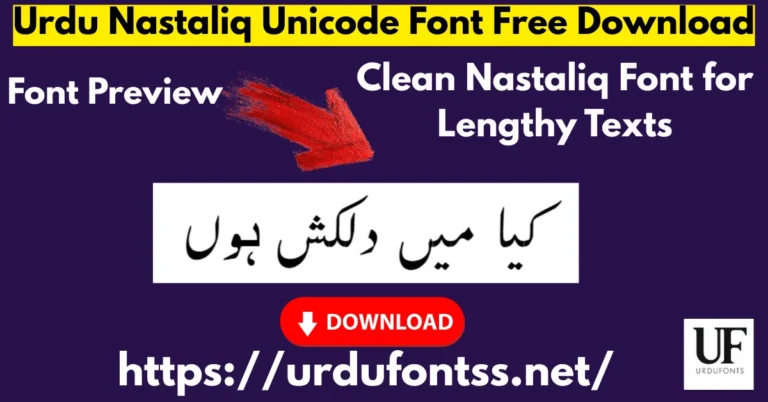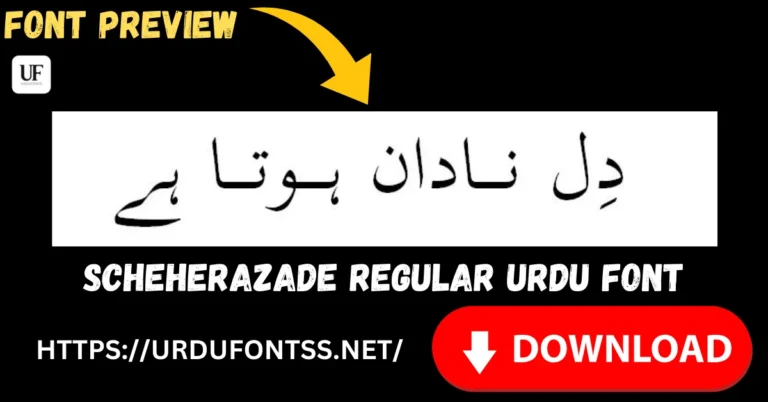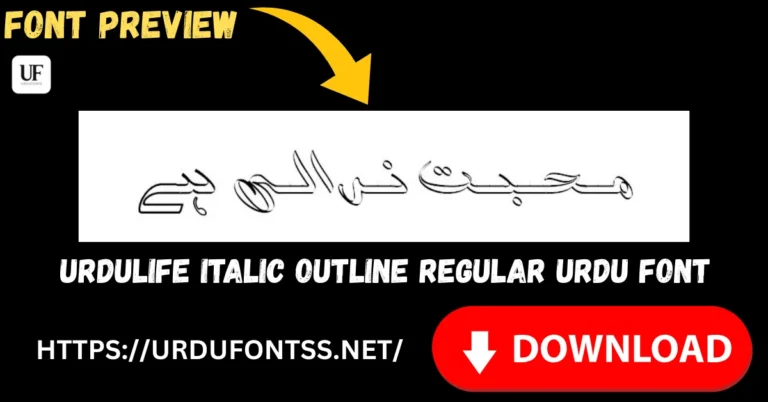
Jameel Noori nastateeq Urdu Font TTF free download - Unicode Urdu Nastaleeq font for Windows, Word, and websites
|

Jameel Noori Nastaleeq Regular Urdu Font – Free Download & Guide

بہتر کل کی امید اور کامل یقین یہ دوسری لائن ہے
© 2026 UrduFonts.net – All Rights Reserved
Table of Content

Table of Contents

Introduction – Why Jameel Noori Nastaleeq is Still a Favorite

If you have ever searched for an authentic Urdu font online, chances are you have come across the name Jameel Noori Nastaleeq. It is one of those rare fonts that has stood the test of time, remaining relevant and widely used even as newer fonts continue to emerge. The reason is simple — it preserves the traditional Nastaleeq writing style that Urdu readers find natural and familiar.

This article is a complete resource on Jameel Noori Nastaleeq. I will cover everything from its fascinating history and ownership details to download steps, installation guides, and practical use cases. Whether you are a blogger, a student, or a professional designer, by the end of this guide you will know exactly how to use this font effectively and responsibly. The font is fully Unicode-compatible, which means it works seamlessly on Windows, Android, Microsoft Word, websites, and PDF files.

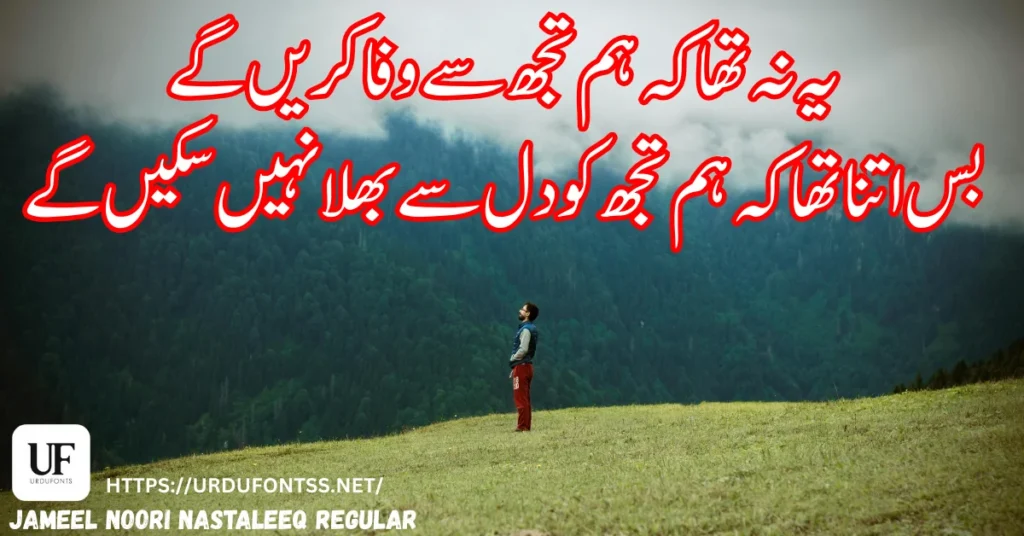
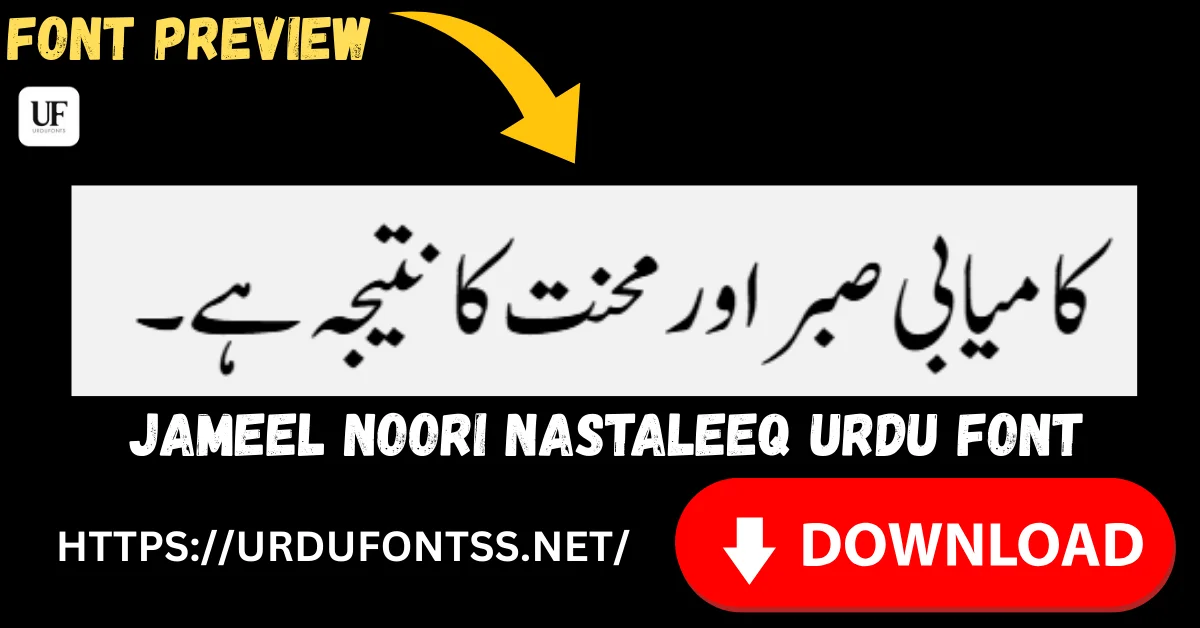
Preview of Jameel Noori Urdu Font displaying famous Urdu poetry in Nastaleeq style
See how Jameel Noori Urdu Font looks with classic Urdu poetry. A perfect preview for blogs, social media, and design projects.

What is Jameel Noori Nastaleeq Urdu Font?

Jameel Noori Nastaleeq is a Unicode-based Urdu font designed in the traditional Nastaleeq writing style. For those unfamiliar with the term, Nastaleeq is the cursive, flowing script that Urdu has historically been written in. It is what gives handwritten Urdu its elegance and natural rhythm.

What makes Jameel Noori Nastaleeq special is how closely it mimics that handwritten feel. The letterforms flow diagonally from top-right to bottom-left, creating the characteristic sloping appearance that Urdu readers instinctively connect with. This makes it particularly suitable for long-form reading — books, articles, blogs, and educational materials where readability over extended periods matters.

Before fonts like Jameel Noori became available, Urdu digital typing was largely confined to InPage, a desktop publishing software that used its own proprietary font format. Jameel Noori changed that by bringing Nastaleeq into the Unicode world, making it usable across modern software and web platforms.

Noori Nastaleeq vs Jameel Noori Nastaleeq – What’s the Difference?

This is a common point of confusion, so let me clarify it clearly. Noori Nastaleeq is the original typeface created by Ahmed Mirza Jamil in 1981. It was a groundbreaking achievement that made Nastaleeq Urdu possible on computers for the very first time. However, it was designed for older systems and was not Unicode-based.

Jameel Noori Nastaleeq is a modern Unicode adaptation that emerged later, around the early 2000s with commonly shared versions dated around 2008. It took inspiration from the original Noori Nastaleeq but was built to work across contemporary operating systems, web browsers, and mobile devices. Think of it as the bridge between traditional Urdu typography and modern digital compatibility.


The Complete History of Jameel Noori Nastaleeq Font

The Birth of Digital Nastaleeq – Ahmed Mirza Jamil’s Contribution (1981)

A digital portrait of Ahmad Mirza Jamil sitting in a study with a vintage 1981 Macintosh computer, stacks of Urdu newspapers, and classical books. The image features a gold plaque with Urdu text and the website watermark urdufontss.net.
In 1981, Ahmed Mirza Jamil changed the course of history by introducing the Noori Nastaliq script. This invention bridged the gap between traditional calligraphy and modern desktop publishing, forever changing how Urdu newspapers and books are printed worldwide.

The story of digital Urdu typography begins with one man: Ahmed Mirza Jamil. In 1981, he created Noori Nastaleeq, and in doing so, he solved a problem that many thought was unsolvable. The Nastaleeq script is inherently complex — characters change shape based on position, letters stack diagonally, and the kerning is far more intricate than in Latin scripts. Getting this to work on early computer systems was a remarkable technical achievement.

Ahmed Mirza Jamil’s work laid the foundation for everything that followed. Without Noori Nastaleeq, the digital Urdu landscape would look completely different today. His contribution is widely acknowledged across the typography and Urdu computing communities. For more on Urdu font history and the evolution of digital typography, explore our collection of Urdu Nastaliq Fonts.

From Noori Nastaleeq to Jameel Noori (Early 2000s)

As computers evolved and the internet grew, the limitations of older font formats became apparent. Users needed Urdu fonts that could work on websites, in word processors, and across different operating systems — not just in InPage. This created the need for a Unicode-compatible Nastaleeq font.

Jameel Noori Nastaleeq emerged to fill this gap. Based on available information across Google and major font repositories, it became publicly available in the early 2000s, with the most commonly shared versions dated around 2008. Its purpose was clear from the start: to provide a clean, readable Nastaleeq font that preserved the traditional look while embracing modern compatibility.

The Digital Urdu Revolution – Why This Font Changed Everything

The shift from proprietary font formats to open Unicode standards was a turning point for Urdu content creation. Suddenly, bloggers could write in Nastaleeq on WordPress. Students could type assignments in Microsoft Word. Websites could display Urdu text without requiring visitors to install special software. Jameel Noori Nastaleeq played a significant role in this transformation. It helped democratize Urdu digital publishing and remains one of the most downloaded Urdu fonts to this day.


Jameel Noori Nastaleeq Font Specifications

Here is a quick reference table with the essential details:

DetailInformation
Font NameJameel Noori Nastaleeq
Font StyleRegular (Nastaleeq)
Font TypeTrueType (TTF)
Unicode SupportYes, full Unicode compliance
Best ForReading, Books, Blogs, Documents
Common UsePersonal, Educational, Digital Publishing

Jameel Noori Nastaleeq vs Kasheeda Version – What You Should Know

You may encounter different versions of this font, which can be confusing at first. Let me explain the difference.

What is Jameel Noori Nastaleeq Kasheeda?

Kasheeda is a typographic term referring to the elongation of characters to improve text justification. Jameel Noori Nastaleeq Kasheeda is a layout-optimized variant that enhances visual balance in justified text layouts. It adjusts character spacing and elongation automatically, which makes long paragraphs look more even and professional.

Standard vs Kasheeda – Quick Comparison

FeatureJameel Noori NastaleeqJameel Noori Nastaleeq Kasheeda
PurposeGeneral typing, bloggingLong-form justified text
SpacingStandardEnhanced (Kasheeda)
Best ForWebsites, documents, daily useBooks, newspapers, magazines
Font FamilySame familyLayout-optimized variant

If you are working on a book, newspaper, or any project with long paragraphs in justified alignment, the Kasheeda version is the better choice. For general everyday use, the standard Jameel Noori Nastaleeq works perfectly. For more font options for print media, check our guides on Best Urdu Fonts for Newspapers and Best Urdu Fonts for Magazines.


How to Download Jameel Noori Nastaleeq Font

Downloading this font is straightforward and completely safe when done from a trusted source. Follow these steps:

To download and install this font on PC and mobile devices, click the button below.

Download & Installation Guide
StepAction
1Visit the Jameel Noori Nastaleeq font page on UrduFontss.net
2Review the font preview to see how it looks with your text
3Complete any security verification if prompted (spam protection)
4Click the download button to save the TTF file
5If the file is compressed, extract it — your font is ready

👉 Download Here: Jameel Noori Nastaleeq Urdu Font Download

Always download fonts from verified platforms. Unreliable sources may provide corrupted files or fonts bundled with malware. Our guide on How to Download and Install Urdu Fonts from Trusted Website explains what to look for in a safe font source.

How to Install Jameel Noori Nastaleeq Font (All Platforms)

Once downloaded, installation is quick across all major platforms.

Install on Windows

  • Locate the downloaded TTF file on your computer
  • Right-click on the file and select Install
  • Wait a few seconds for the installation to complete
  • The font will now appear in Microsoft Word, Photoshop, and all supported applications

Install on macOS

  • Find the downloaded TTF file and double-click it
  • Font Book will open automatically
  • Click Install Font to add it to your system
  • The font is now ready to use across all applications

Install on Android

Install in Microsoft Word

Jameel Noori Nastaleeq integrates smoothly with Microsoft Word. Once installed on your system, it automatically appears in the font dropdown within Word. No additional configuration is needed.

Install in Canva

Canva requires fonts to be uploaded through the Brand Kit section. Here is the complete process: How to Add Urdu Fonts in Canva.

Install in Google Docs

Urdu fonts can be used in Google Docs as well. Read the full guide: Use Urdu Fonts in Google Docs.

Install in Adobe Illustrator

For designers working with Adobe Illustrator, follow our dedicated guide: How to Use Urdu Fonts in Adobe Illustrator.


The Ownership Question

This is one of the most common questions about Jameel Noori Nastaleeq, and it deserves an honest answer. There is no clearly documented official company or exclusive owner publicly listed for this font on Google or major font databases. Many font files and repositories either list generic author names or leave the designer field empty.

What is well-documented, however, is the historical credit. The foundation of digital Nastaleeq typography belongs to Ahmed Mirza Jamil, who created Noori Nastaleeq in 1981. His work directly influenced later fonts including Jameel Noori Nastaleeq. Today, this font is best described as a community-distributed Urdu font inspired by Noori Nastaleeq.

License Information

Jameel Noori Nastaleeq is commonly shared across font websites as free for Urdu lovers, personal use, and educational purposes. Users generally download and use it for reading, writing, publishing, and online content without issues.

However, there is no officially published license document that clearly defines commercial usage rights. Because of this, responsible platforms like UrduFontss.net:

  • Do not claim ownership of the font
  • Give historical credit to Ahmed Mirza Jamil where applicable
  • Provide copyright disclaimers
  • Offer content removal options if required

For large-scale commercial use, users are advised to verify usage rights independently.


Where is Jameel Noori Nastaleeq Commonly Used?

Because of its Unicode support and classic Nastaleeq look, this font has found its way into a wide variety of applications.

  1. Urdu blogs and informational websites — Clean readability makes it ideal for online articles and content
  2. Educational notes and assignments — Students and teachers use it for academic work
  3. Islamic books and articles — The traditional Nastaleeq feel suits religious content well. Also explore: Best Urdu Islamic Fonts & Calligraphy Urdu Fonts
  4. Poetry, novels, and literature — Long-form reading benefits from its natural flow. Related: Best Urdu Fonts for E-books and Kindle
  5. PDFs and Microsoft Word documents — Works smoothly in both. Learn how to embed it: How to Embed Urdu Fonts in PDF Files
  6. Mobile and web-based Urdu typing — Compatible with modern typing tools and keyboards
  7. Newspaper and magazine content — Especially the Kasheeda variant. See: Best Urdu Fonts for Newspapers and Best Urdu Fonts for Magazines

Font Pairing Suggestions

Jameel Noori Nastaleeq pairs well with clean Unicode fonts for design work where you need visual contrast between headings and body text. If you are exploring more Nastaleeq options, our collection of Urdu Nastaliq Fonts Free Download offers several alternatives.


Here is how Jameel Noori Nastaleeq compares with other widely used Urdu fonts:

FeatureJameel Noori NastaleeqAl Qalam Quran MajeedTehreer Regular
StyleNastaleeq (Cursive)Quranic ArabicClean Regular
Best ForBooks, Blogs, ReadingQuranic TextTyping, Design
Unicode✅ Full Support⚠️ Limited✅ Full Support
Free✅ Yes✅ Yes✅ Yes
PlatformAll Modern SystemsSpecific UseAll Modern Systems

If you need a Quranic Arabic font, check out Al Qalam Quran Majeed Arabic Font. For a clean modern Urdu typeface for design work, Tehreer Regular Font is worth exploring.


Common Questions About Jameel Noori Nastaleeq (FAQ Section)

Is Jameel Noori Nastaleeq Unicode-based?

Yes, it fully supports Unicode and works on Microsoft Word, websites, Android, and PDFs without issues.

Who created Jameel Noori Nastaleeq font?

It is inspired by the original Noori Nastaleeq created by Ahmed Mirza Jamil in 1981. Jameel Noori Nastaleeq itself has no clearly documented official designer and is considered a community-distributed font.

Is Jameel Noori Nastaleeq free to download?

Yes, it is widely shared as a free font for personal and educational use. For commercial usage, independent verification of rights is recommended.

What is Jameel Noori Nastaleeq Kasheeda?

It is a spacing-optimized variant of the same font family designed for better justified text layouts. It enhances visual balance in long paragraphs.

Can I use this font on my website?

Yes, many websites use it successfully. Adding a copyright disclaimer is considered good practice.

Why does the font show boxes instead of Urdu text?

This is a common rendering problem. Our guide walks you through the solution: Fix Urdu Fonts Showing Boxes or Question Marks.

How do I fix browser rendering issues?

If Urdu text is not displaying correctly online, follow this guide: Fix Urdu Font Rendering Issues in Browsers.

What if the font file is corrupted?

Corrupted downloads can happen. Here is how to handle them: How to Recover Corrupted Urdu Font Files.

Are there other common Urdu font problems?

Yes, our comprehensive resource covers the most frequent issues: Common Urdu Font Problems.

How do I handle Unicode compatibility issues?

For Unicode-related problems, read: Proper Unicode Support Urdu Font Issues.

How do I install Urdu fonts on PC with keyboard?

For a complete setup guide including keyboard installation, see: Download and Install Urdu Keyboard in PC.

Pro Tips for Using Jameel Noori Nastaleeq Effectively

Here are some practical suggestions based on real experience with this font:

  • Use for long-form Urdu content: This font truly shines in books, articles, and PDFs where readers spend extended time with the text. The Nastaleeq flow reduces eye strain.
  • Choose the right variant: Standard version for daily use, Kasheeda version for professionally justified layouts.
  • Pair with clean fonts for contrast: When designing, combine Jameel Noori Nastaleeq with a clean sans-serif or Regular Urdu font for visual hierarchy.
  • Test across devices: Preview your content on desktop and mobile to ensure consistent rendering. Our Live Urdu Font Previews Tool makes testing easy.
  • Keep backups of TTF files: Save copies of all your downloaded fonts. Finding a specific version again can be time-consuming.
  • Add copyright disclaimers: If using the font on a public website, include a brief disclaimer acknowledging its community-distributed status.

Final Words – Is Jameel Noori Nastaleeq Still Worth Using?

If you want a reliable, traditional-looking Urdu font that works on modern systems, Jameel Noori Nastaleeq remains an excellent choice. Its historical significance, combined with its continued practical utility, makes it one of the most trusted Urdu fonts available online. The Nastaleeq style it preserves is deeply connected to how Urdu readers naturally process text, which explains why its popularity has endured for so long.

Remember to use it responsibly — give proper credit where applicable, avoid claiming ownership, and inform users about license limitations when using it publicly. Whether you are a blogger publishing Urdu content, a student preparing an assignment, or a designer working on a print project, this font delivers the authentic Nastaleeq experience that readers appreciate.

Download it, use it, and enjoy one of the most iconic Urdu fonts in digital history.

Explore more at UrduFontss.net:


Disclaimer & DMCA Notice

Jameel Noori Nastaleeq font is the property of its respective copyright owner. This font is shared on UrduFontss.net for educational and informational purposes only. We do not claim ownership of this font, nor do we modify or resell it.

If you are the copyright owner or an authorized representative and believe that this content infringes your rights, please contact us with valid details through our Contact Us page. Upon receiving a legitimate DMCA notice, we will promptly remove the content. For more details, review our Privacy Policy and Terms and Conditions.

Similar Posts

22 Comments

Leave a Reply

Your email address will not be published. Required fields are marked *