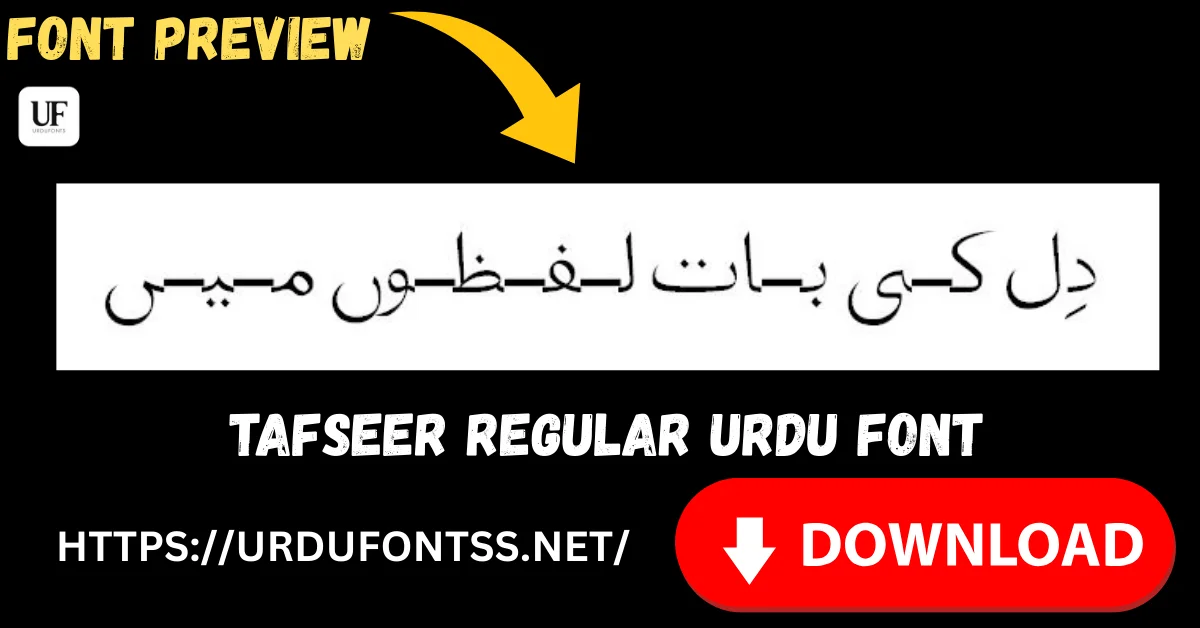
Tafseer Regular Free Urdu Font Download (TTF) 2026

Tafseer Regular is a clean, contemporary Urdu font — smooth letterforms in a single Regular style that keep text professional and easy to read on screen and in print. It suits blogs, documents and design work alike. Download the TTF file free below and install it on Windows, Mac or Android.
Table of Content
Table of Contents
Tafseer Regular Free Download
| Feature | Details |
|---|---|
| Font Name | Tafseer Regular |
| Style | Regular — clean, contemporary |
| Format | TTF (delivered in a ZIP of about 27 KB) |
| Weights | 1 (Regular) |
| Embedding | Installable |
| Works With | MS Word, InPage, Photoshop, Illustrator, InDesign, Canva and all TTF-supported software |
| Platforms | Windows, Mac, Android (in apps) |
Before you download, you can also preview Tafseer Regular with your own text in our Live Urdu Font Previews tool.
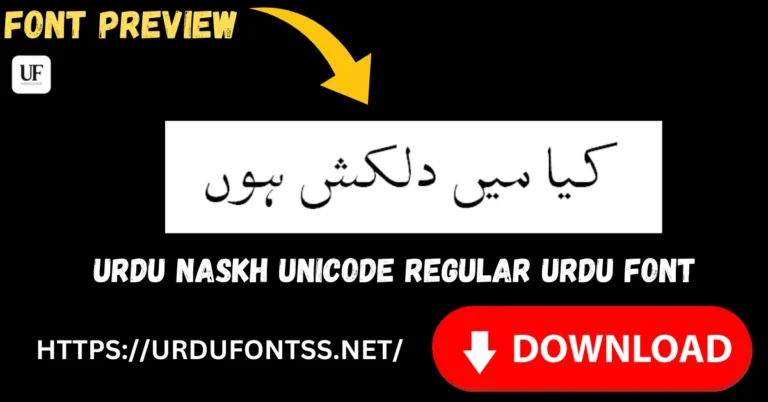
Font Preview
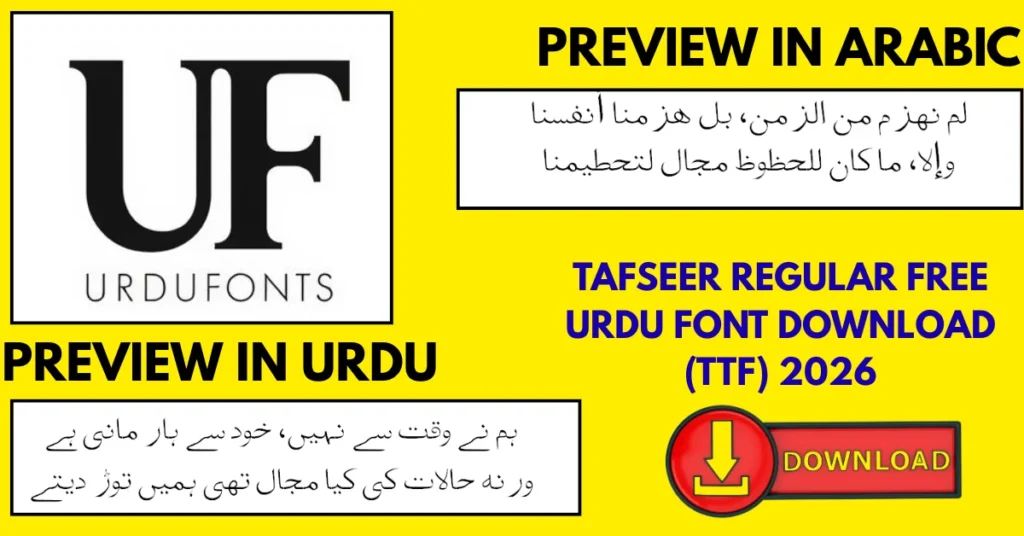
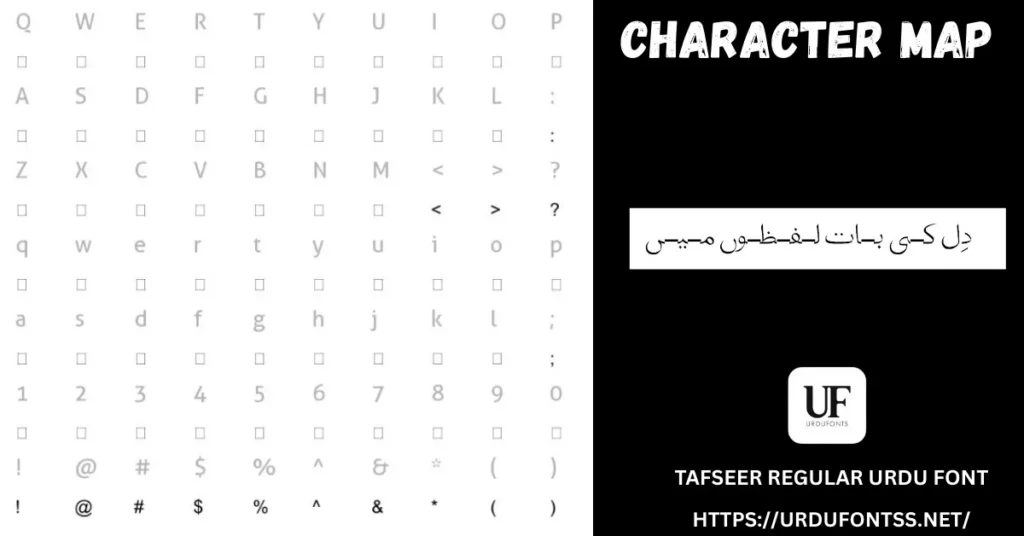
What Makes Tafseer Regular Different
- Contemporary, not classical: Tafseer’s letterforms are smooth and modern, so Urdu text looks at home in today’s blogs, apps and documents rather than in a traditional book layout.
- One of the lightest downloads on the site: at about 27 KB the ZIP is tiny — quick to download even on a slow connection, and it never weighs a document down.
- Readable in both directions of use: the same file handles a formal report and a social media graphic without looking out of place in either.
- Unicode-based rendering: text displays properly across devices and applications, staying searchable and copyable — no legacy encoding workarounds.
- Single, predictable style: one Regular weight means no surprises — what you preview is exactly what prints and exports.
Best Uses for Tafseer Regular

- Blogs and online articles — clean rendering at reading sizes for Urdu content online.
- Professional documents — letters, reports and official documents that need a neat, modern Urdu face.
- Graphic design — posters, banners, greeting cards and invitations.
- Printed material — books, magazines and brochures.
- Commentary and religious articles — a readable text face for tafsir-style writing and long-form religious content, as the name suggests.
How to Download and Install
On Windows
Click the download button at the top of this page, extract the ZIP, right-click the TTF file and choose Install. Restart your app and Tafseer Regular appears in its font list. In Word, set the paragraph direction to right-to-left for Urdu text. The full walkthrough is in our PC install guide for Urdu fonts.
On Mac
Extract the ZIP, double-click the TTF and choose Install Font in Font Book.
On Android
Modern Android phones do not allow free system-wide font changes, so use the TTF inside apps such as PixelLab, CapCut or Canva — our Android install guide shows the in-app method step by step. On a paid Canva plan you can also upload the TTF to your Brand Kit, as explained in our Urdu fonts in Canva guide.
Tafseer Regular vs Similar Fonts
| Font | How It Differs |
|---|---|
| Nafees Nastaleeq | A tidy, traditional Nastaliq for web and blogs — more classical in feel; Tafseer is the more contemporary-looking text font. |
| Urdu Nastaliq Unicode Regular | A light, open-source Nastaliq built for long reading under the GPL — choose it when an open licence matters. |
| Shamsheer Unicode | A clean modern style for everyday projects — a close alternative; compare both in the preview tool with your own headline. |
For the bigger picture, browse the Urdu fonts category or the full list in our Urdu Nastaliq fonts guide.
Troubleshooting
| Problem | Solution |
|---|---|
| Font not showing in Word or Photoshop | Restart the application after installation and check the TTF is installed in the system fonts folder |
| Urdu text renders as boxes or question marks | See our guide to fixing Urdu fonts showing boxes or question marks |
| Urdu looks broken in the browser | See our guide to fixing Urdu font rendering issues in browsers |
| Letters not joining properly | Enable RTL (right-to-left) text settings in your app |
For the full fix list, see our common Urdu font problems and fixes guide.
Licence Information
| Usage Type | Licence Status |
|---|---|
| Personal Use | ✅ Free to download |
| Commercial Use | Check the font’s licence terms before using it in commercial work |
Tafseer Regular is free to download from this page. All rights to the font belong to its respective owner; we do not claim ownership, and this page is provided for preview and informational purposes. If you are the copyright owner and believe any information here needs correction, contact us at urdufontss@gmail.com and we will act on it promptly.
Final Words
If you need one dependable, modern Urdu text font — light to download, easy to read, and at home in both a Word document and a design file — Tafseer Regular earns its place. Preview it with your own text, install it once, and it is ready for everything from articles to posters.
Frequently Asked Questions (FAQs)
Is Tafseer Regular free to download?
Yes. The TTF is free to download from the button at the top of this page, in a ZIP of about 27 KB. For commercial projects, check the font’s licence terms first.
Which styles are available for Tafseer Regular?
One style only: Regular. There are no bold or italic weights in this font, so use size and a second display font for emphasis in headings.
Can I use Tafseer Regular for commercial projects?
Check the font’s licence before commercial use. The font is free to download and installable for personal and design work, but commercial rights depend on the licence terms.
How do I install Tafseer Regular on my computer?
Download and extract the ZIP, then install the TTF: right-click → Install on Windows, or double-click → Install Font in Font Book on Mac. Restart your app afterwards.
Can I use Tafseer Regular in Canva and on Android?
Yes. On a paid Canva plan, upload the TTF through Brand Kit. On Android, load the file inside apps such as PixelLab or CapCut, since modern phones do not allow free system-wide font changes.
How is Tafseer Regular different from Nafees Nastaleeq?
Tafseer has a cleaner, more contemporary look suited to documents and modern designs. Nafees Nastaleeq is a traditional Nastaliq that suits blogs and classic publishing layouts.
Can I preview Tafseer Regular with my own text before downloading?
Yes — open the Live Urdu Font Previews tool on urdufontss.net, type your own words, and see exactly how this font renders them before you install anything.

11 Comments