Urdu Font Khush Khati Free Download – Elegant Nastaliq Calligraphy

Urdu Font Khush Khati is an elegant Nastaliq calligraphy font designed by Basharat Ali. Built for the flowing look of hand-written Urdu, it carries 3,486 glyphs, supports Kashida (the horizontal stretching of a Nastaliq line), and uses tapering strokes that mimic a real calligraphy pen. Download the TTF free below and install it on Windows, Mac or Android.
Table of Content
Table of Contents
Urdu Font Khush Khati Free Download
| Feature | Details |
|---|---|
| Font Name | Urdu Font Khush Khati |
| Style | Nastaliq / Calligraphy |
| Format | TTF (delivered in a ZIP of about 164 KB) |
| Glyphs | 3,486 |
| Designer | Basharat Ali |
| Weights | 1 (Regular) |
| Languages | Urdu, Arabic, Persian |
| Works With | Windows, MS Word, Photoshop, CorelDRAW, InPage and other TTF-supported software |
| Platforms | Windows, Mac, Android (in apps) |
Before you download, you can also preview Urdu Font Khush Khati with your own text in our Live Urdu Font Previews tool — type a line of poetry and watch how the Nastaliq slope handles it before you install anything.
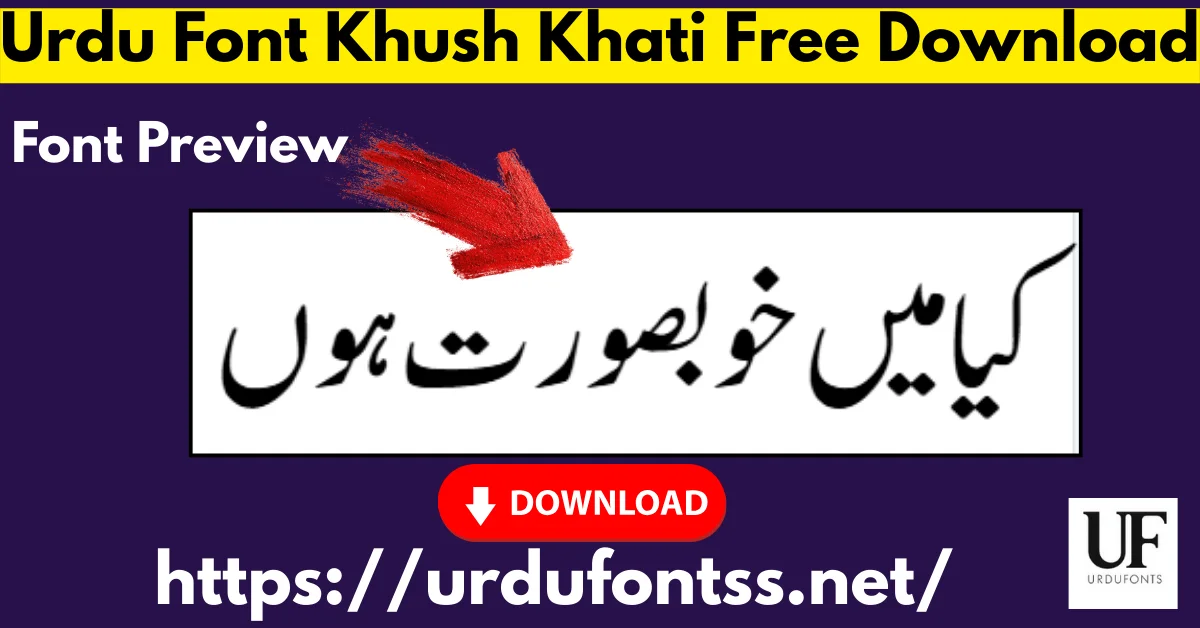
Font Preview
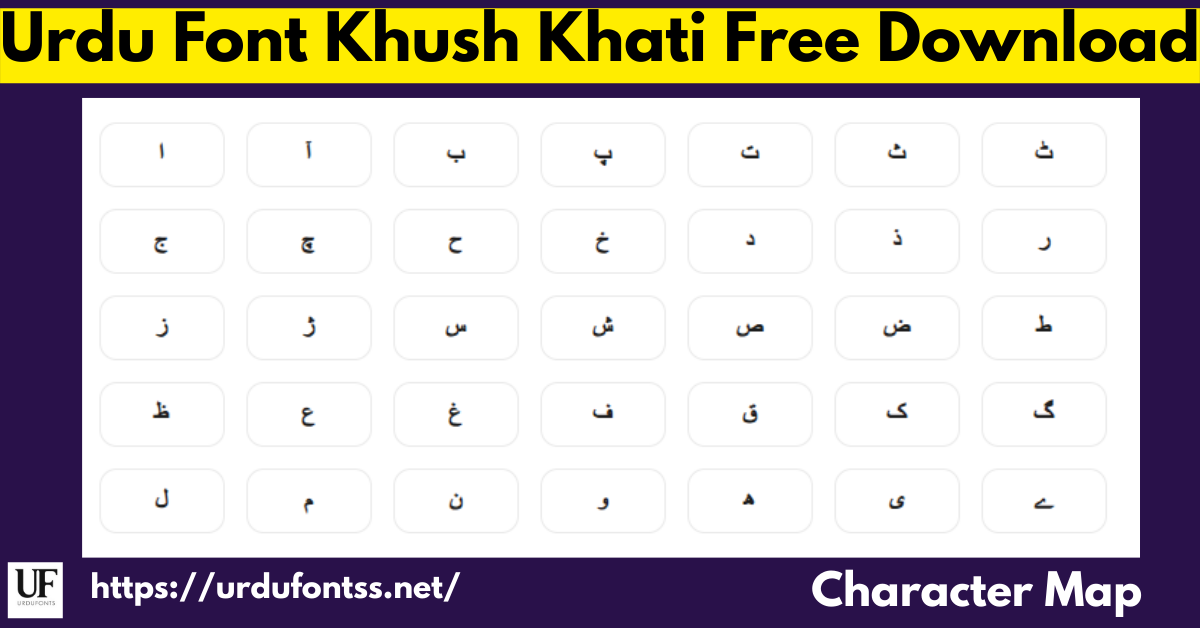
The character map above is this font’s own preview: the full glyph set behind the calligraphy — the letterforms, joining shapes and marks that produce the flowing line. Check the forms your text actually needs here before you download.
What Makes Urdu Font Khush Khati Different
- Hand-written feel, not a mechanical Nastaliq: the strokes taper like a calligraphy pen, so headlines and titles look written rather than typeset — the reason this font is chosen for poetry and invitations over a plain text Nastaliq.
- Kashida support: the font supports the horizontal stretching of a line, so you can justify and balance Nastaliq text the traditional way — a feature many decorative fonts skip.
- 3,486 glyphs: a deep character set for a calligraphy font, covering Urdu with Arabic and Persian support, so mixed-language lines stay in one face.
- One weight, done properly: Khush Khati ships as a single Regular weight. There is no bold to fake and no family to manage — the one file is the design.
Best Uses for Urdu Font Khush Khati
- Poetry and literature — couplets and verses that deserve a written, calligraphic line.
- Invitations and cards — wedding cards and event invitations with an elegant Urdu title.
- Book covers and logos — titles and brand marks that need a hand-crafted feel.
- Posters — headline text for cultural and literary events.
- Islamic literature — religious books and publications in a respectful calligraphic style.
- Social media graphics — quote posts and poetry graphics for Urdu audiences.
It sits naturally in our roundup of Islamic and calligraphy fonts and in the wider Nastaliq fonts collection.
How to Download and Install
On Windows
Click the download button at the top of this page, extract the ZIP, right-click the TTF file and choose Install. Restart any open app and Khush Khati appears in its font list — in MS Word it shows up in the font dropdown automatically once installed. The full walkthrough is in our PC install guide for Urdu fonts.
On Mac
Extract the ZIP, double-click the TTF and choose Install Font in Font Book. If the font does not appear in an app’s list, restart the app — font lists refresh on launch.
On Android
Modern Android phones do not allow free system-wide font changes, so use the TTF inside apps such as PixelLab, CapCut, KineMaster or Canva through each app’s Add Font option — our Android install guide shows the in-app method step by step. On iPhone and iPad, a font-installer app such as iFont can import the TTF for use in supported apps.
Urdu Font Khush Khati vs Similar Fonts
| Font | How It Differs |
|---|---|
| Jameel Noori Nastaleeq | The default text Nastaliq — neutral and bookish, made for reading long Urdu text. Choose Jameel for body text; Khush Khati when the line itself must look calligraphed. |
| Urdu Emad Nastaliq | Another expressive Nastaliq with Ruqaa influence. Emad leans literary; Khush Khati leans to the pen-written invitation and poetry look. |
| Urdu Nastaliq Unicode Regular | The Unicode workhorse for web and modern apps. Choose it for screens and documents that must copy-paste cleanly; Khush Khati for print-style calligraphy. |
Not sure which Nastaliq fits your project? Our Nastaliq fonts guide compares the styles side by side.
Troubleshooting
| Problem | Solution |
|---|---|
| Some glyphs look missing when printing | This font can show this on some printers — run a test print of your exact text before a final print run, and if a character drops, print from a PDF export instead |
| Font not showing after installation | Restart the app — font lists refresh on launch; if it is still missing, reinstall the TTF and restart the device |
| Letters not joining properly | Enable the Urdu or Arabic keyboard layout and right-to-left text direction, and confirm the app supports Nastaliq shaping |
| Font looks different across devices | Display depends on screen size, resolution and the app’s text engine — always proof the final artwork on the device or print size it is meant for |
For the full fix list, see our common Urdu font problems and fixes guide.
Licence Information
| Usage Type | Licence Status |
|---|---|
| Personal Use | ✅ Free to download |
| Commercial Use | Check with the developer (Basharat Ali) before commercial use |
Urdu Font Khush Khati is free to download from this page for personal use. We do not claim ownership of this font; the design belongs to Basharat Ali, and this page is provided for preview and informational purposes. If you are the copyright owner and believe any information here needs correction, contact us at urdufontss@gmail.com and we will act on it promptly.
Final Words
For poetry, invitations, covers and titles that should look written by a calligrapher’s pen rather than typed, Urdu Font Khush Khati is the pick on this shelf: 3,486 glyphs, Kashida support and one carefully made weight. Download it, set your own line in the preview, and run one test print before the real run.
Frequently Asked Questions (FAQs)
Is Urdu Font Khush Khati free to download?
Yes. The TTF is free to download from the button at the top of this page for personal use, in a ZIP of about 164 KB. For commercial use, check with the developer, Basharat Ali, first.
Who designed Urdu Font Khush Khati?
Basharat Ali. The font is his calligraphy design, and the copyright in it remains with him.
How many weights does Khush Khati have?
One — a single Regular weight. There is no separate bold; for bold headings, pair the title line with a heavier Nastaliq or set the Khush Khati line larger.
Does Khush Khati support Kashida?
Yes. The font supports Kashida, the horizontal stretching used to justify and balance a Nastaliq line in traditional layout.
Is Khush Khati compatible with InPage?
Yes — the font is listed as compatible with InPage, as well as MS Word, Photoshop and CorelDRAW on Windows. Install the TTF on the system first, then select it inside the app.
Why do some glyphs look missing when I print with Khush Khati?
On some setups a few glyphs can drop at print time. Test-print your exact text first; if a character is missing in the printout, export the document to PDF and print from the PDF instead.
What is the difference between Khush Khati and a Naskh font?
Khush Khati is Nastaliq — the sloped, flowing style of Urdu writing. Naskh is the flatter, more horizontal style used mainly for Arabic text and books. For Urdu poetry and titles, Nastaliq is the traditional choice.